


ADVANCED METIN2 WEB PANEL FOR SALE
Game Management • Website Management • Forum • Patcher • Market • Technical Tools
SALE PRICE: $400 + VAT (One-Time) / $100 + VAT (Monthly License)
CONTACT: WEBSITE
CONTACT: 0850 305 02 31 (WhatsApp)
Although the visuals are in Turkish, you can use the links below to access the demo panels and test it live in English.
 Paid Demo User Interface: https://metin2.pvpsunucusu.com/index
 Paid Demo Admin Panel: https://metin2.pvpsunucusu.com/admin
Game Management • Website Management • Forum • Patcher • Market • Technical Tools
SALE PRICE: $400 + VAT (One-Time) / $100 + VAT (Monthly License)
CONTACT: WEBSITE
CONTACT: 0850 305 02 31 (WhatsApp)
Although the visuals are in Turkish, you can use the links below to access the demo panels and test it live in English.
 Paid Demo User Interface: https://metin2.pvpsunucusu.com/index
 Paid Demo Admin Panel: https://metin2.pvpsunucusu.com/admin
Files/WebPanel source code sales will only be made to trustworthy individuals who have previously launched a game server. You may send a PM for a price quote.
Standard sales include Game / MySQL / Full Client. The WebPanel will be installed with ionCube encryption.
A comprehensive web administration panel developed for Metin2 projects is now available for sale.Standard sales include Game / MySQL / Full Client. The WebPanel will be installed with ionCube encryption.
The panel combines game systems, proto and drop management, NPCs and shops, website settings, theme management, patcher, forum, market settings, and technical conversion tools within a single administration interface.
The images below were taken directly from the panel screens. A separate explanation above each image describes what that screen provides.
Key features:
• Centralized and modular administration interface
• Enable, disable, and configure game systems directly from the panel
• Item proto, mob proto, drop, refine, cube, NPC, and shop management
• Dragon Soul Alchemy, Battle Pass, bot player, bot shop, prestige, sash, biologist, and many other systems
• Website, theme, logo, registration, ranking, and maintenance mode management
• Integrated forum management and user-facing forum interface
• Patcher, backup, proto, and TXT/SQL conversion tools
Note: File and system compatibility, delivery scope, and installation details will be discussed via PM.
CUSTOM GAME SYSTEMS AND CORE MANAGEMENT
System Video Guides: Available on My YouTube Channel! (Updated continuously.)
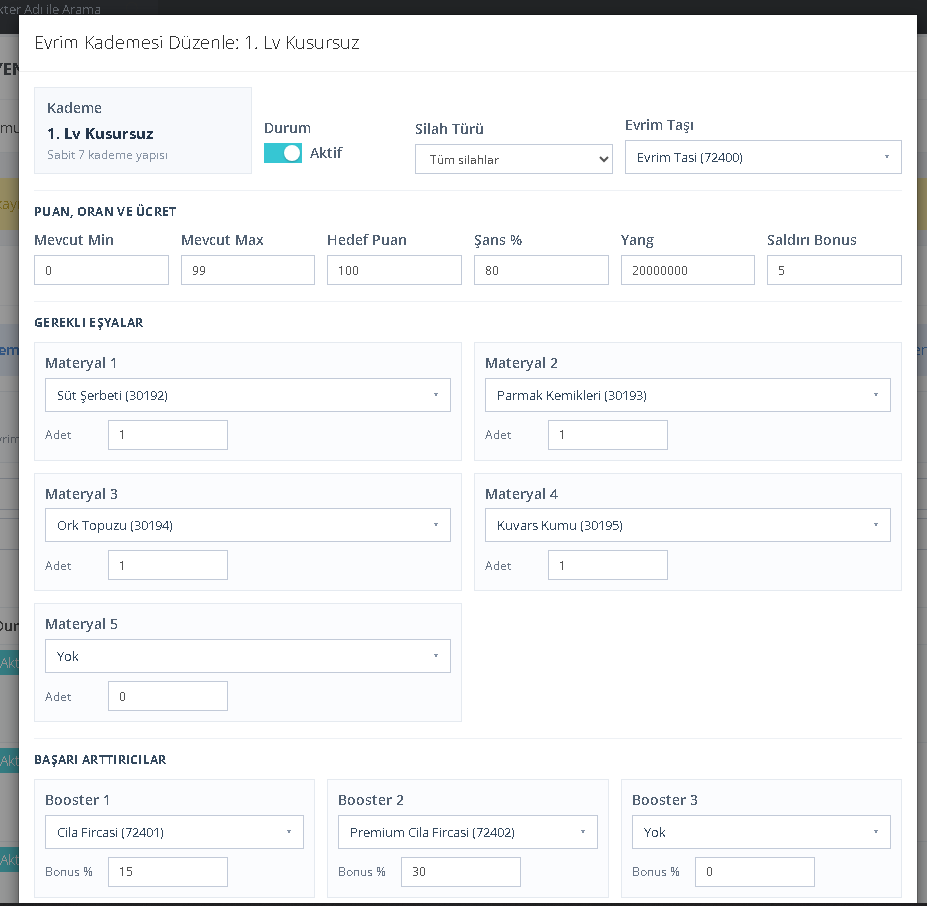
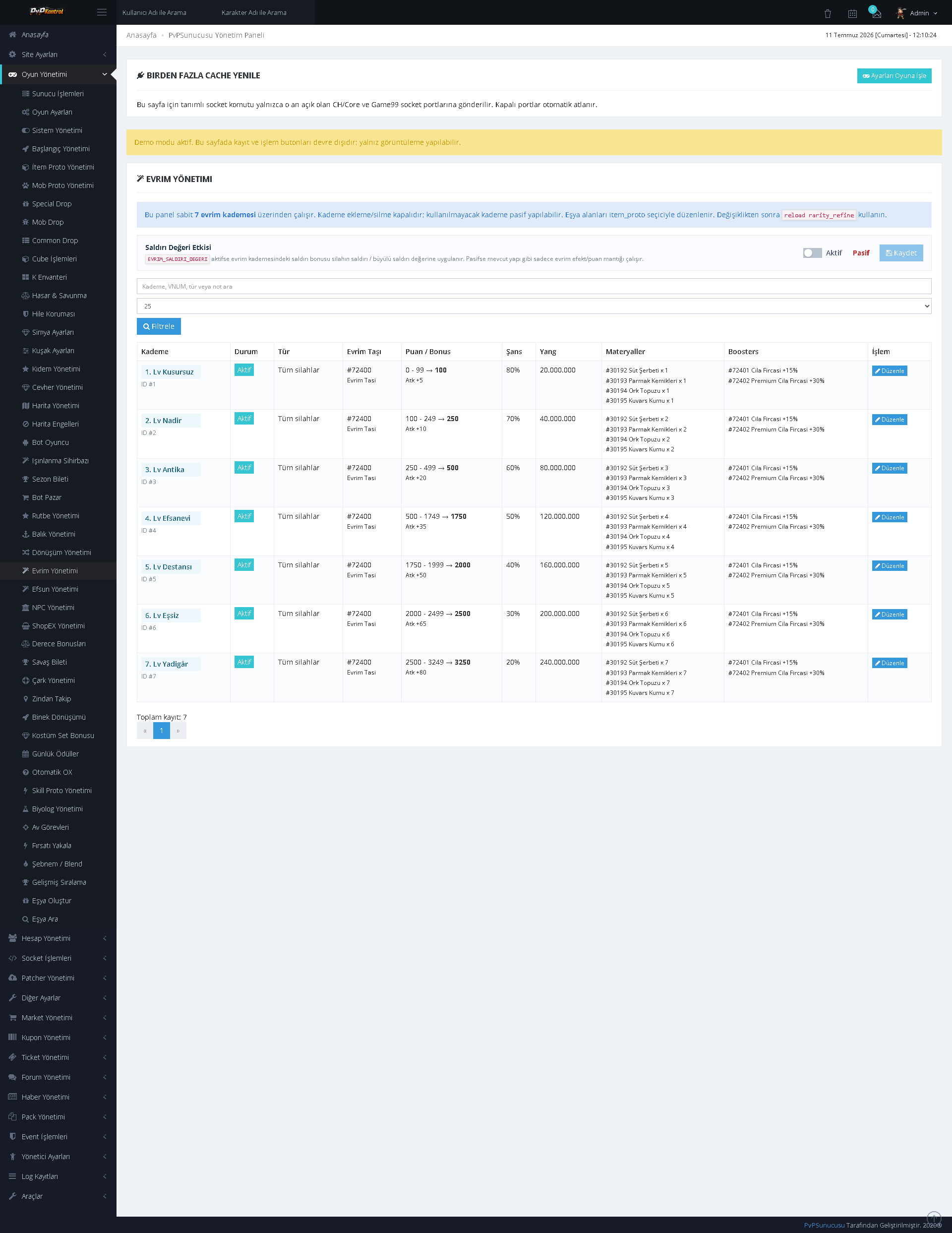
01. Evolution Tier Configuration
Evolution levels can be configured in detail through activation status, weapon type, evolution stone, point ranges, success rate, Yang cost, attack bonus, required materials, and success boosters.
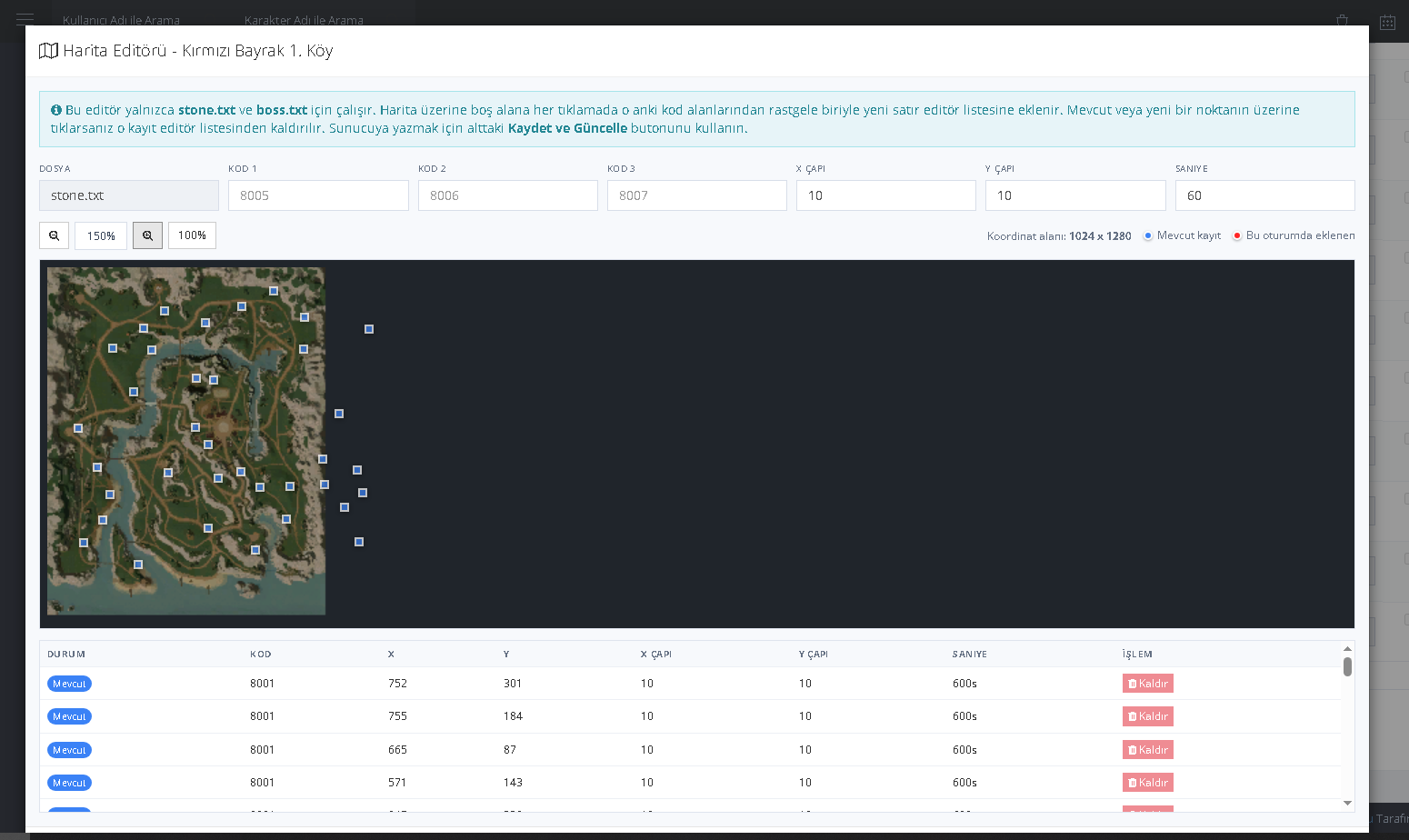
02. Visual Map Editor
A coordinate-based record creation screen displayed over the map image. Boss, Metin Stone, and similar map data can be viewed and edited with code, X/Y coordinates, area of effect, and duration information.
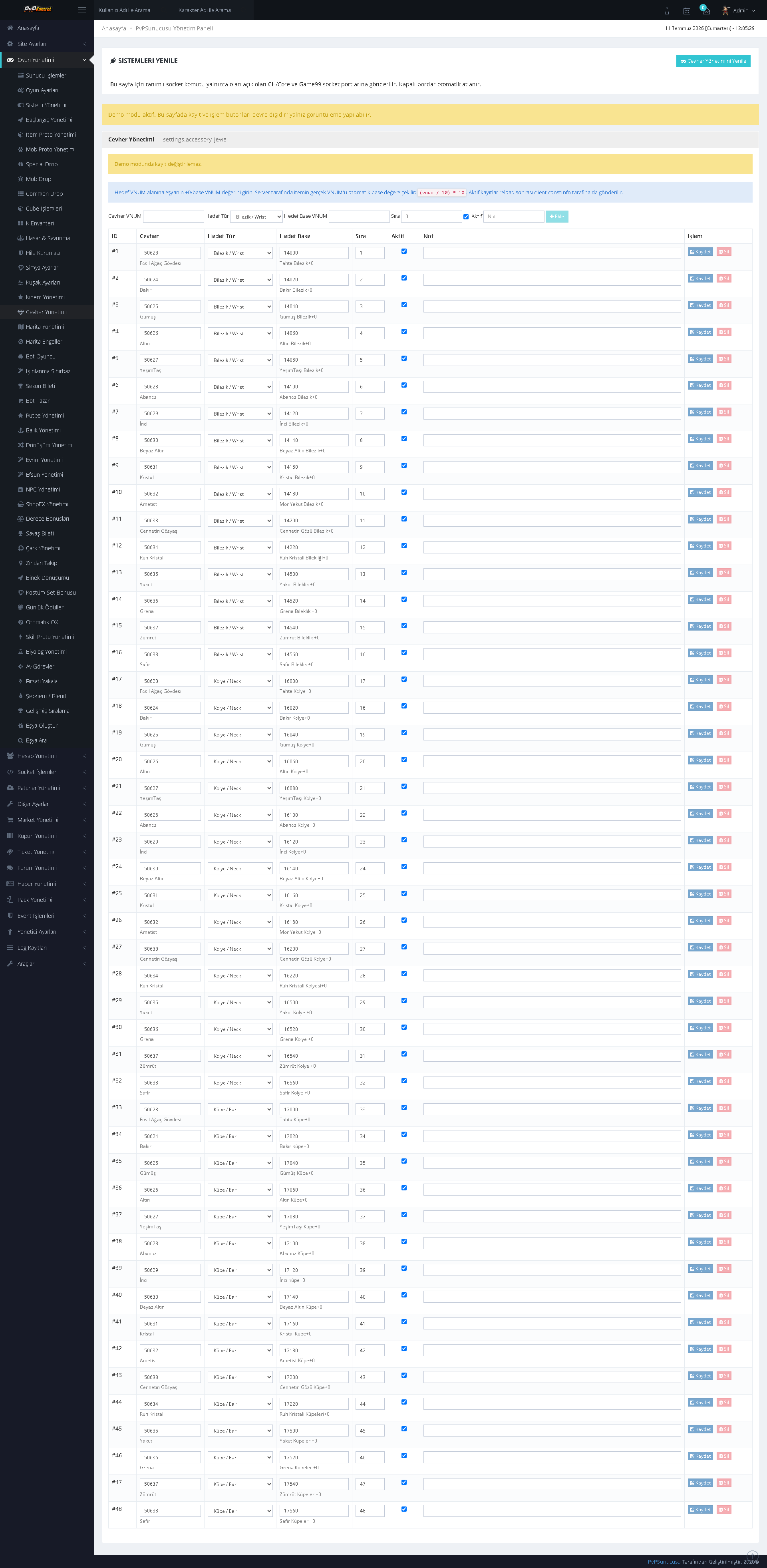
03. Accessory Ore Management
Accessory ore tiers are managed from a single list. Values such as tier, material, target points, success rate, cost, and bonus can be controlled on a row-by-row basis.
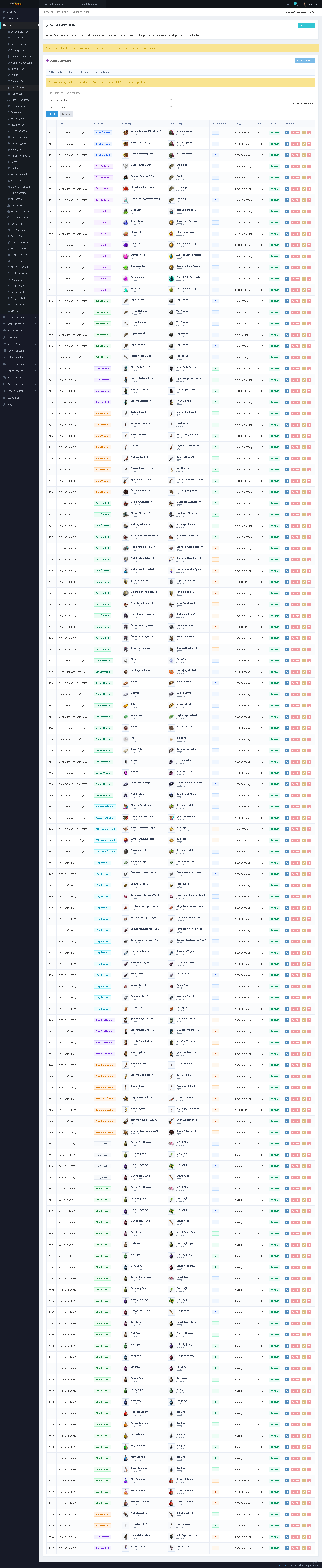
04. Cube Recipe Management
Cube crafting recipes can be searched and managed through an extensive table containing the resulting item, required materials, quantities, costs, and related parameters.
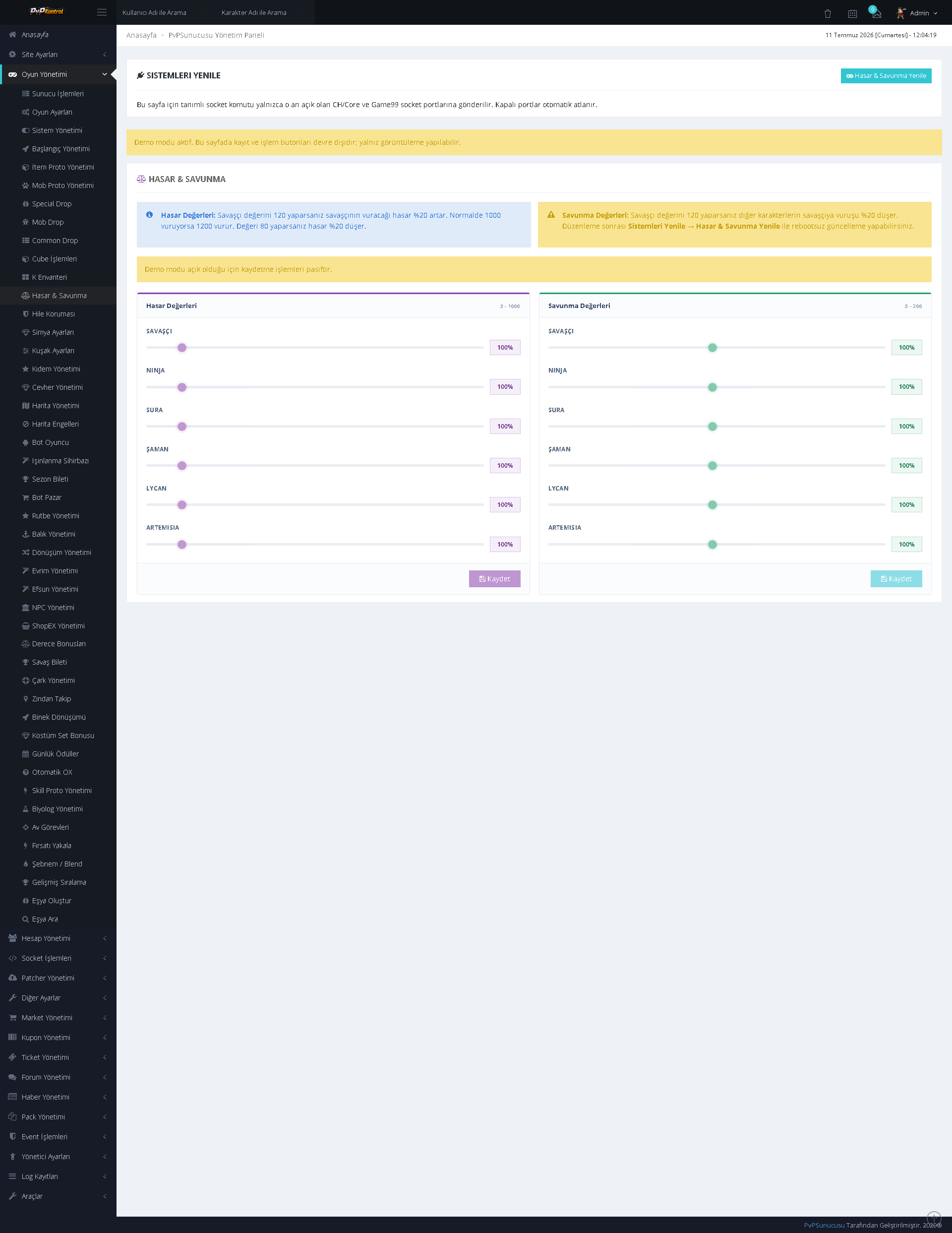
05. Damage and Defense Settings
Limits, types, and rates for the damage and defense system can be configured through the panel. The structure supports defining separate values for different character or system groups.
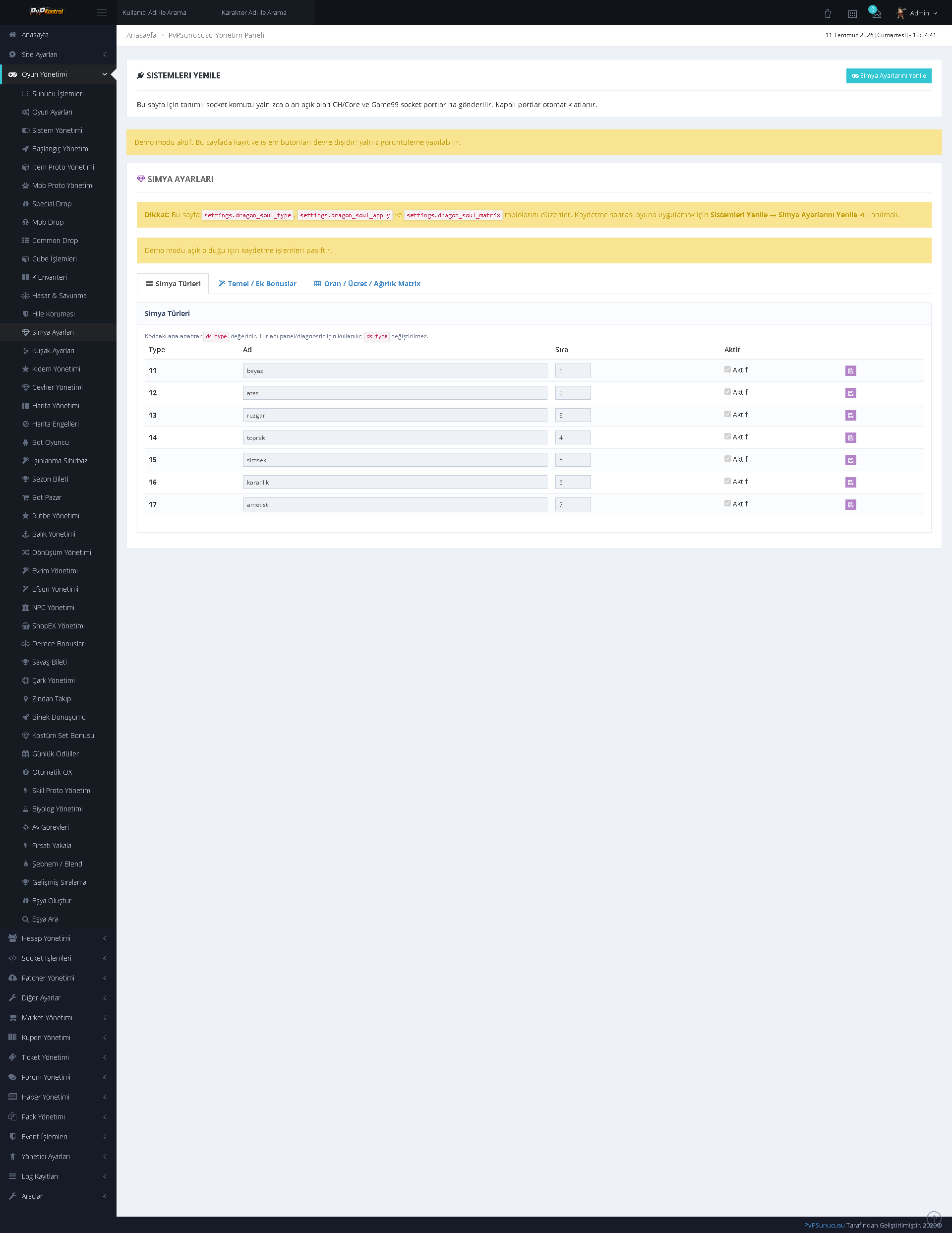
06. Dragon Soul Alchemy Types
Alchemy types including White, Fire, Wind, Earth, Lightning, Dark, and Amethyst can be managed with order and activation settings.
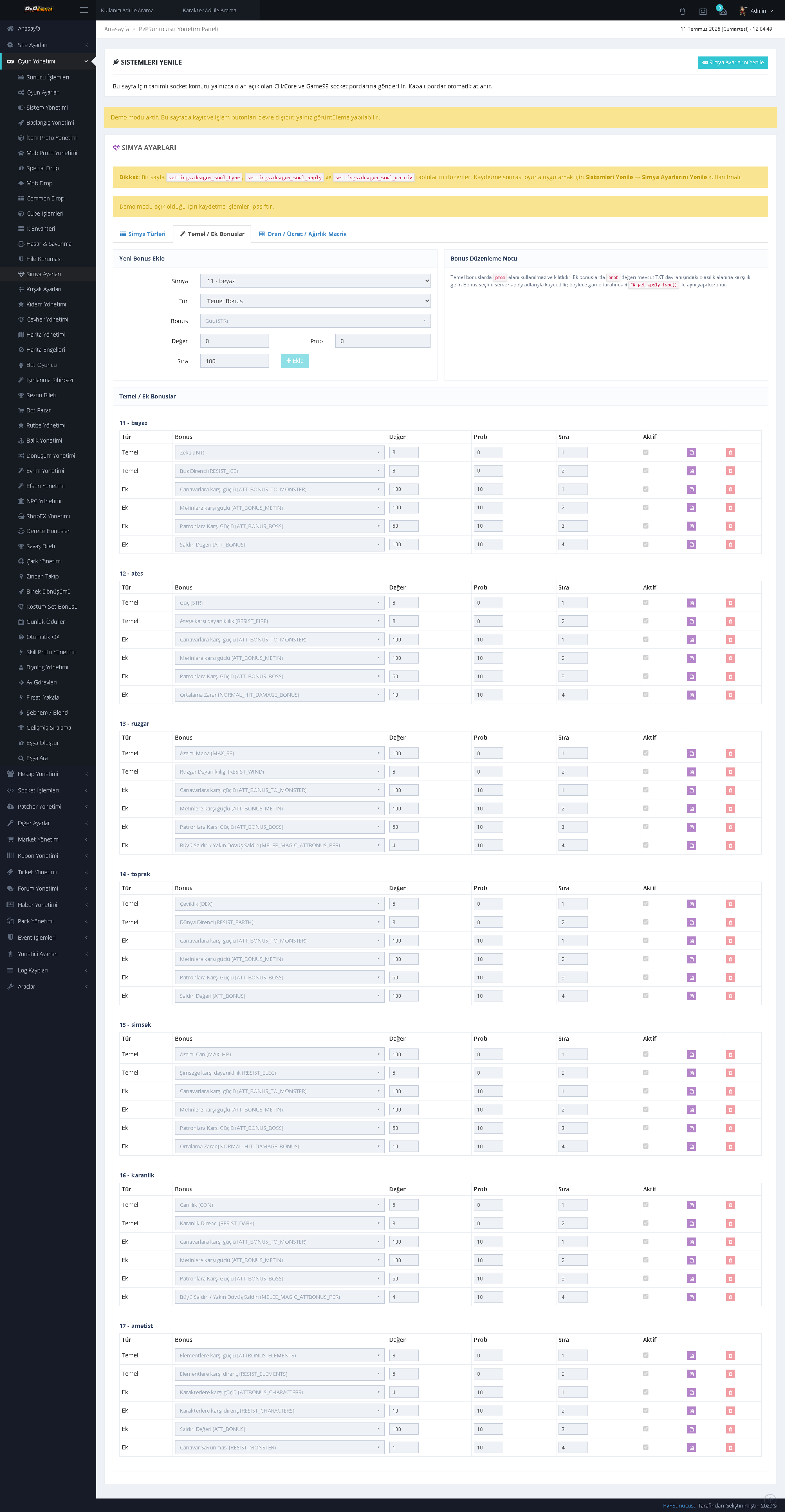
07. Dragon Soul Base and Additional Bonuses
Base and additional bonuses for each alchemy type can be defined separately with bonus type, value, probability, order, and activation settings.
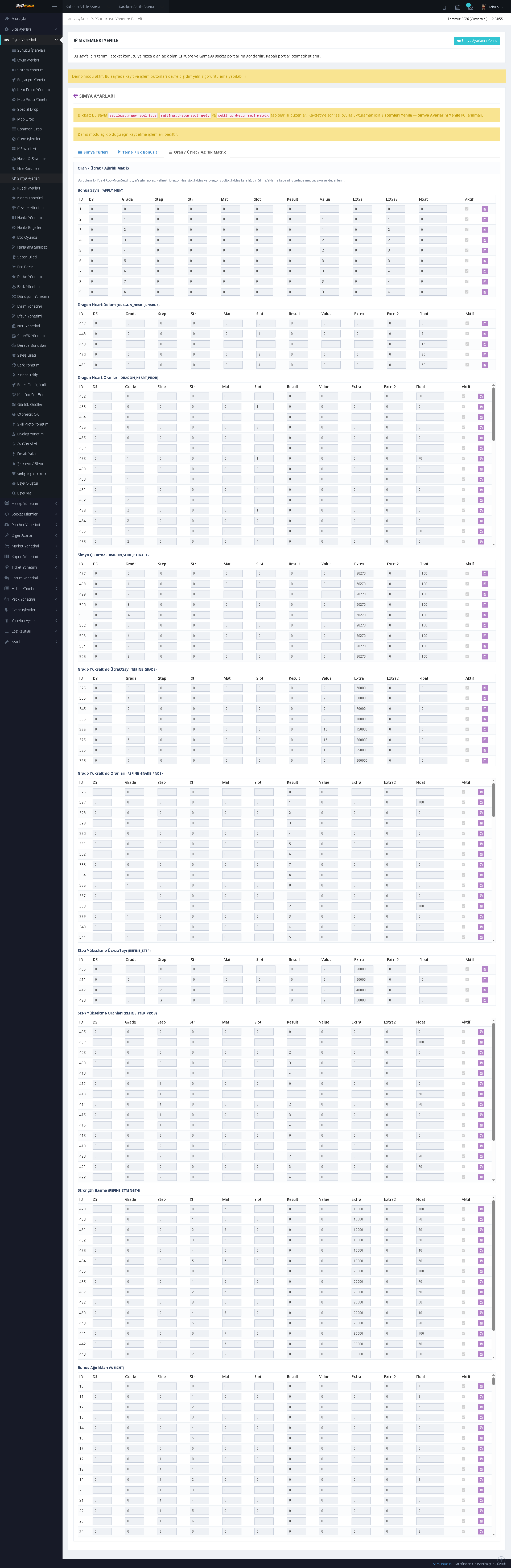
08. Dragon Soul Rate, Cost, and Weight Matrix
The comprehensive rate, cost, and weight tables of the alchemy system are managed from a single screen. It provides detailed matrix control for numerous tiers and combinations.
INTEGRATED FORUM MANAGEMENT
09. Forum Badge Management
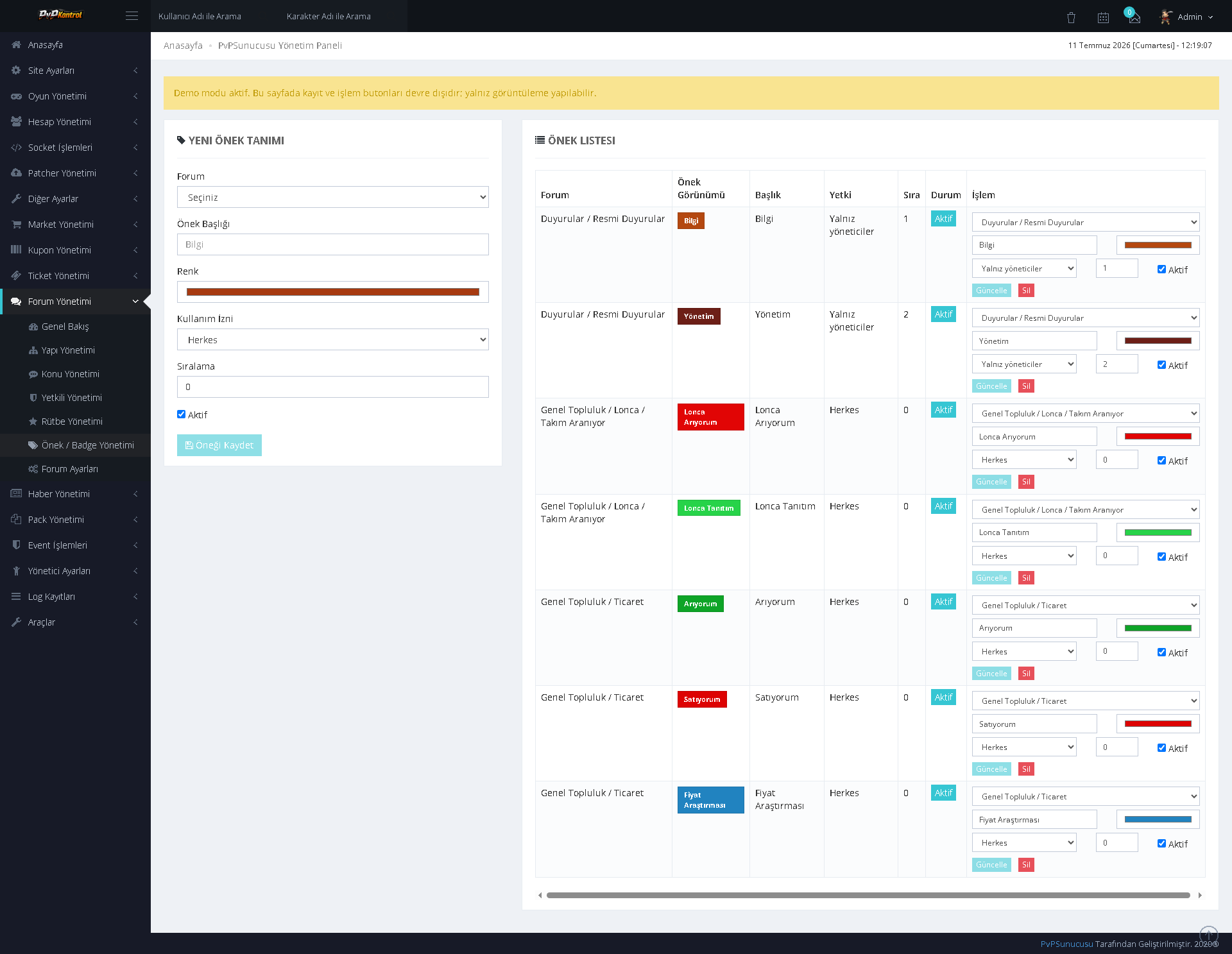
Forum badges can be added with title, color, user type, order, and appearance settings. Existing badges can be edited and enabled or disabled from the same screen.
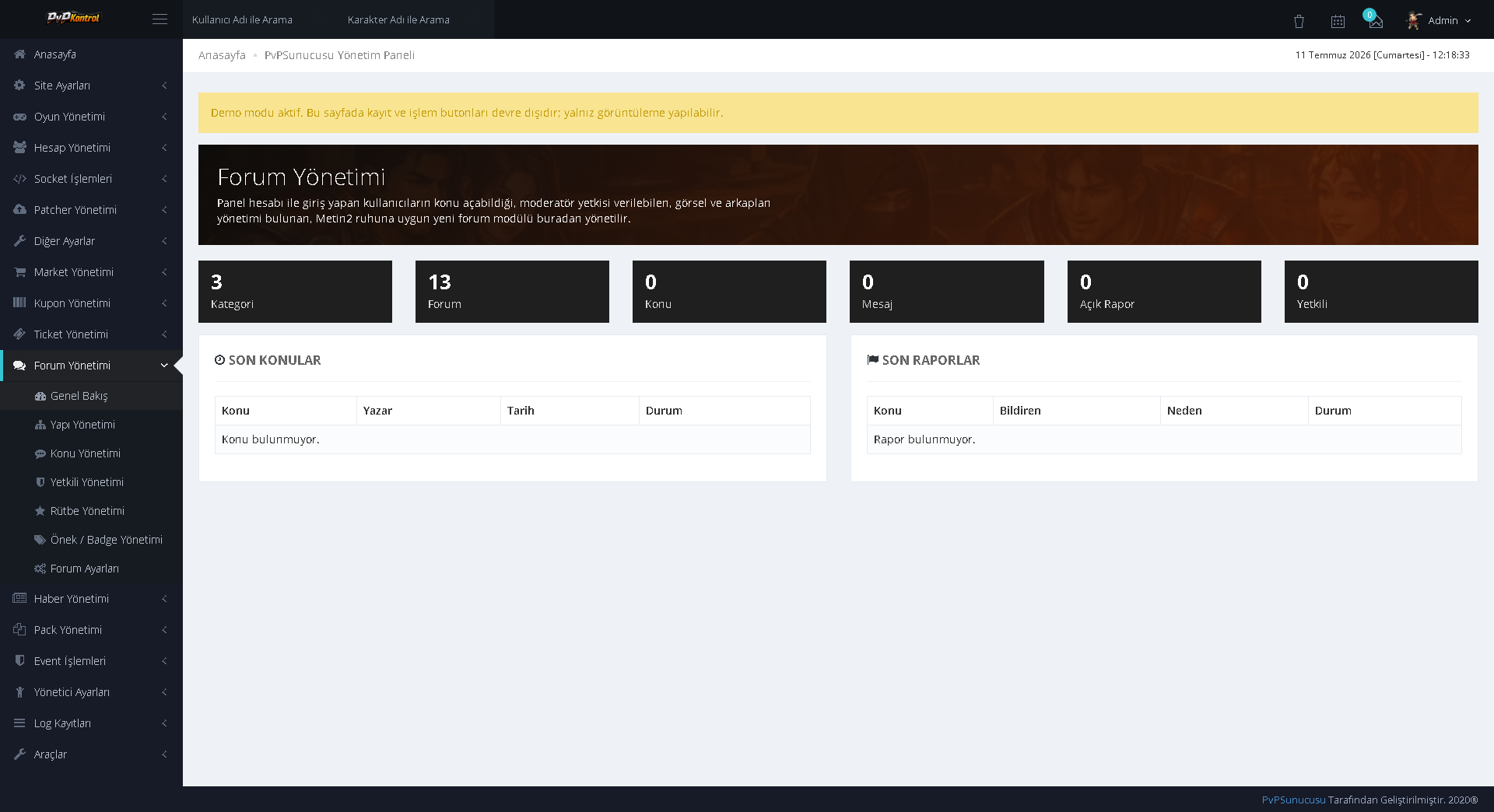
10. Forum Administration Overview
A central administration screen displaying the forum’s category, section, topic, post, report, and permission counts. Recent topics and reports can also be monitored in summary form.
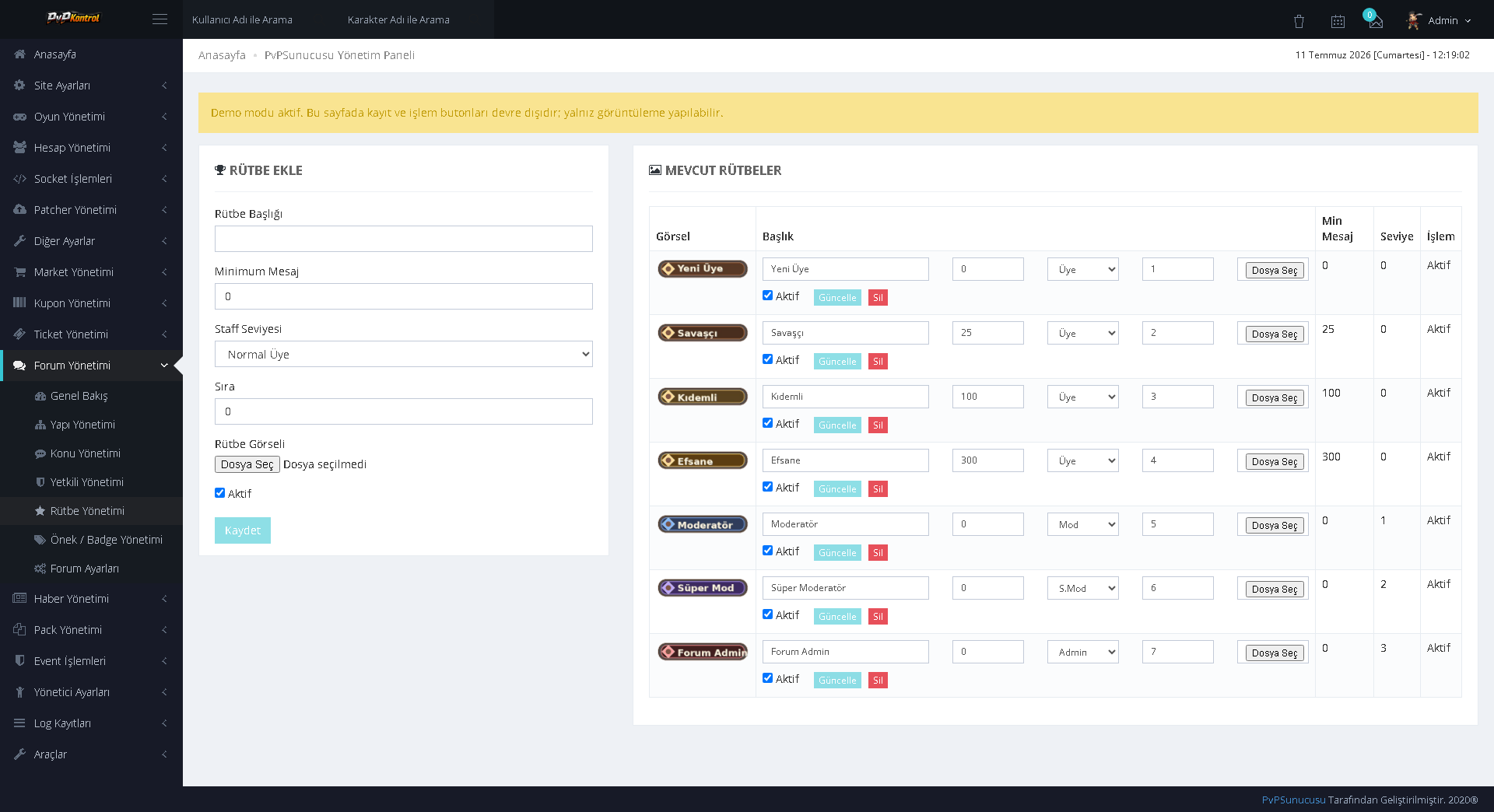
11. Forum Rank Management
Forum ranks such as Member, Senior, Legend, Moderator, and Administrator can be managed with minimum post count, user group, order, and image settings.
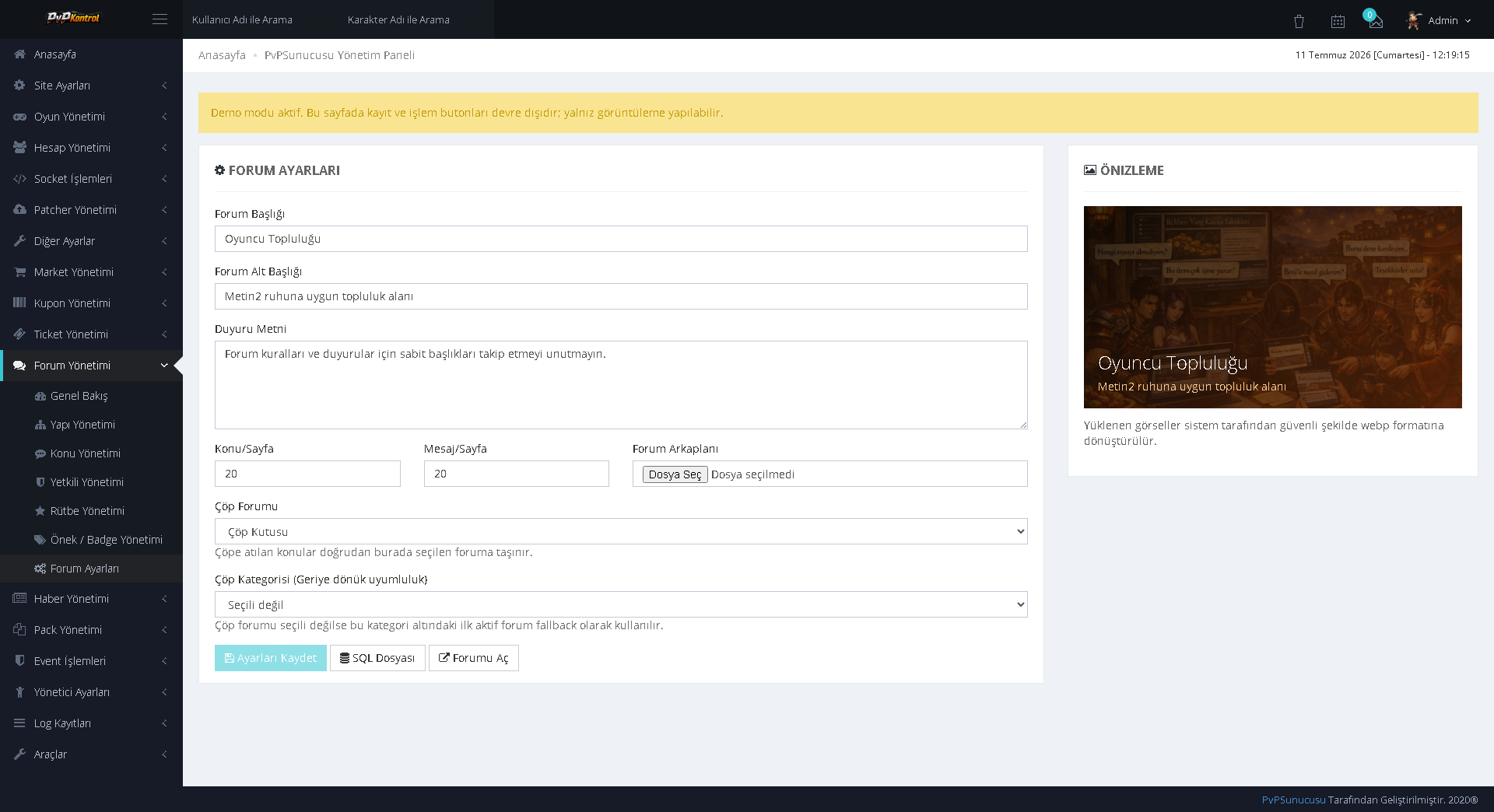
12. General Forum Settings
The forum title, subtitle, announcement text, pagination, main forum selection, and category display settings can be controlled from a single screen.
13. Forum Staff and Permission Management
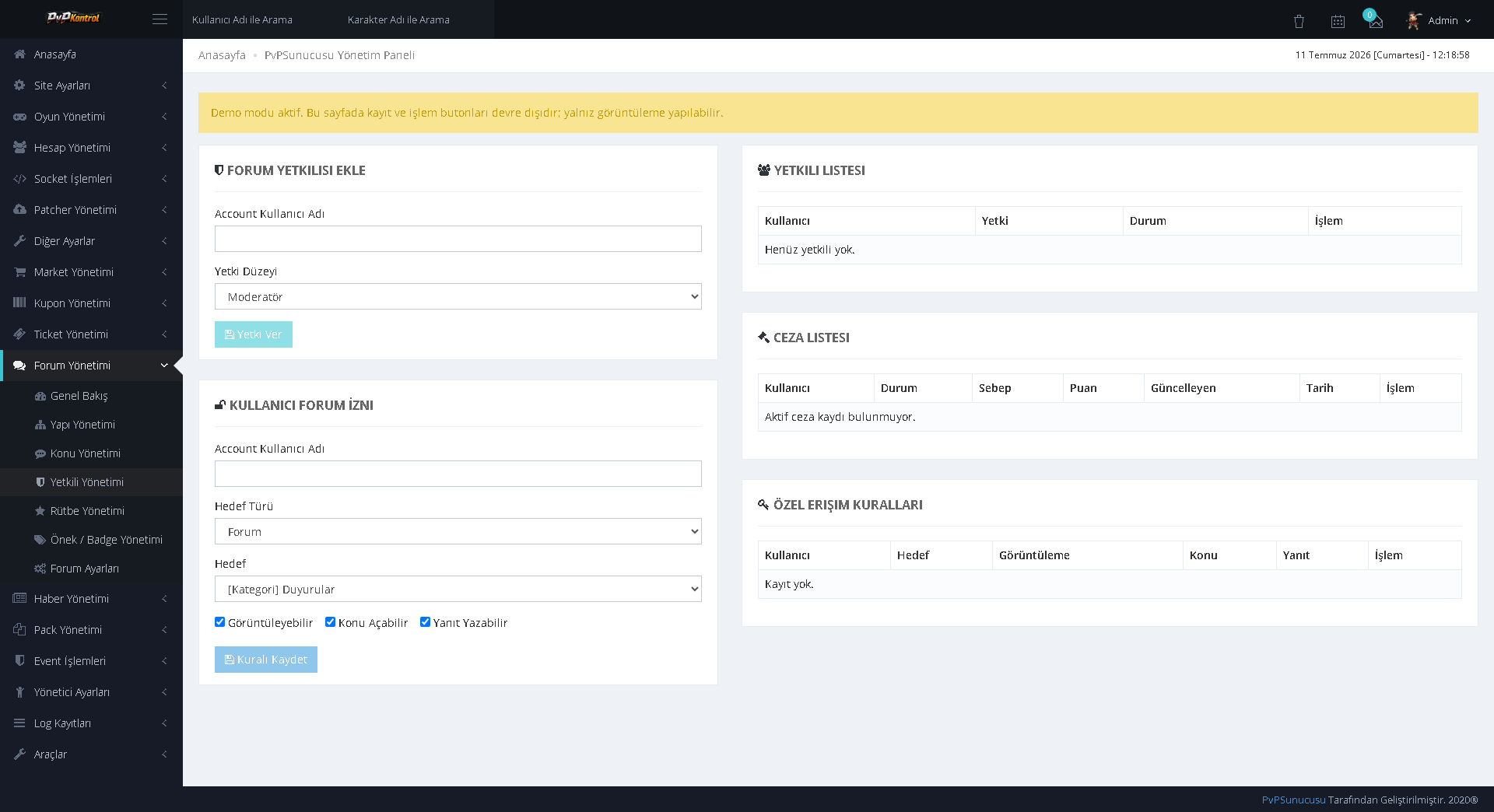
Forum staff, user-specific section permissions, penalty lists, and special access rules can be managed from a central screen.
14. Forum Structure
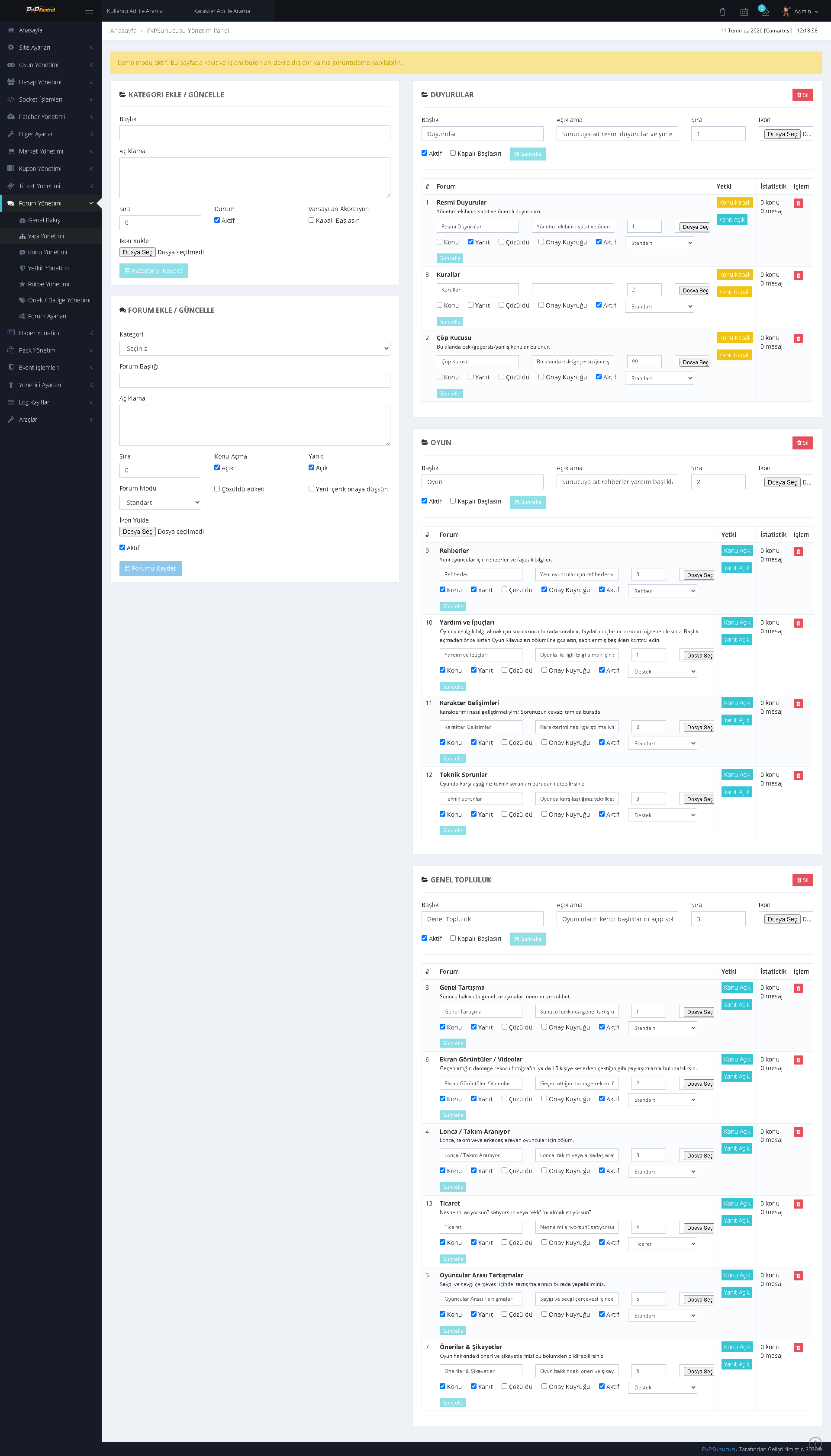
Categories and forum sections can be created and ordered hierarchically. Visibility, status, permissions, and editing actions are controlled from the same page.
15. Forum Topic and Report Management
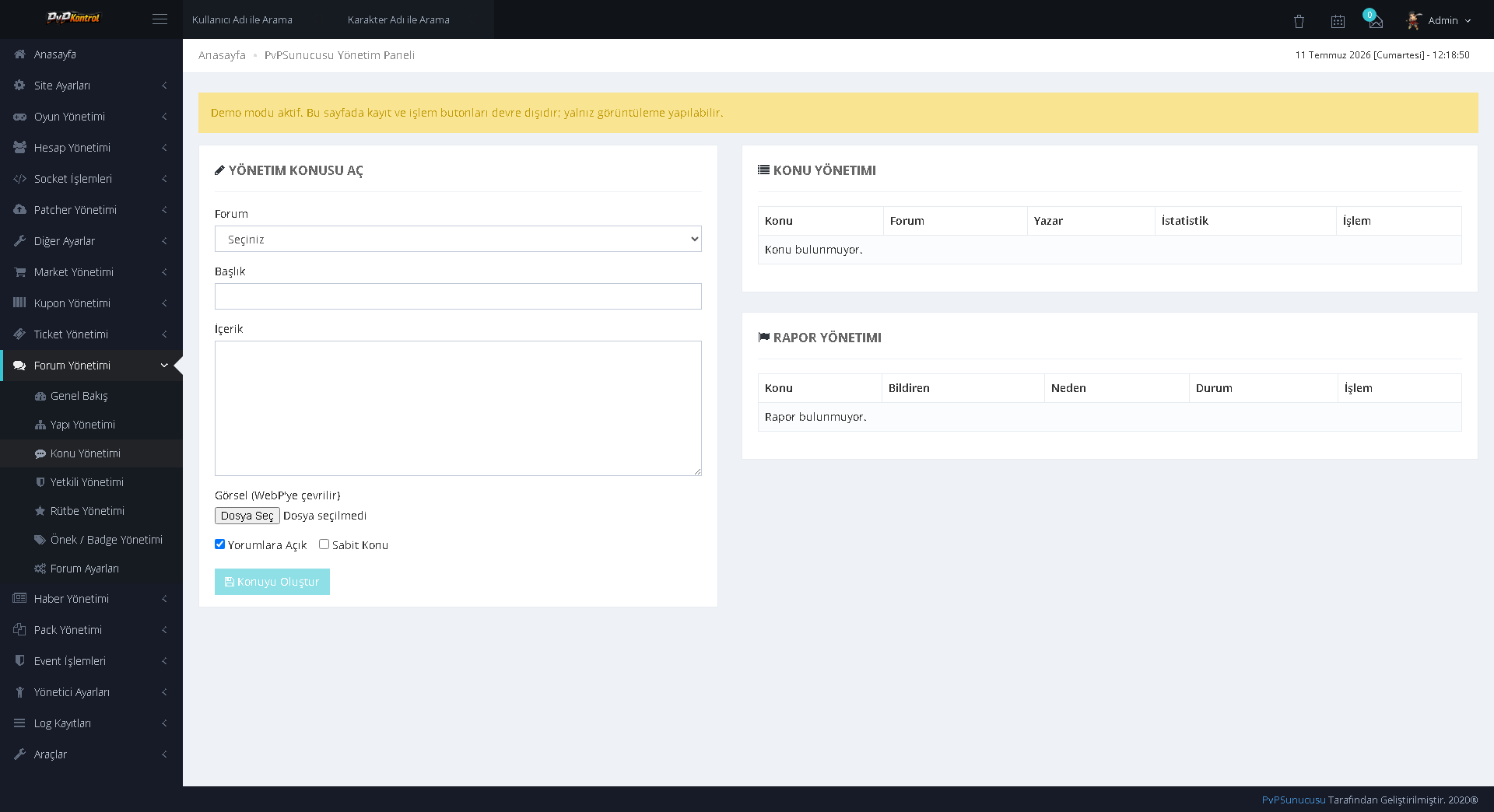
Creating topics with an administrator account, monitoring existing topics, and reviewing user reports are combined within a single panel.
GAME SYSTEMS AND CONTENT MANAGEMENT
16. Alignment Rank Bonuses
Bonuses tied to rank or alignment levels can be defined through an extensive structure. It provides separate reward and value control for numerous levels.
17. Daily Reward System
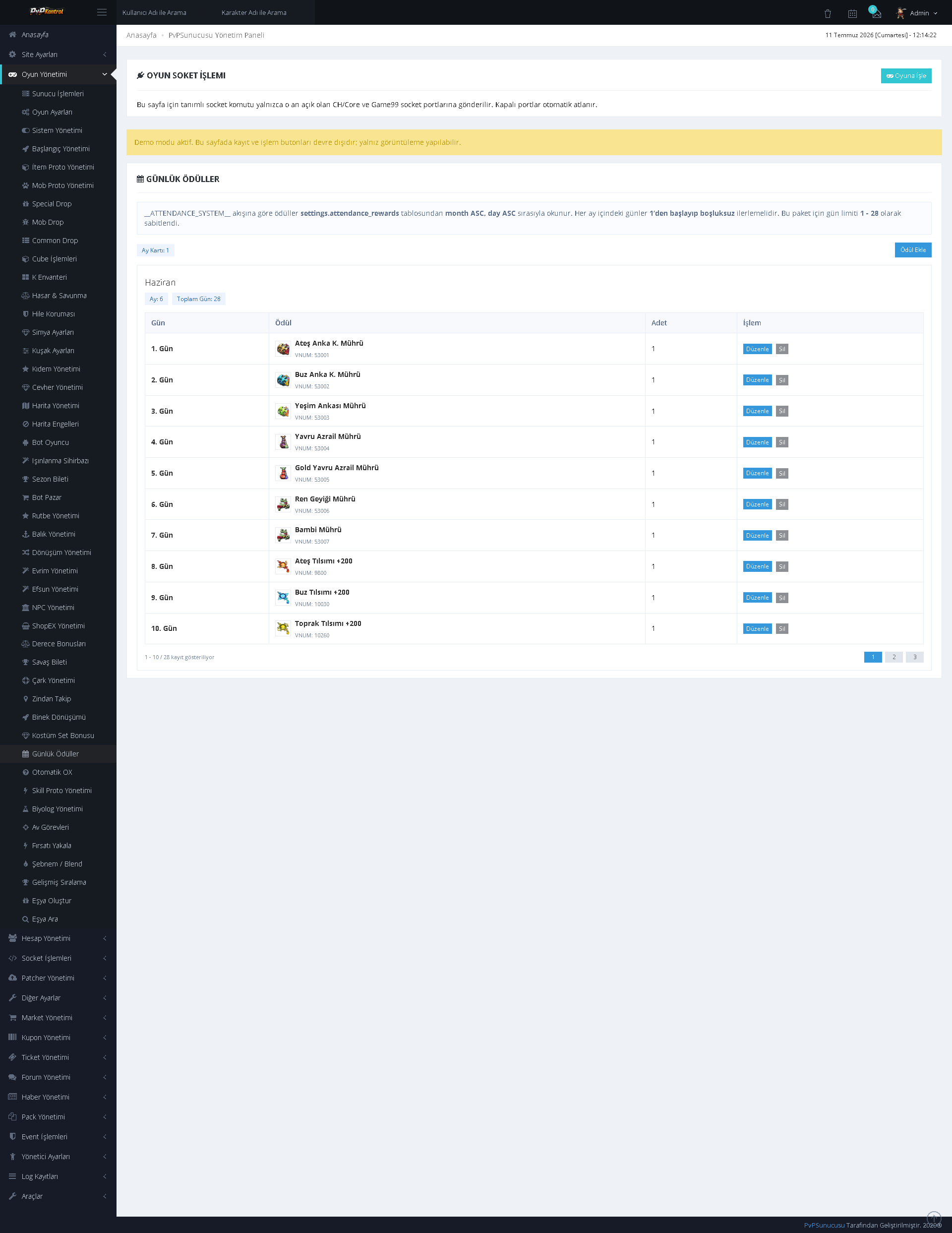
Daily login rewards are listed by day with item images, quantities, and status information; each day’s reward can be edited separately.
18. Item Bonus and Attribute Management
Item attributes and bonus values can be managed through an extensive table containing type, level, rate, and related parameters.
19. Automatic OX Management
Settings, question groups, questions, rewards, and event stages for the Automatic OX system can be controlled in separate sections.
20. Battle Pass Management
Battle Pass missions, objectives, rewards, progression requirements, and activation states can be configured in detail.
21. General Bot Player Settings
The operating mode, behavior, and core automation options of the bot player system can be managed through switches and fields.
22. Bot Player Records
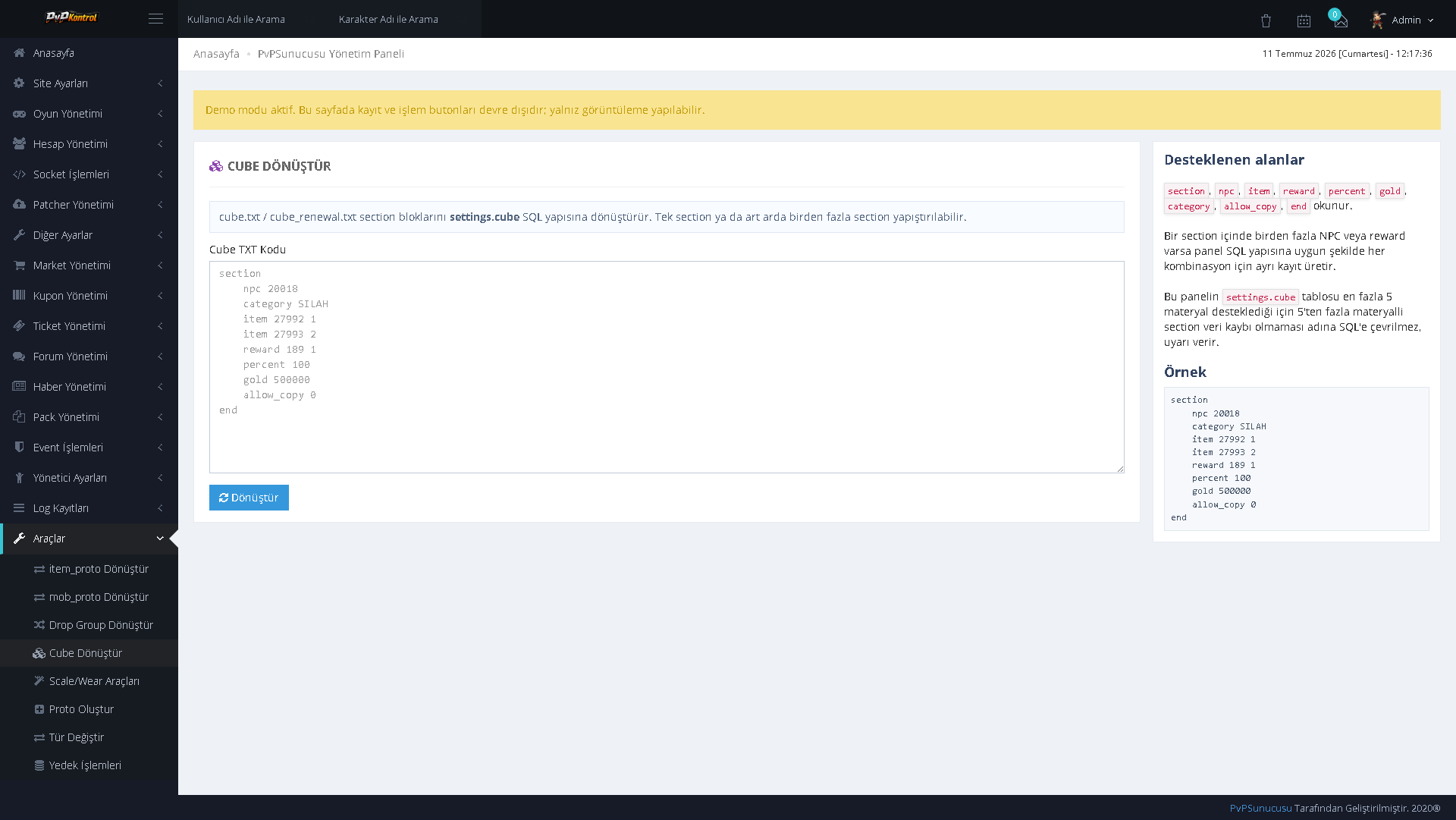
Bot character records can be listed and edited row by row with name, class, level, status, and other character parameters.
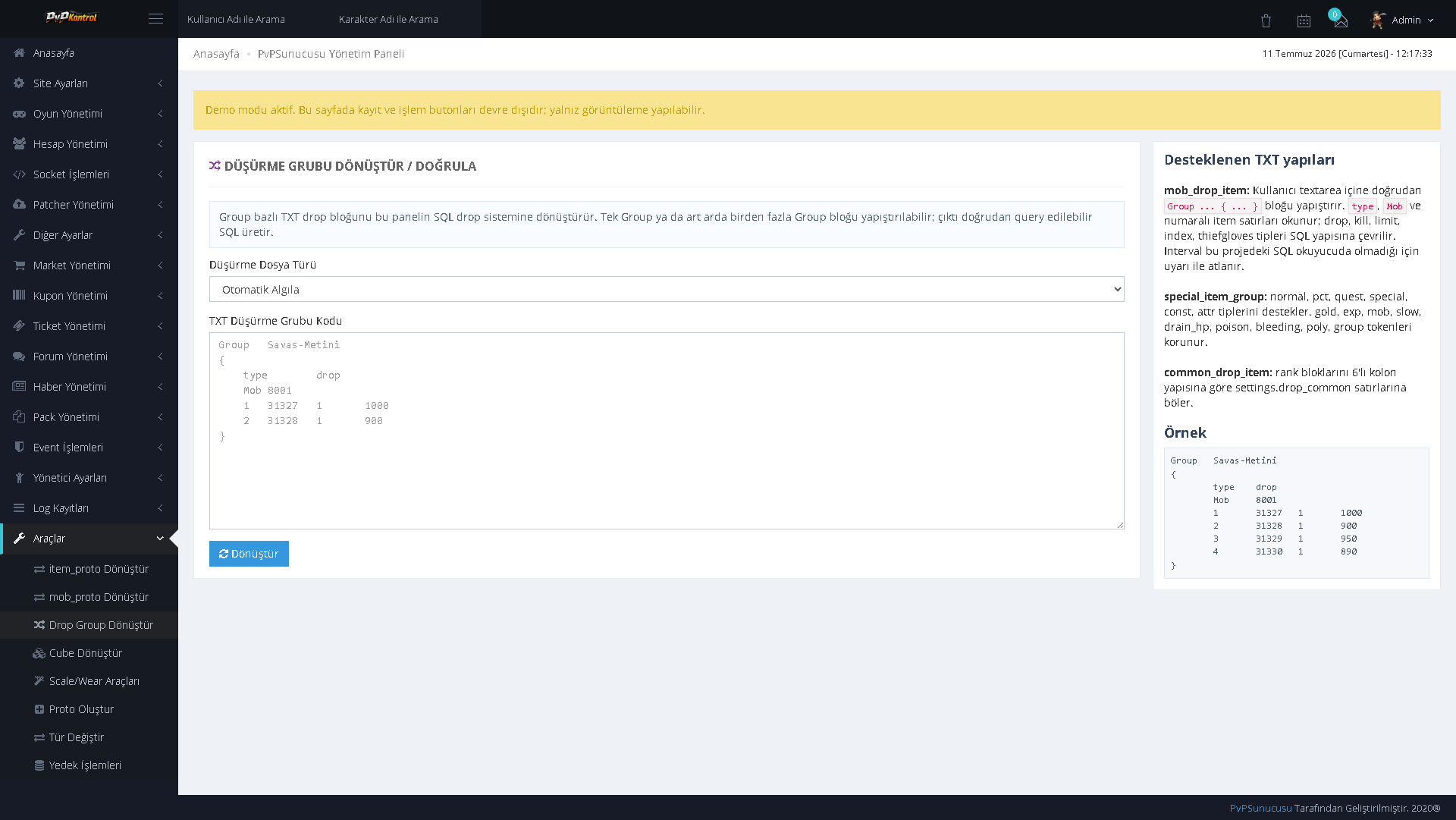
23. Extensive Bot Player Data List
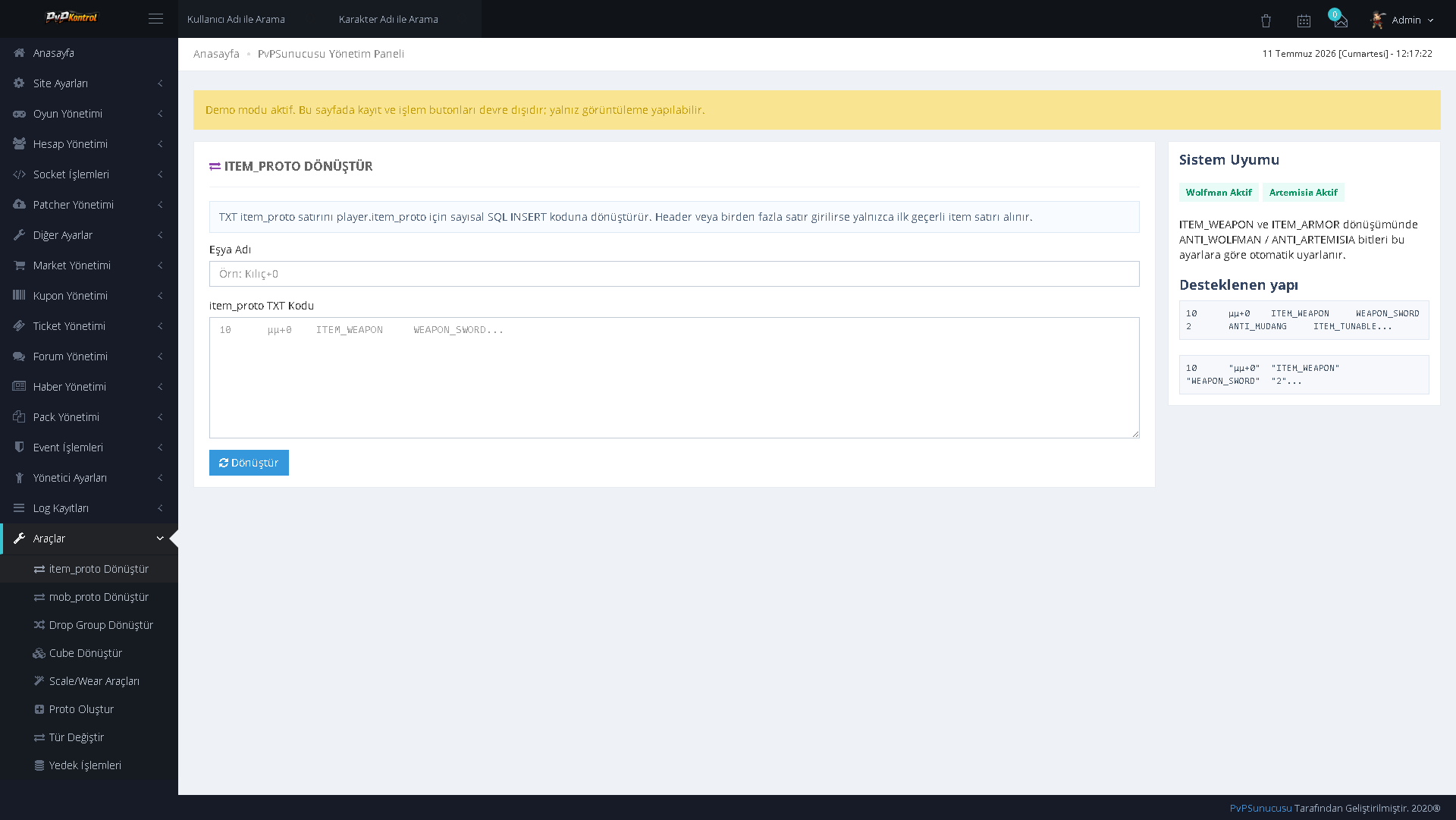
Character, equipment, level, and behavior data for a large number of bot players can be controlled collectively through an extensive list.
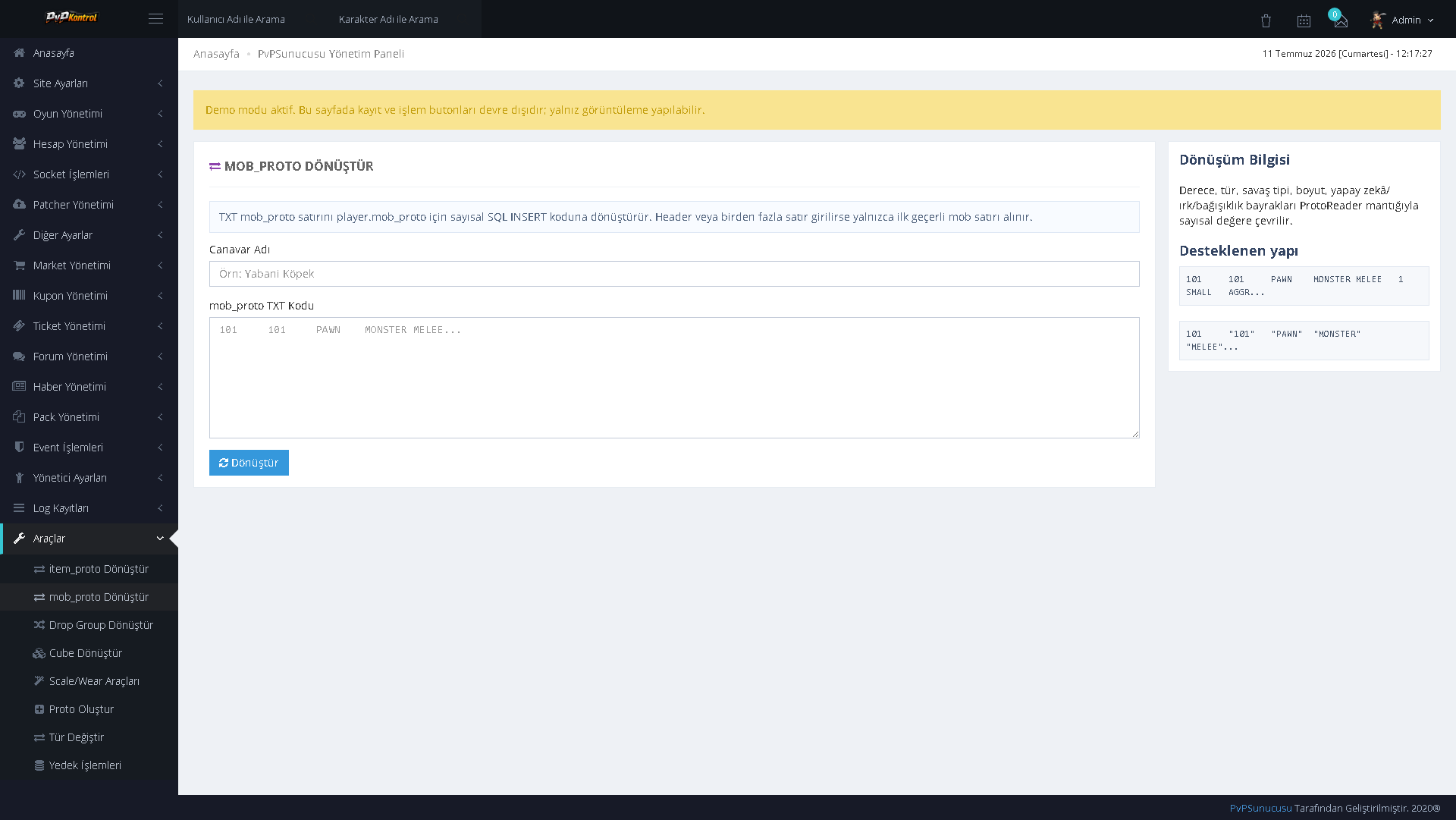
24. Bot Player Group and Status Management
Bot players can be grouped, filtered, and edited individually according to their status.
25. General Bot Shop Settings
The operating rules, schedules, and general behavior options of the bot shop system can be configured through the panel.
26. Bot Shop Definitions
Bot shop groups and records can be listed and managed with activation status, category, and related parameters.
27. Extensive Bot Shop Data Table
Numerous rows, products, and system parameters belonging to bot shops can be viewed and edited from a single table.
28. Costume Set Bonus
Costume sets and their associated bonuses, required pieces, and activation settings can be managed in separate groups.
DROP, PROTO, NPC, DUNGEON, AND SHOP MANAGEMENT
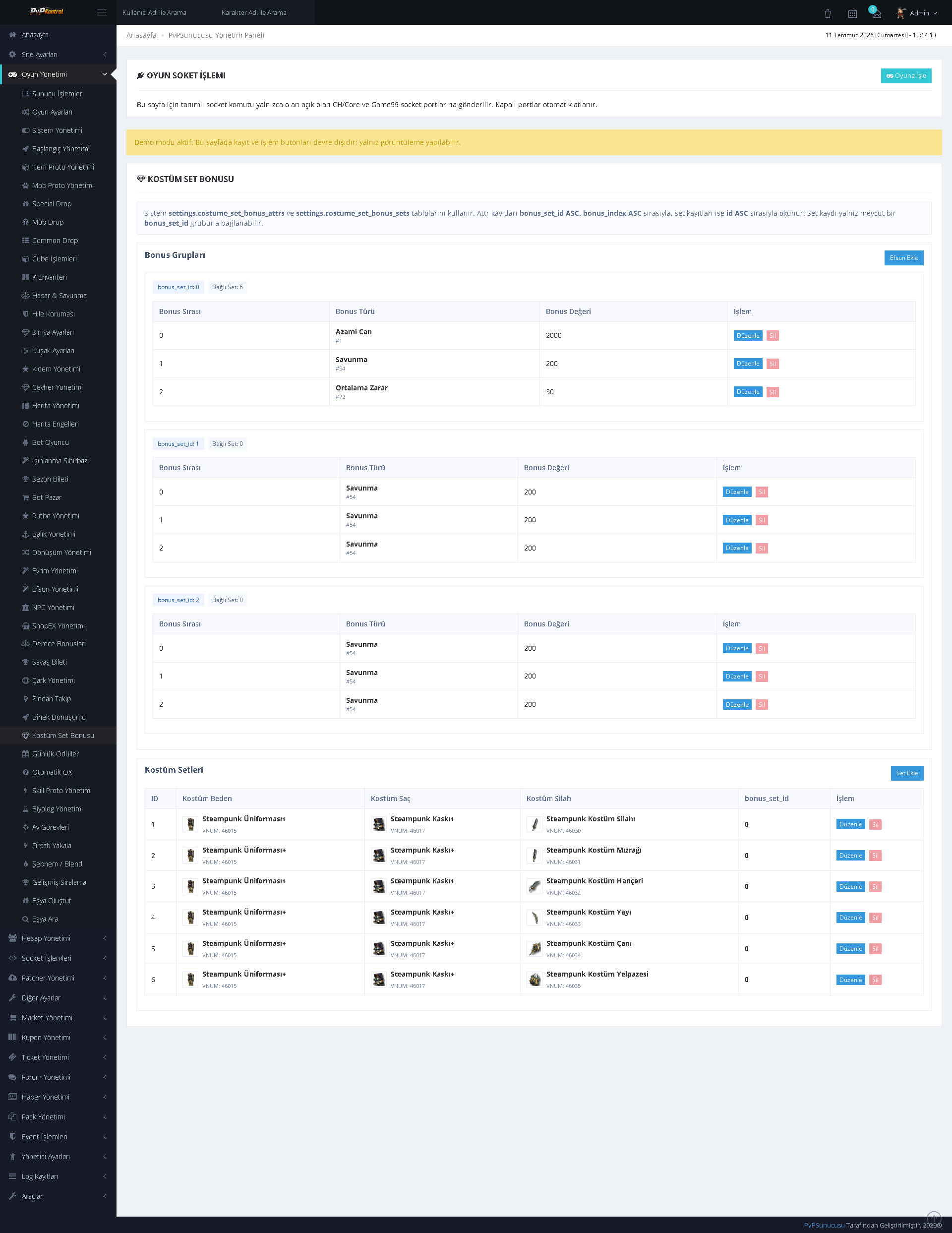
29. Common Drop Management
General drop records can be listed, added, or edited with item, level range, rate, and related conditions.
30. Mob Drop Management
Monster-specific drop records are maintained in an extensive list. Mob, item, rate, and limit information can be managed row by row.
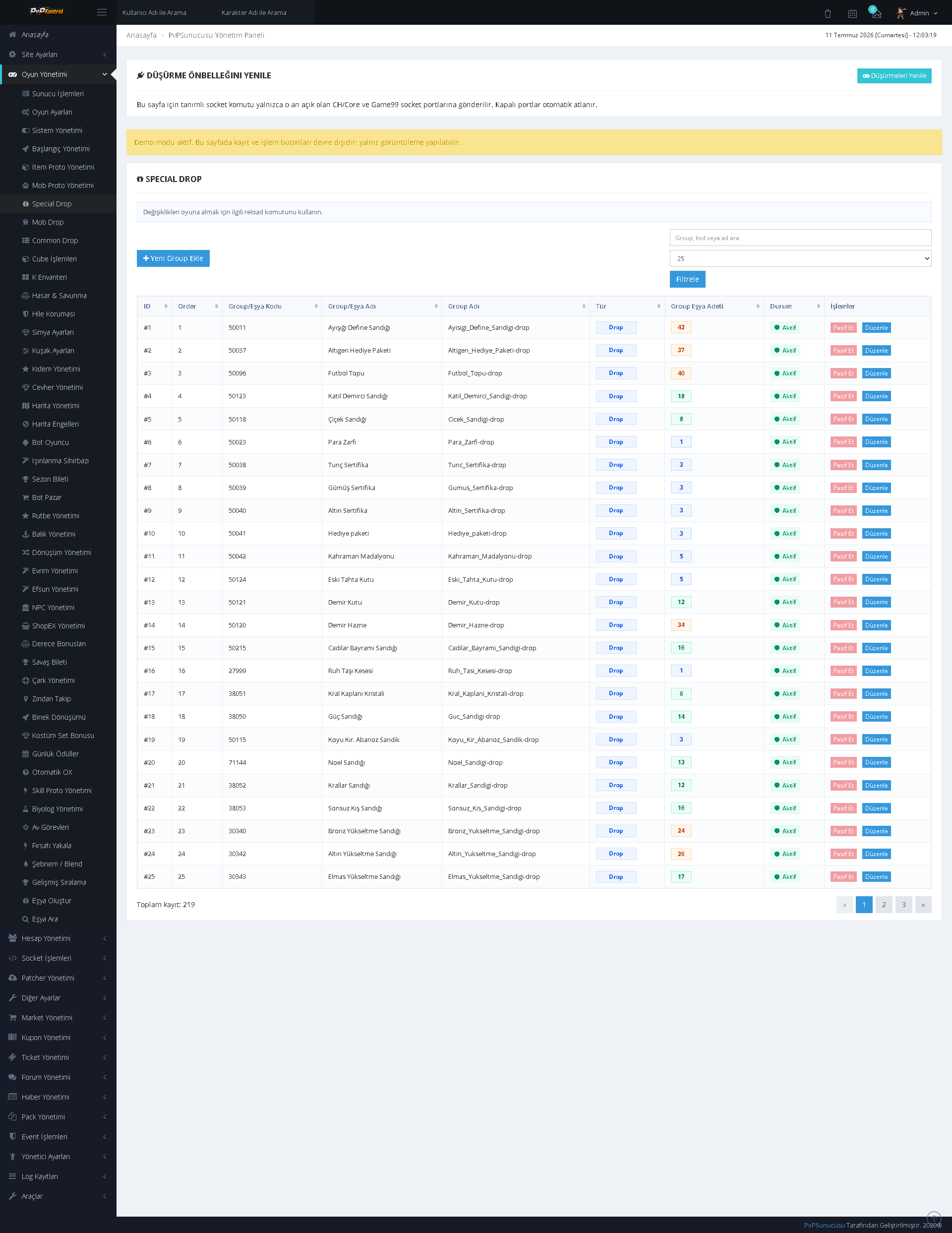
31. Special Drop Management
Special drop groups and their associated item records can be controlled in detail with rate, quantity, and condition information.
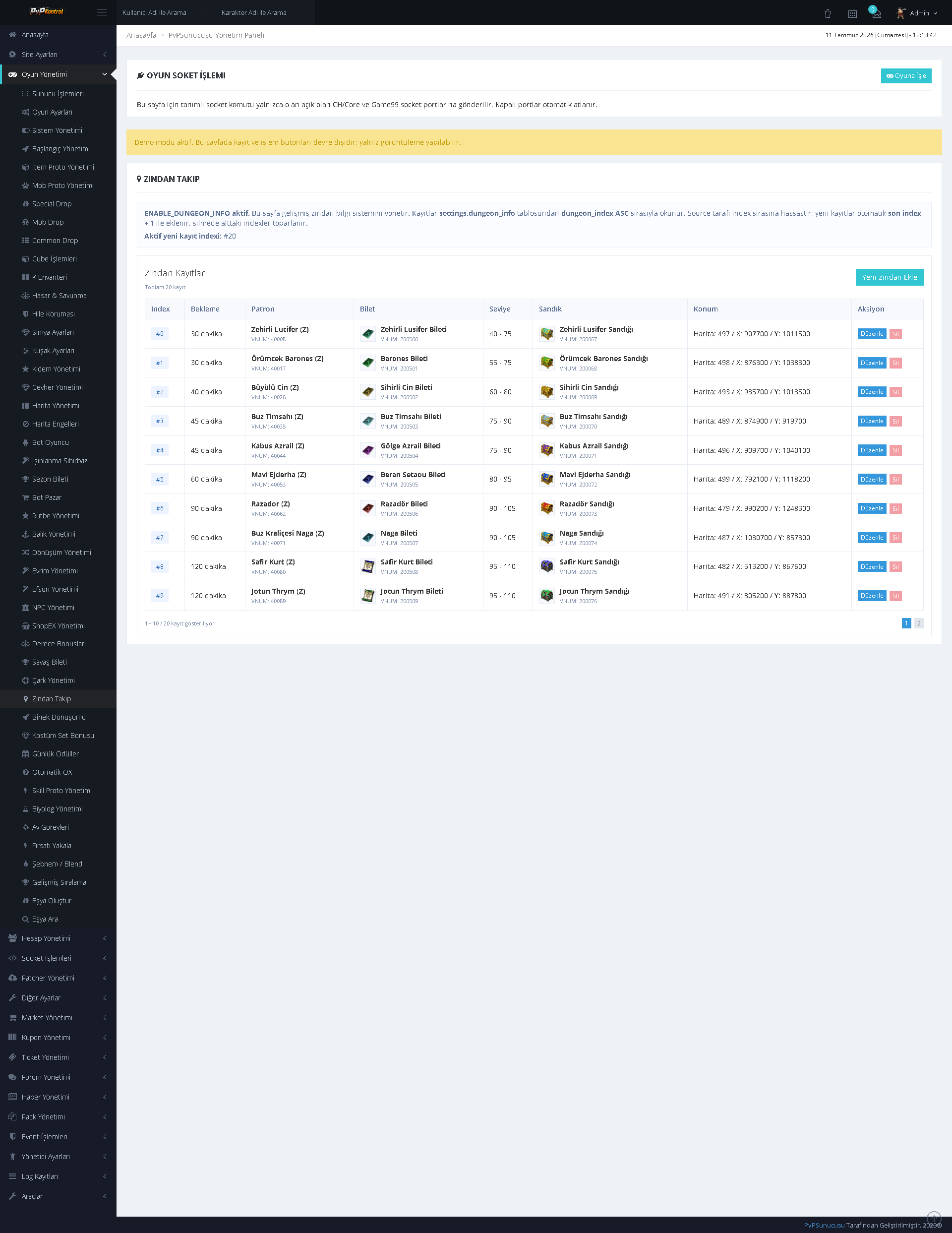
32. Dungeon Information Management
Dungeons can be listed and edited with entry level, duration, cooldown, ticket, map, and reward information.
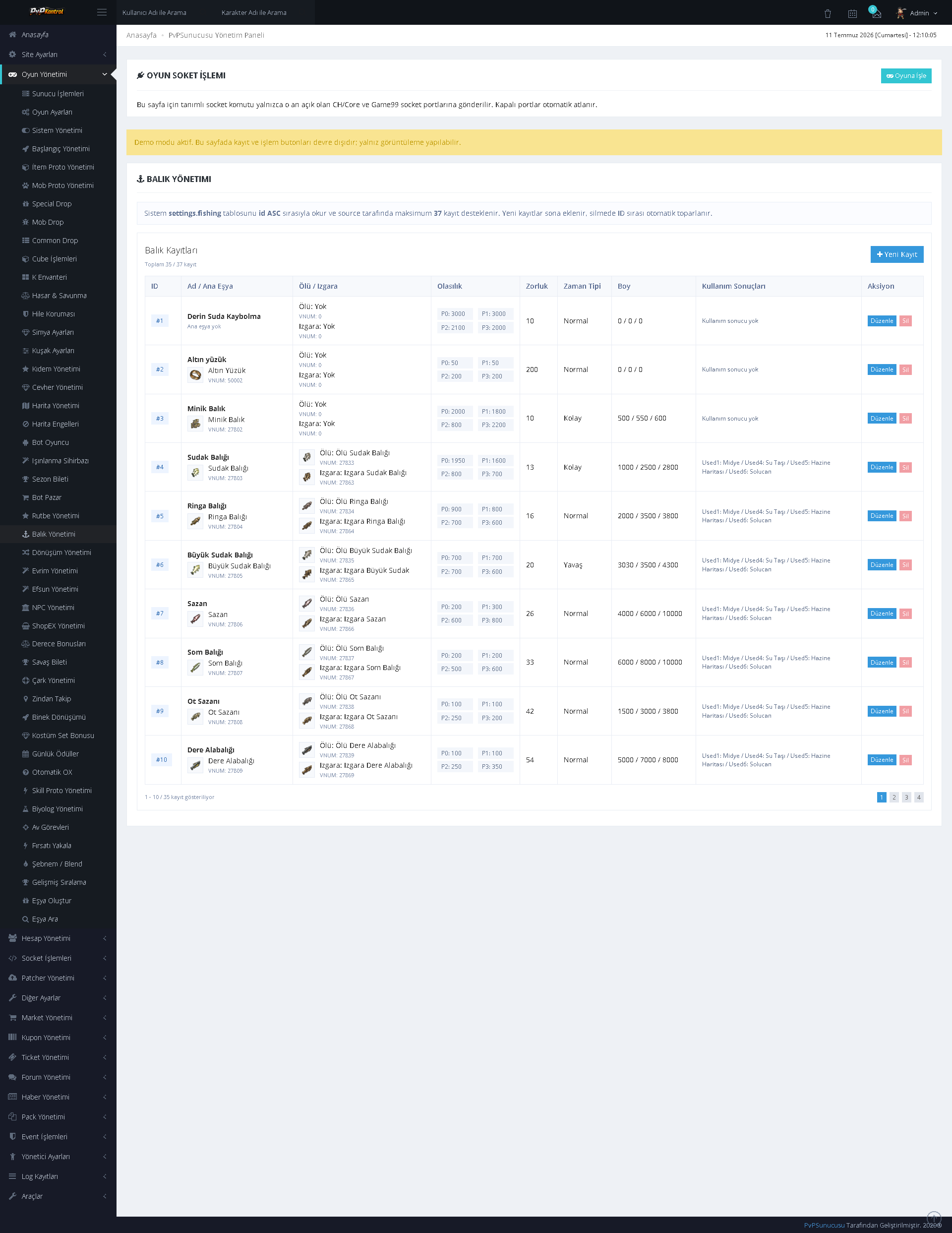
33. Fishing Management
Fish and fishing-system rates, durations, rewards, and various parameters can be managed together with item images.
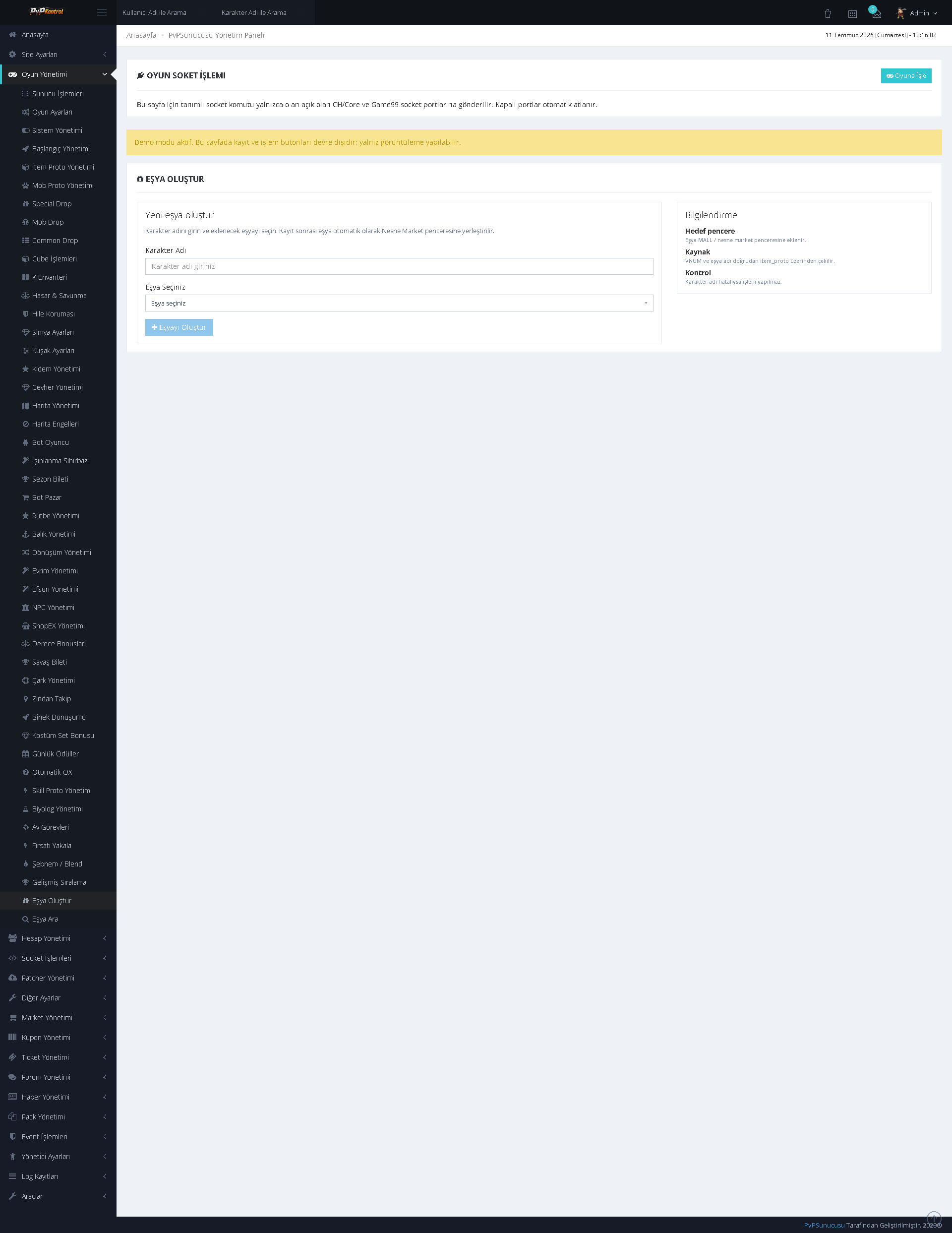
34. Item Creation from the Panel
Controlled item creation can be performed through the administration panel by entering character and item information.
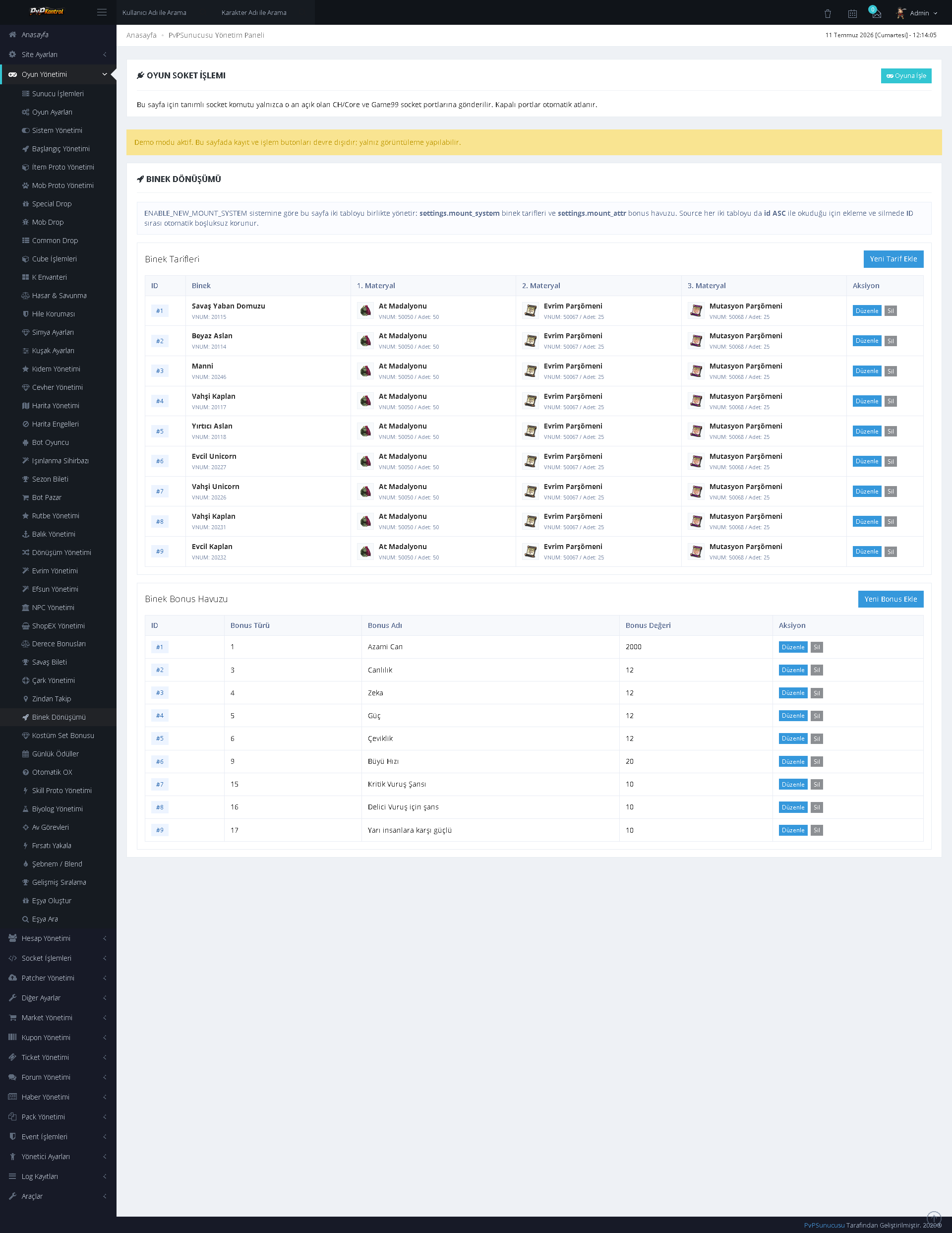
35. Mount Management
Mounts, transformation or summon items, durations, bonuses, and related settings can be managed through separate lists.
36. NPC and Shop Management
NPC and shop records can be controlled through a comprehensive administration screen containing NPC information, shop contents, and item rows.
37. Prestige System
Prestige levels, requirements, rewards, bonuses, and activation states can be configured through the panel.
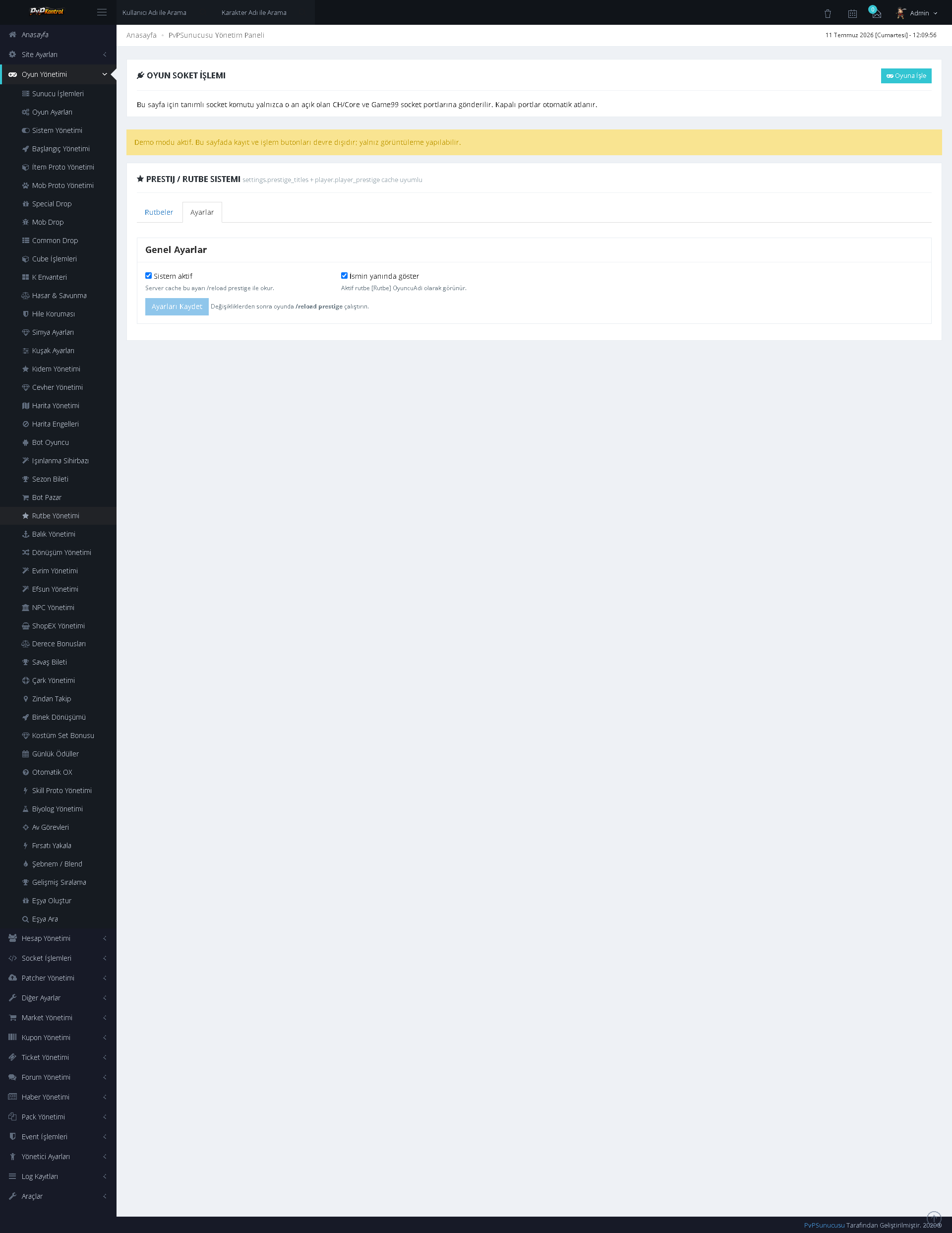
38. Additional Prestige Settings
Additional rules, transition or reset options, and core parameters for the Prestige system are maintained on a separate administration screen.
39. Rarity Refinement
Rarity refinement recipes can be managed with tier, material, rate, cost, and description fields.
40. Refinement Recipes
Standard upgrade and refinement records can be searched and edited through an extensive table.
41. Server Operations
Server statuses and core operations are monitored from a single screen, with control and refresh options available for the relevant services.
42. ShopEx Management
ShopEx tabs, shops, and product lists can be managed together with item images.
43. Skill Proto Management
Skill data and skill proto records can be viewed and edited through a table.
44. Starting Items
Items granted according to character class or starting group, along with quantities, durations, and additional parameters, can be managed in separate sections.
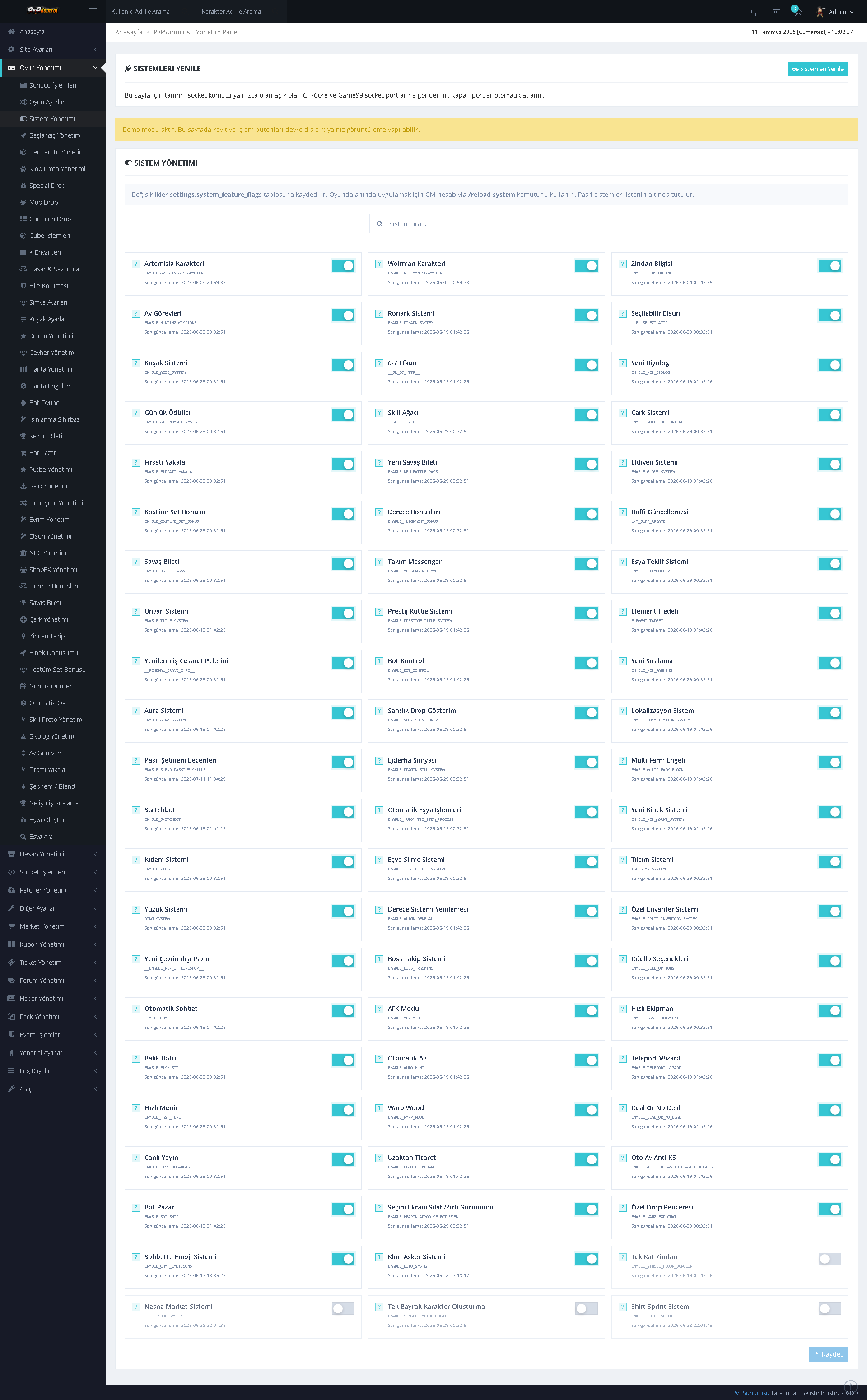
45. System Enable/Disable Management
Numerous game systems can be enabled or disabled from a single page. It provides a comprehensive switch-based screen for centrally controlling system features.
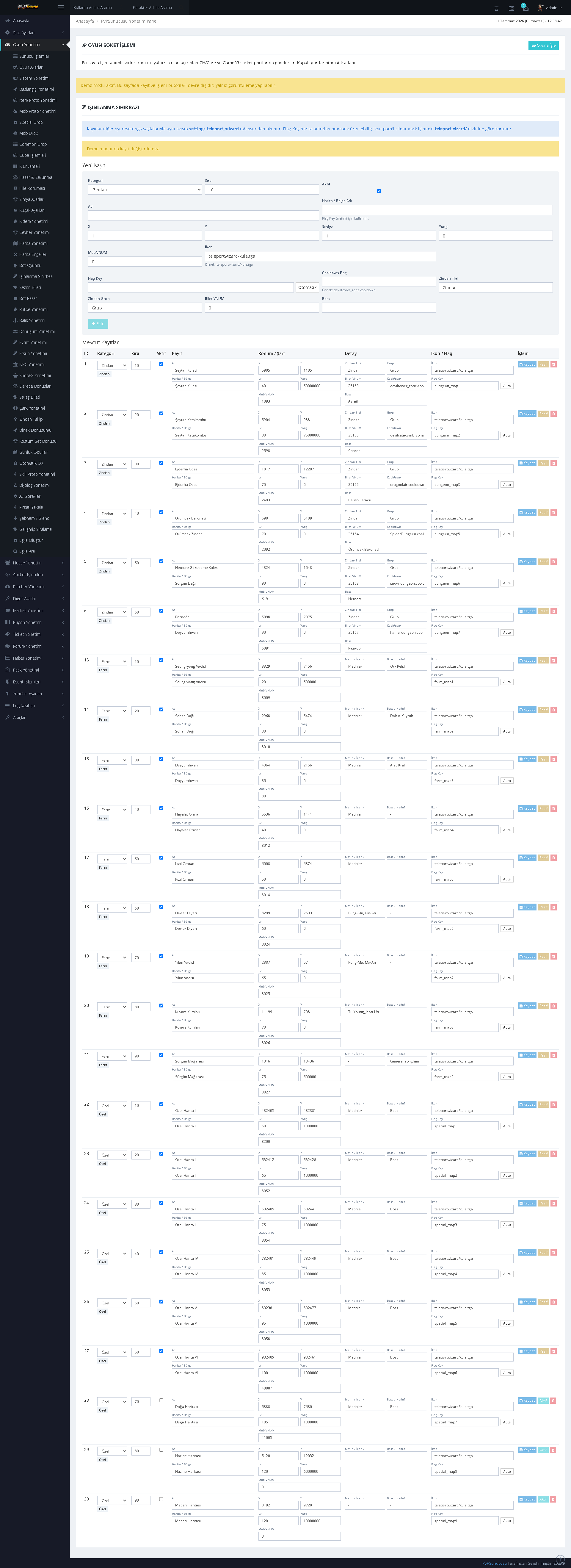
46. Teleportation Wizard
Teleportation points, maps, coordinates, level requirements, costs, and access conditions can be managed through an extensive list.
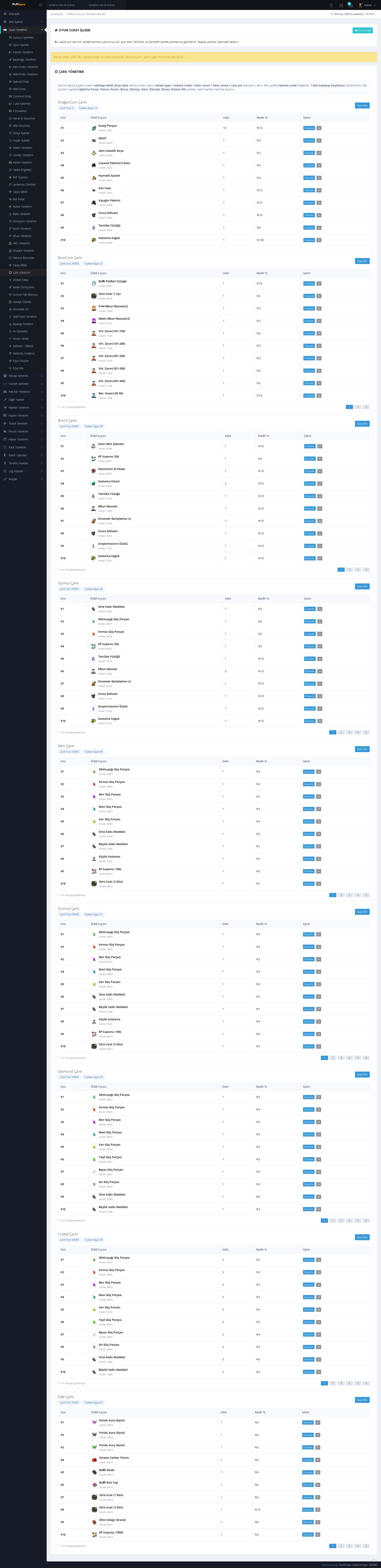
47. Wheel Management
Wheel groups, reward pools, item quantities, rates, and other wheel settings can be controlled through separate lists.
ADDITIONAL GAME SYSTEMS AND SECURITY
48. Biologist Management
Biologist missions can be listed and edited with level, required item, quantity, duration, and reward values.
49. Dew and Blend Management
Dew and blend records can be managed through the panel with type, value, duration, color, and related item information.
50. Hunting Missions
Hunting missions can be controlled through a comprehensive table containing target, level, quantity, description, and reward conditions.
51. Limited-Time Offers
Time-limited opportunity and offer records can be managed with item, price, time, and activation information.
52. Advanced Ranking
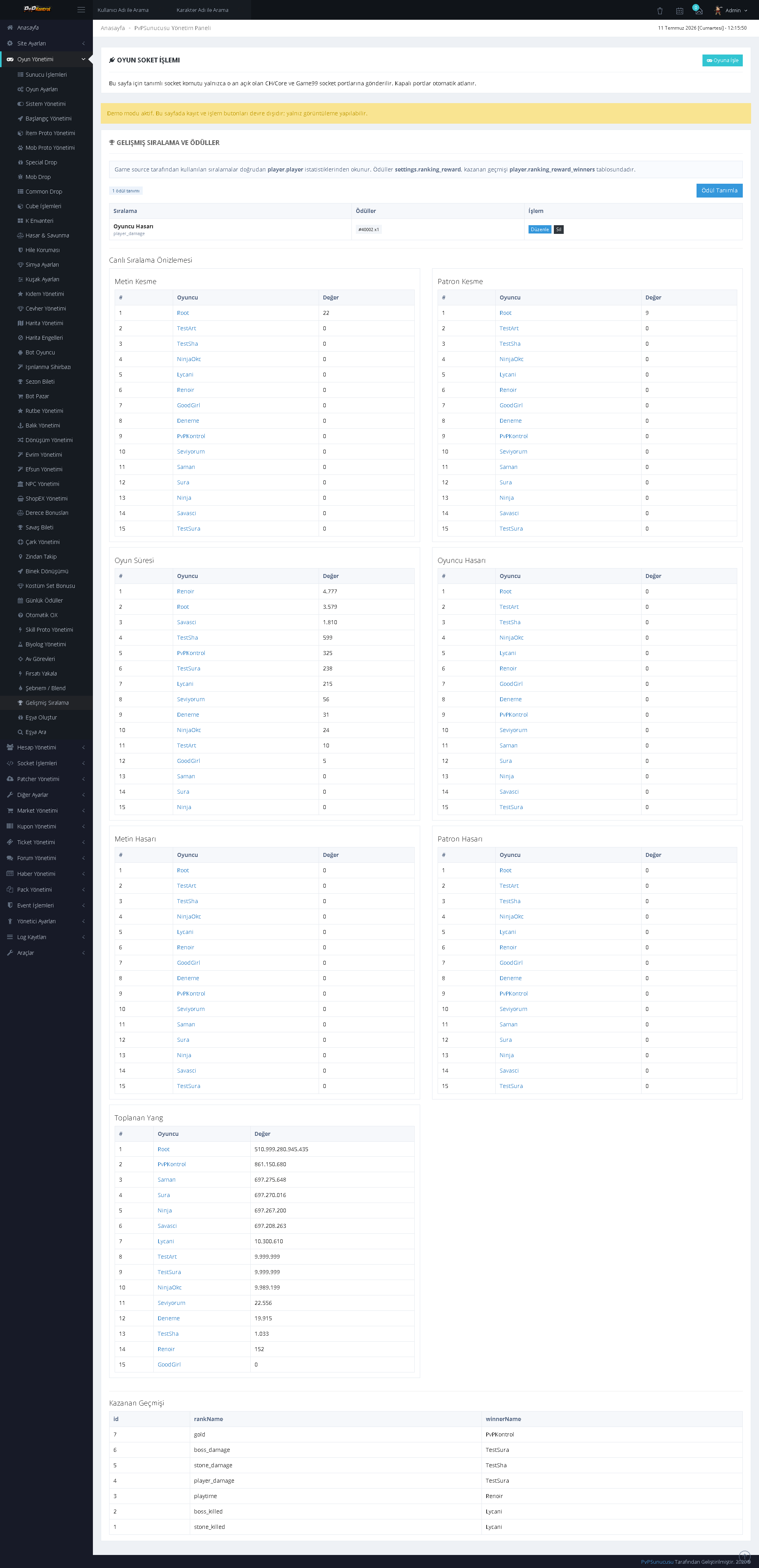
Multiple ranking types, categories, and lists can be managed from a single screen, while ranking scopes can be defined in separate blocks.
53. Game Settings
General settings for the server’s various game mechanics are presented by category. Numerical values, switches, and system rules can be configured from a single panel.
54. Item Proto Management
Item proto records can be searched by VNUM, name, type, and other core fields, then edited through a table.
55. Mob Proto Management
Mob proto records can be listed and managed with VNUM, name, level, type, rank, and other parameters.
56. Protection System Settings
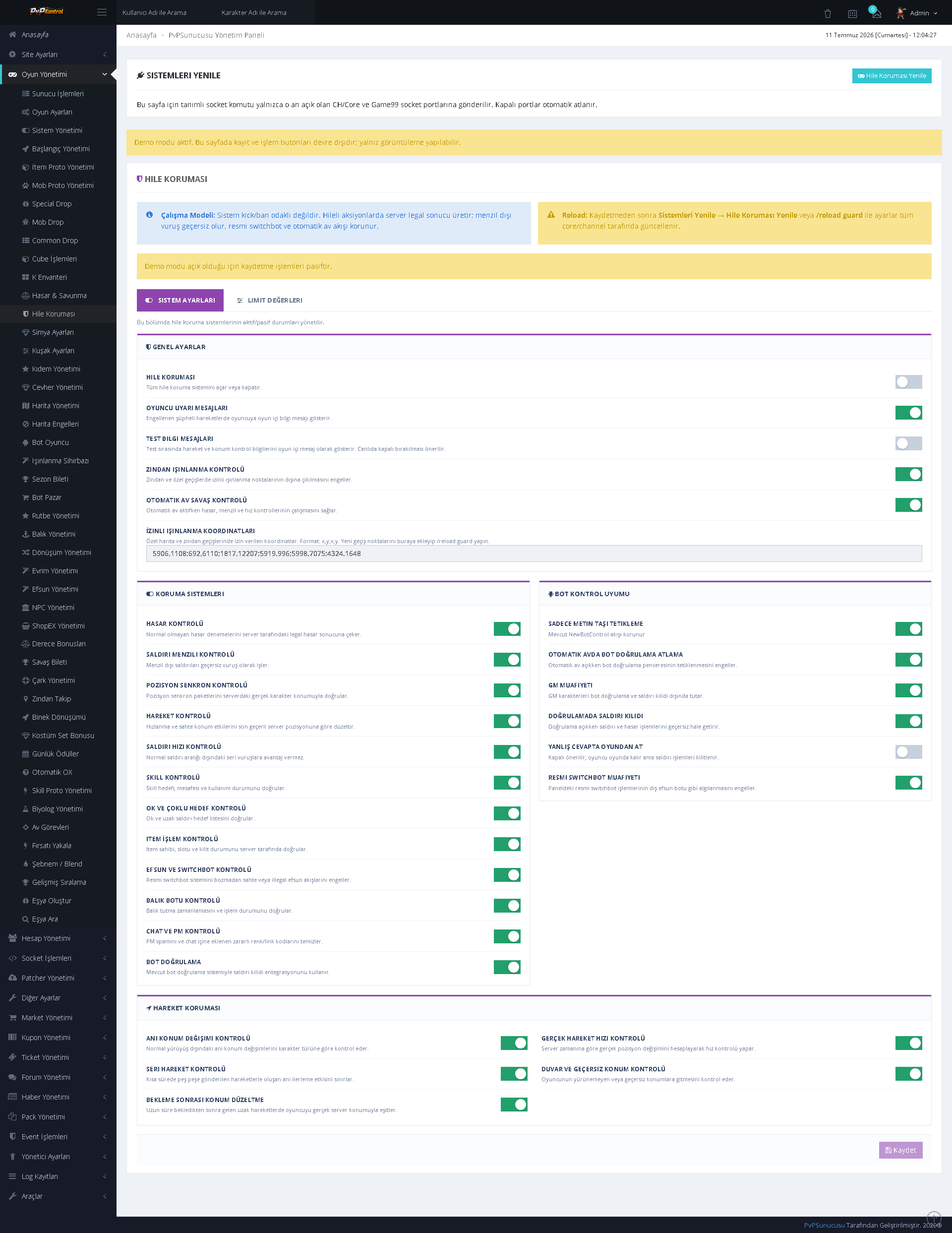
Numerous control switches for the protection and security system can be enabled or disabled from a single screen.
57. Protection Limits and Thresholds
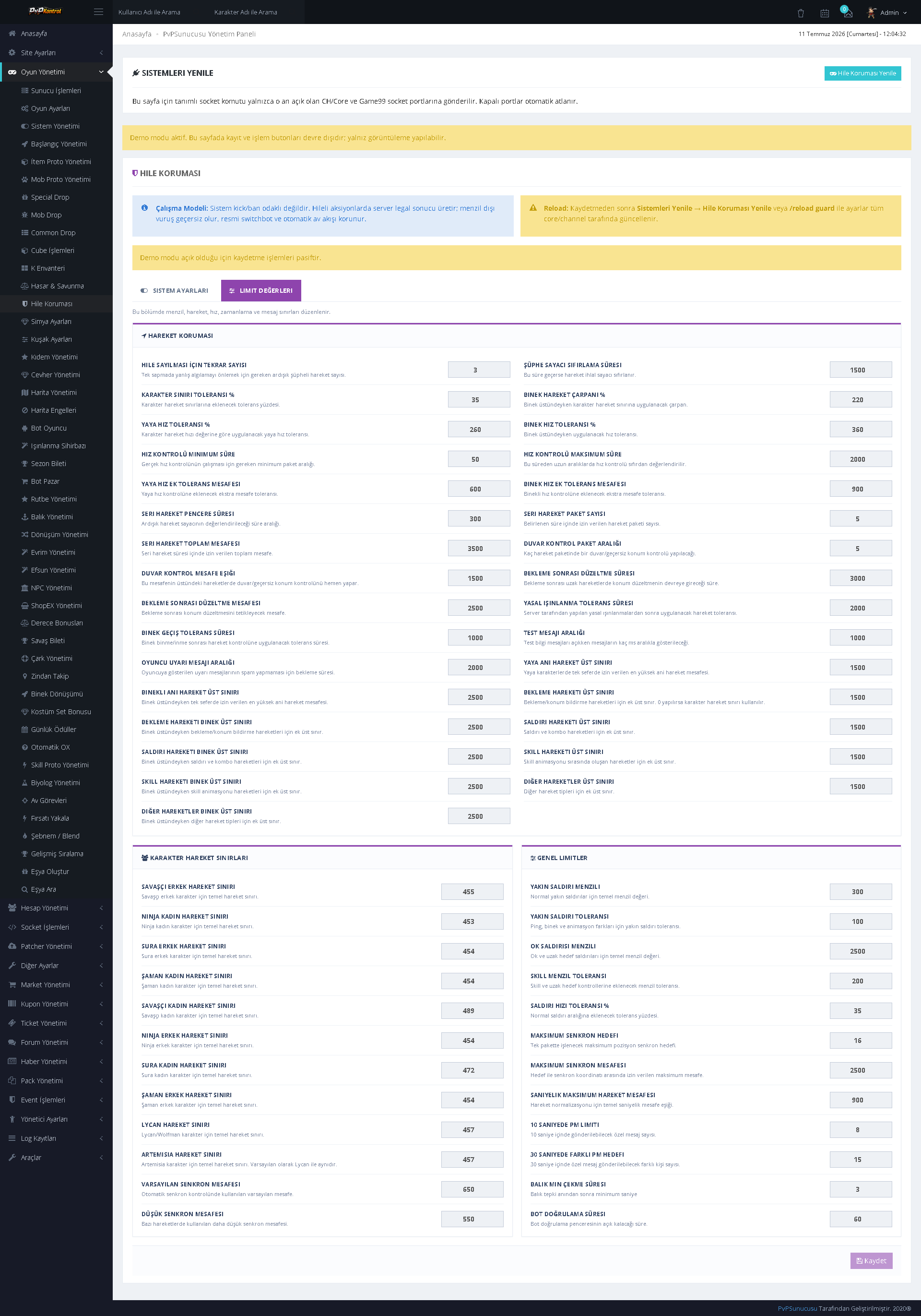
The protection system’s numerical limits, thresholds, and monitoring parameters can be managed through detailed fields.
GENERAL PANEL, WEBSITE, PATCHER, AND MARKET MANAGEMENT
58. Administration Panel Dashboard
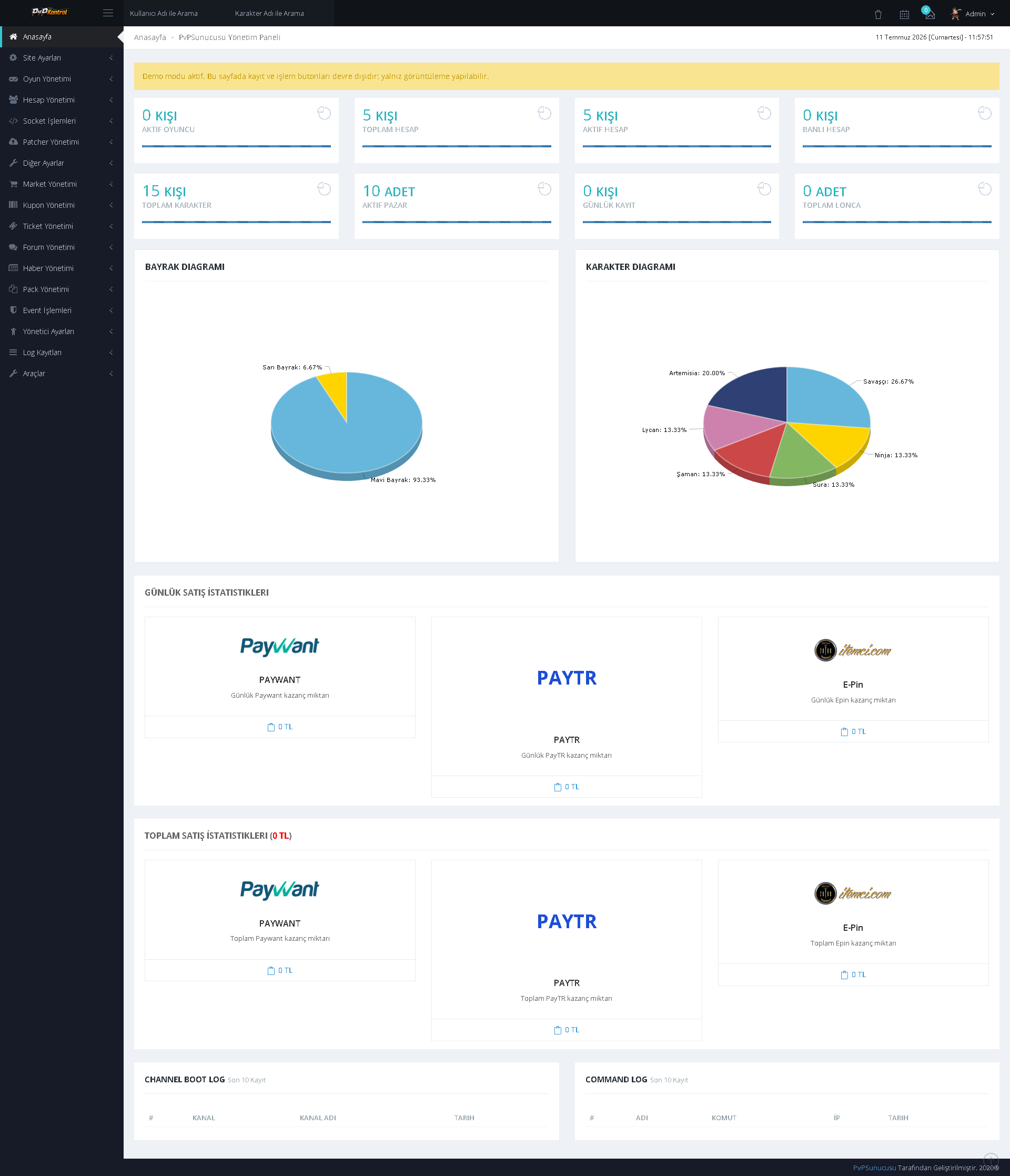
The administration panel brings together system summaries, statistics cards, charts, and payment integration statuses within a single control screen.
59. Seniority Management
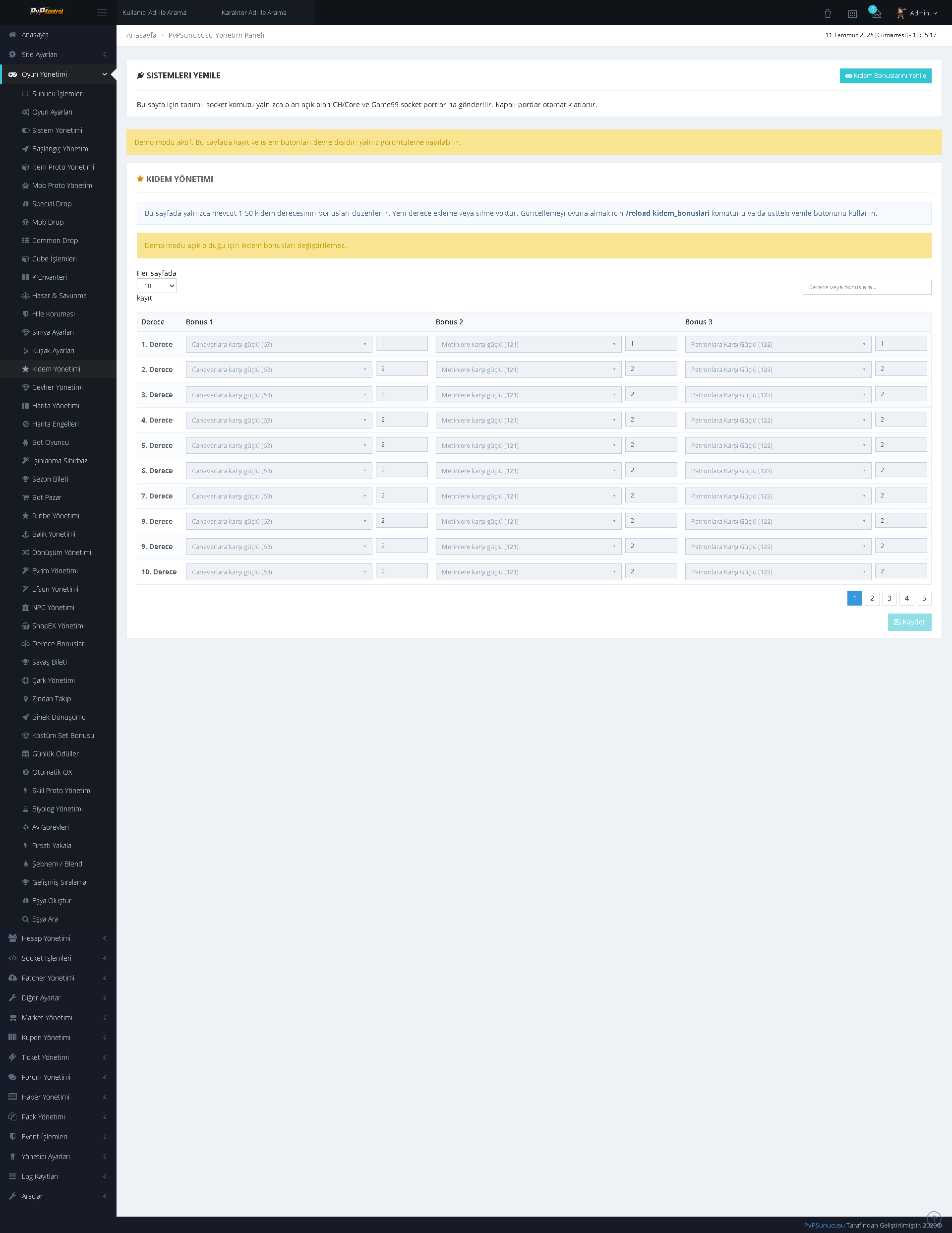
Seniority levels, names, requirements, and reward or bonus values can be managed through a list.
60. Map Management
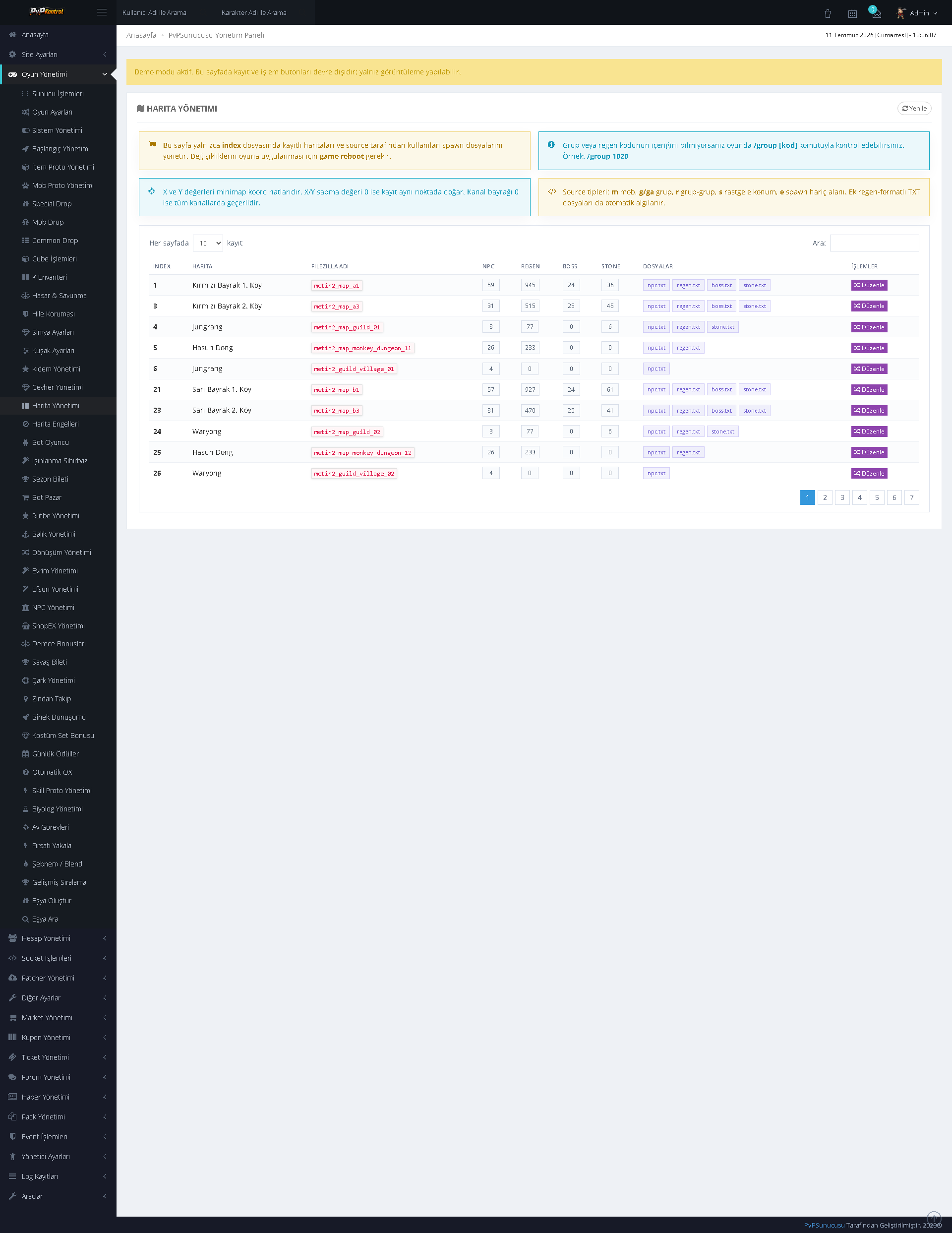
Maps are listed with index, name, access, and status information. Invalid or incomplete records can be identified easily through color-coded warnings.
61. Patcher Management
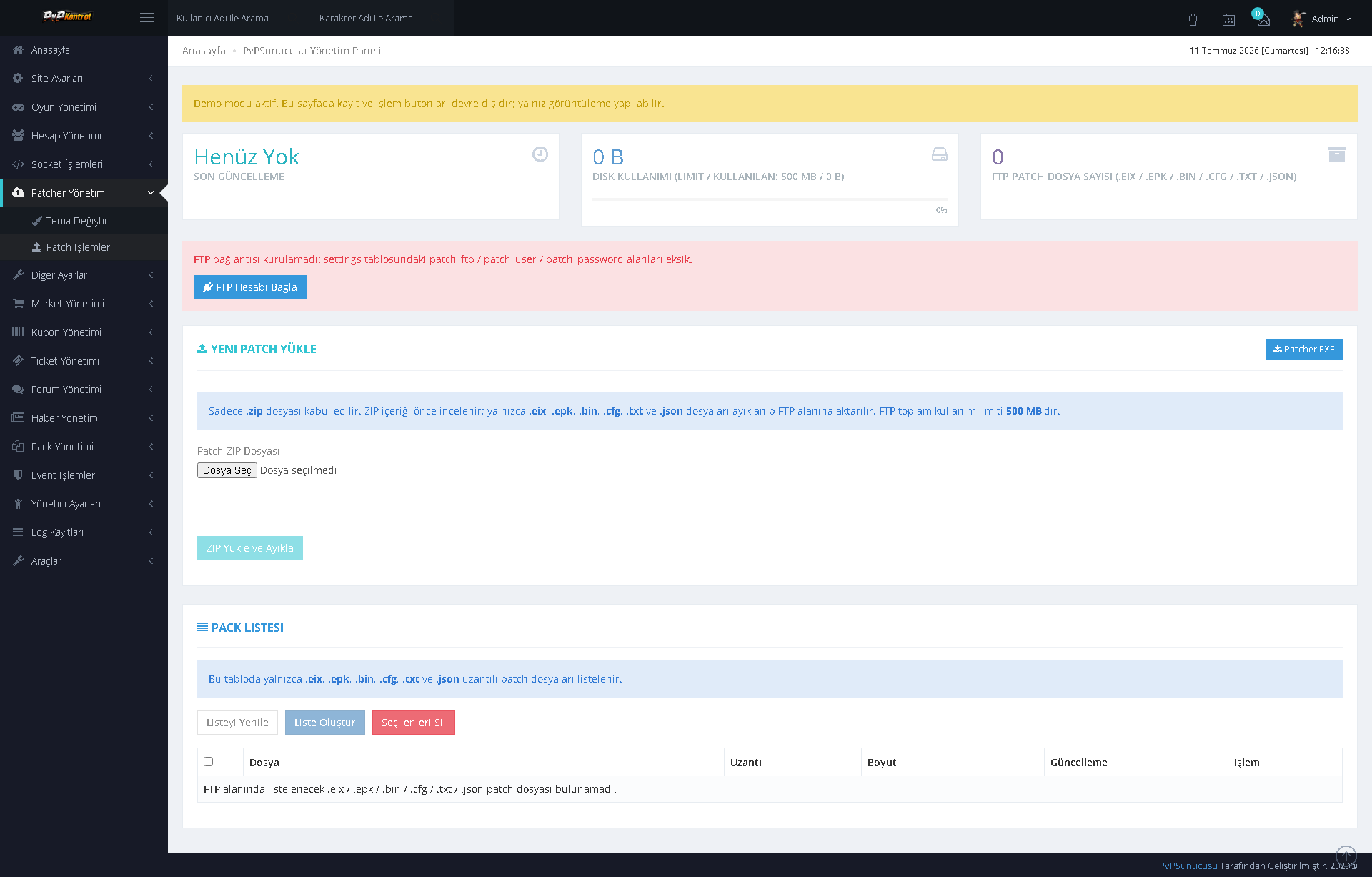
FTP connection, new patch uploads, package lists, file sizes, and update operations can be managed through the panel.
62. Royal Pass Management
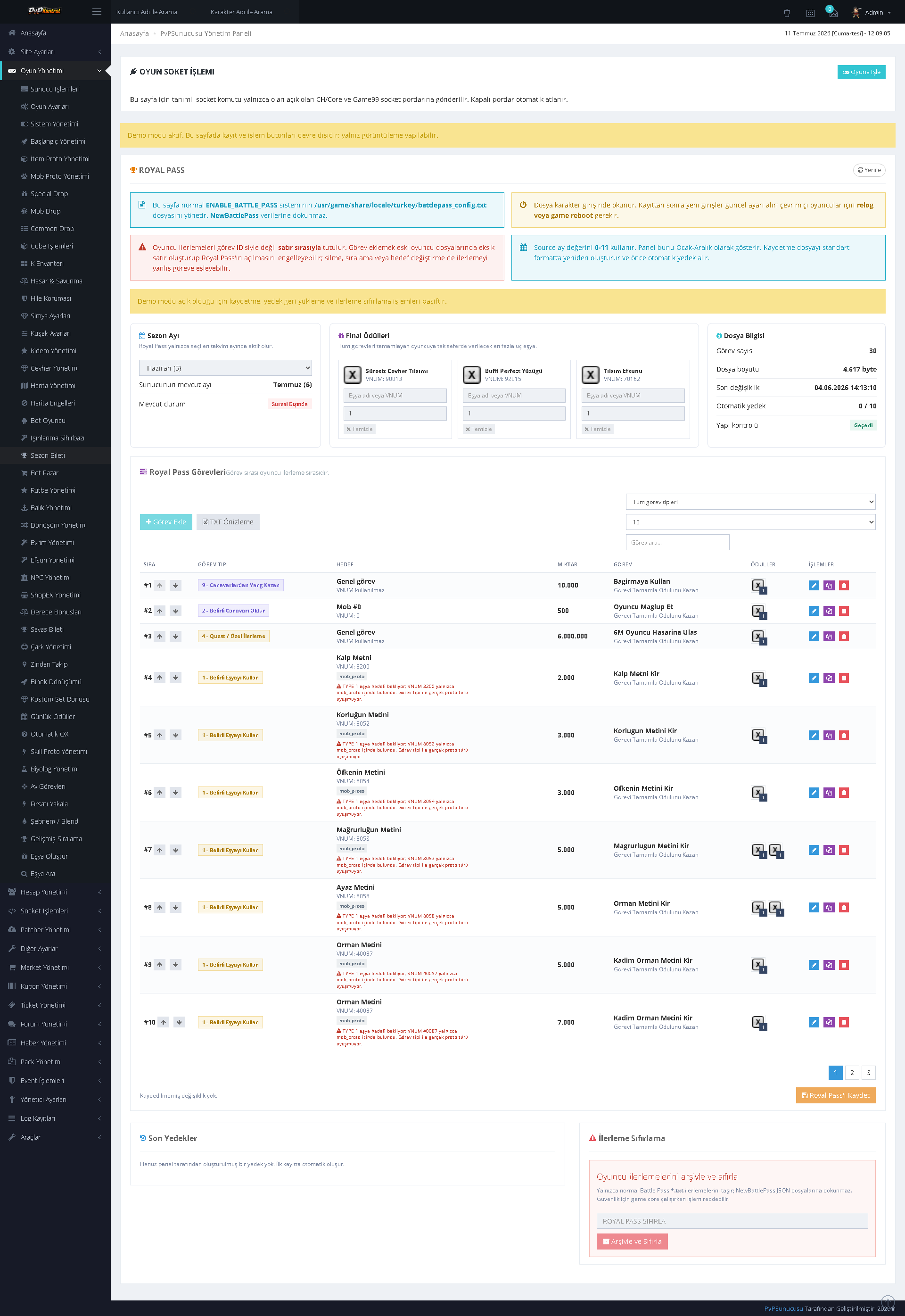
Royal Pass seasons, missions, rewards, and records can be configured through a comprehensive administration screen.
63. Sash System Settings
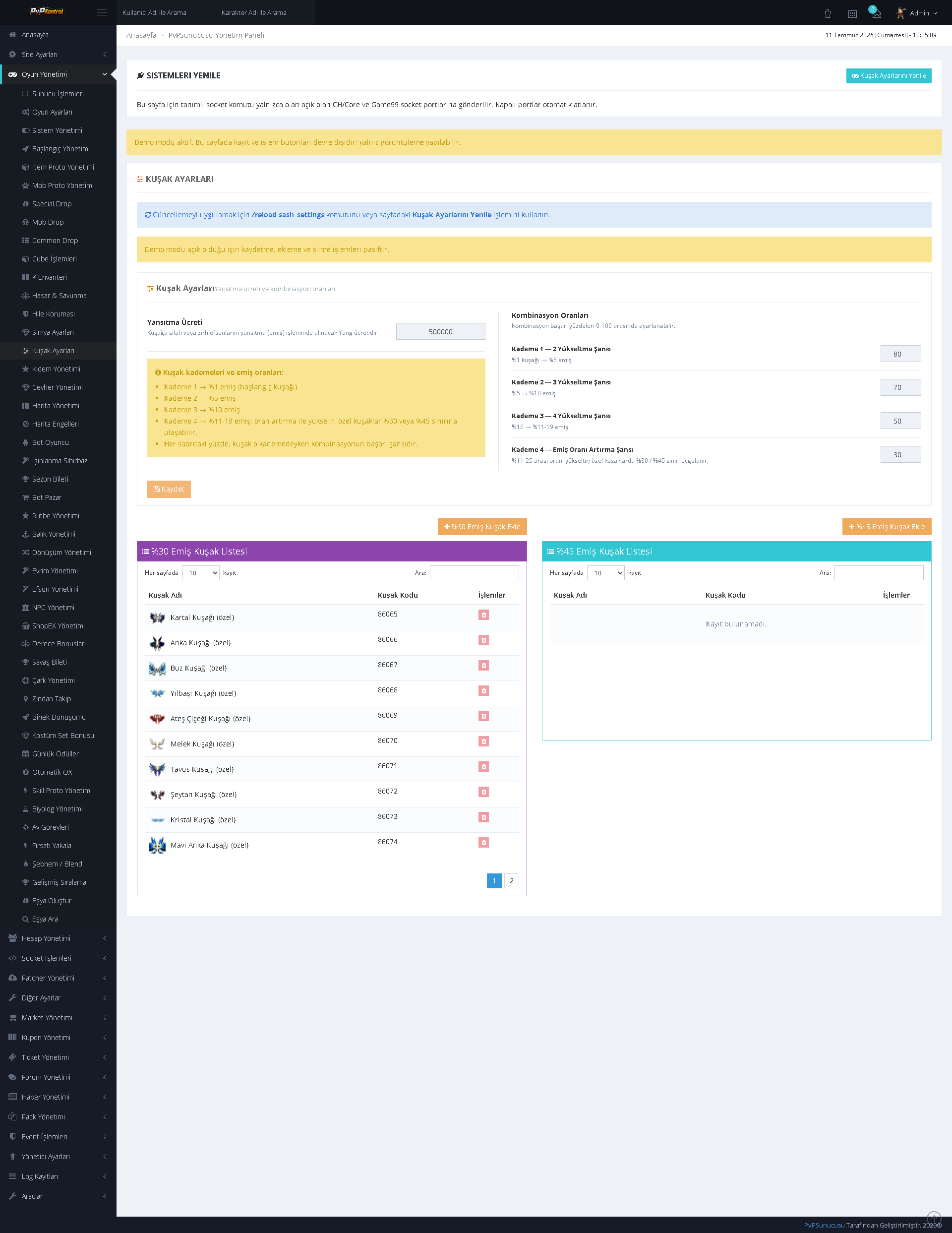
Sash levels, absorption rates, required materials, and bonus lists can be controlled through separate fields and tables.
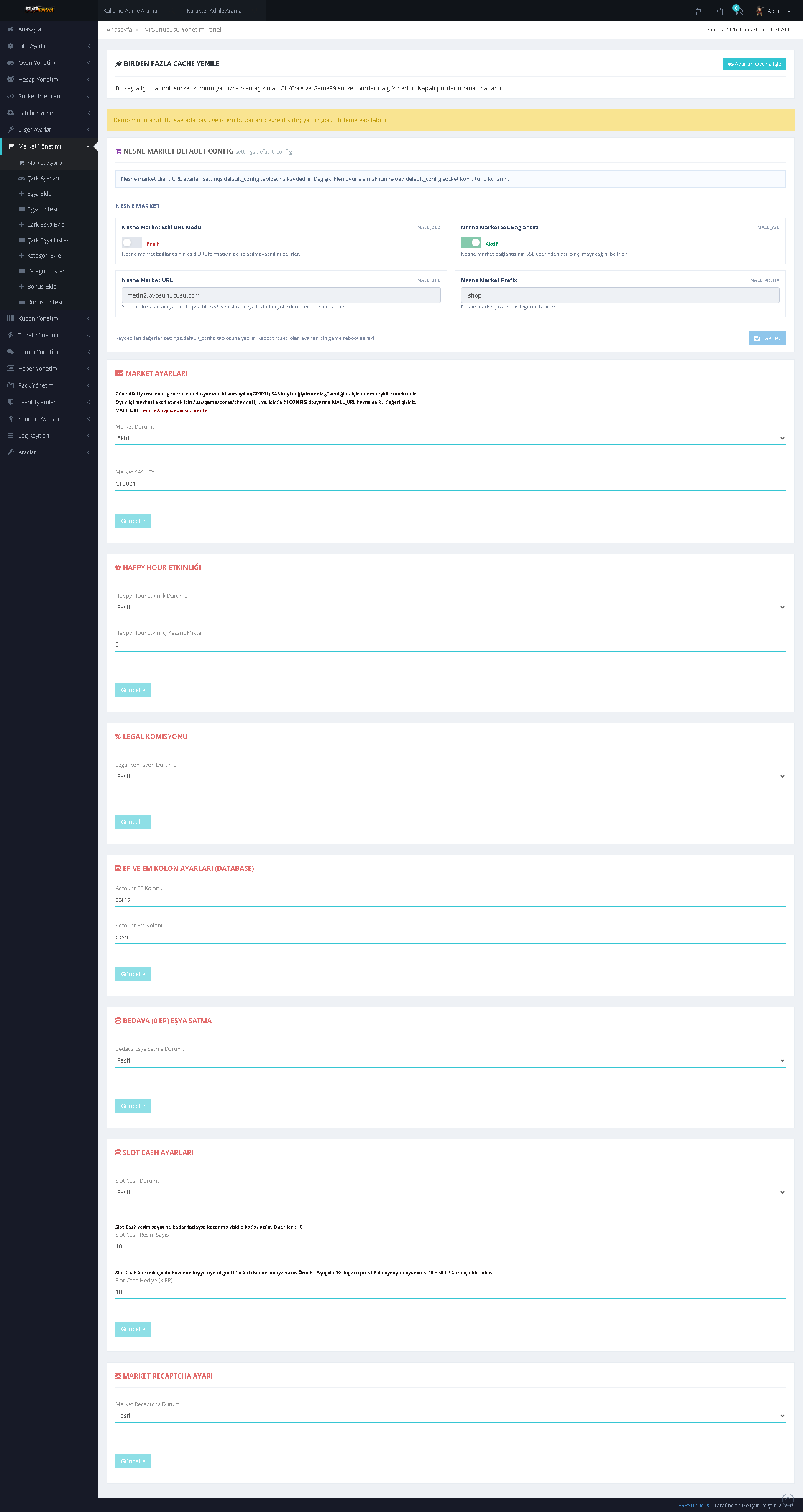
64. Market and Sales Settings
Settings for market, payment, commission, and sales systems can be managed in separate blocks.
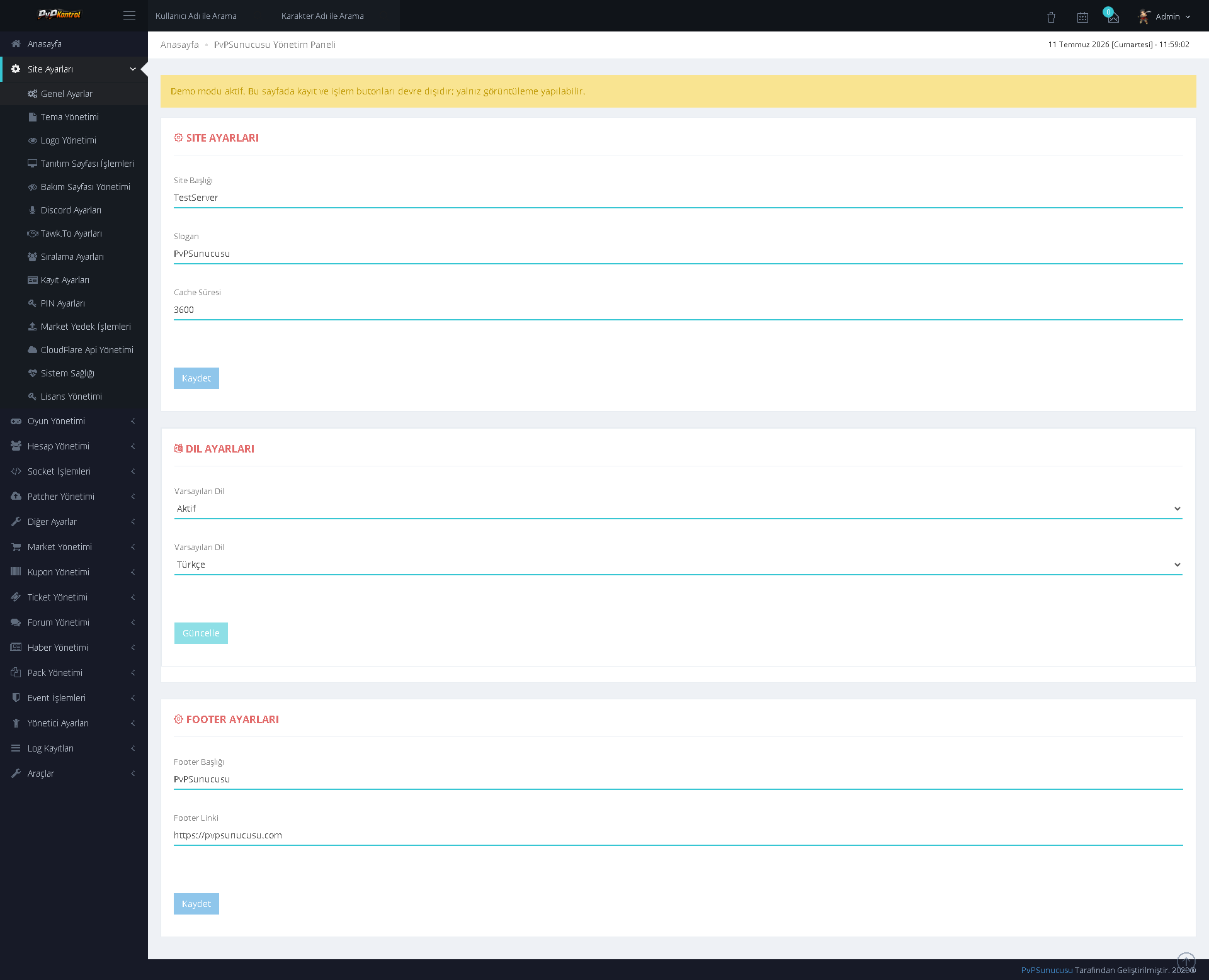
65. General Website Settings
The website name, core identity information, language options, and footer fields can be configured through the panel.
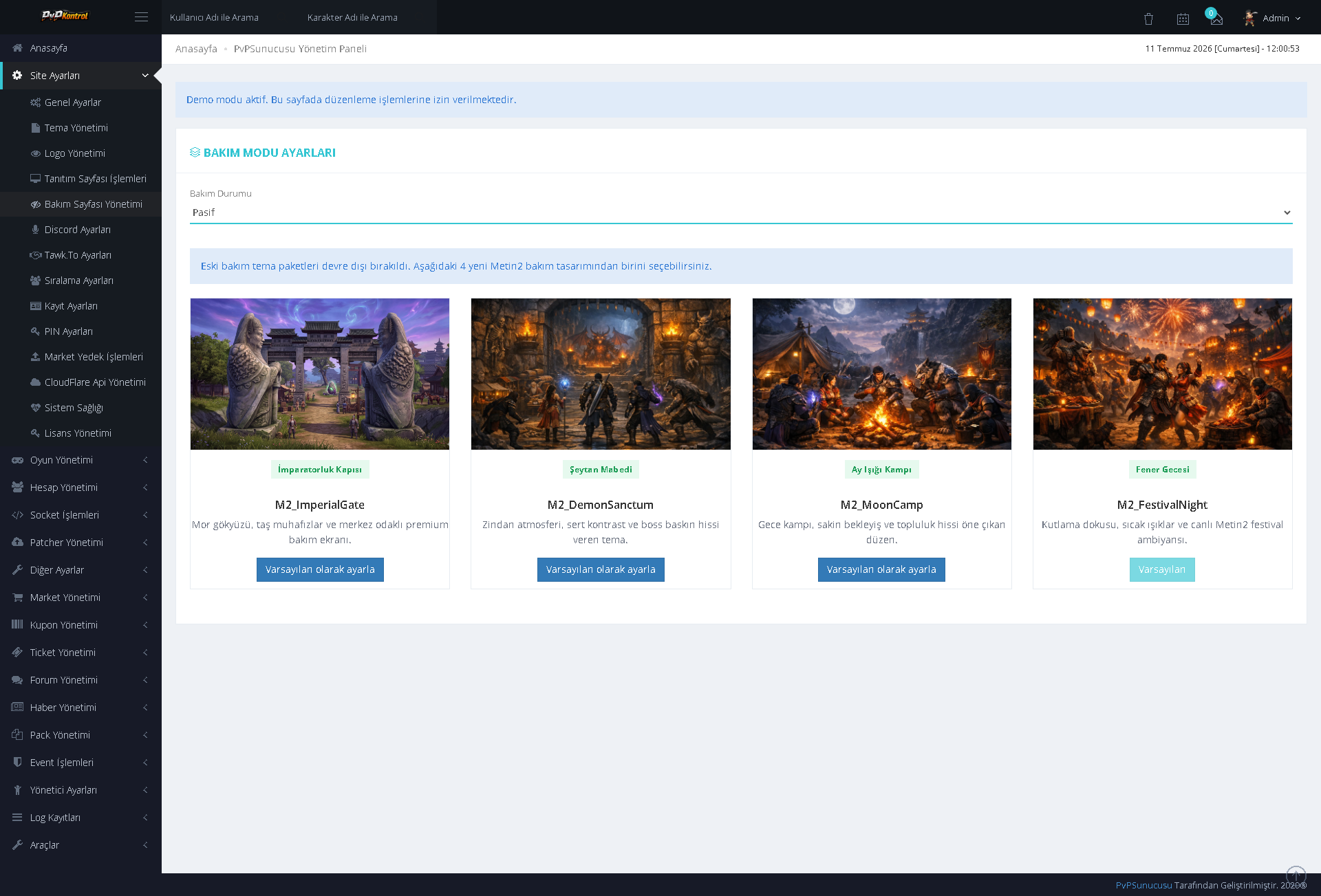
66. Maintenance Mode
Maintenance mode can be enabled or disabled, and a maintenance page background can be selected from different map and theme images.
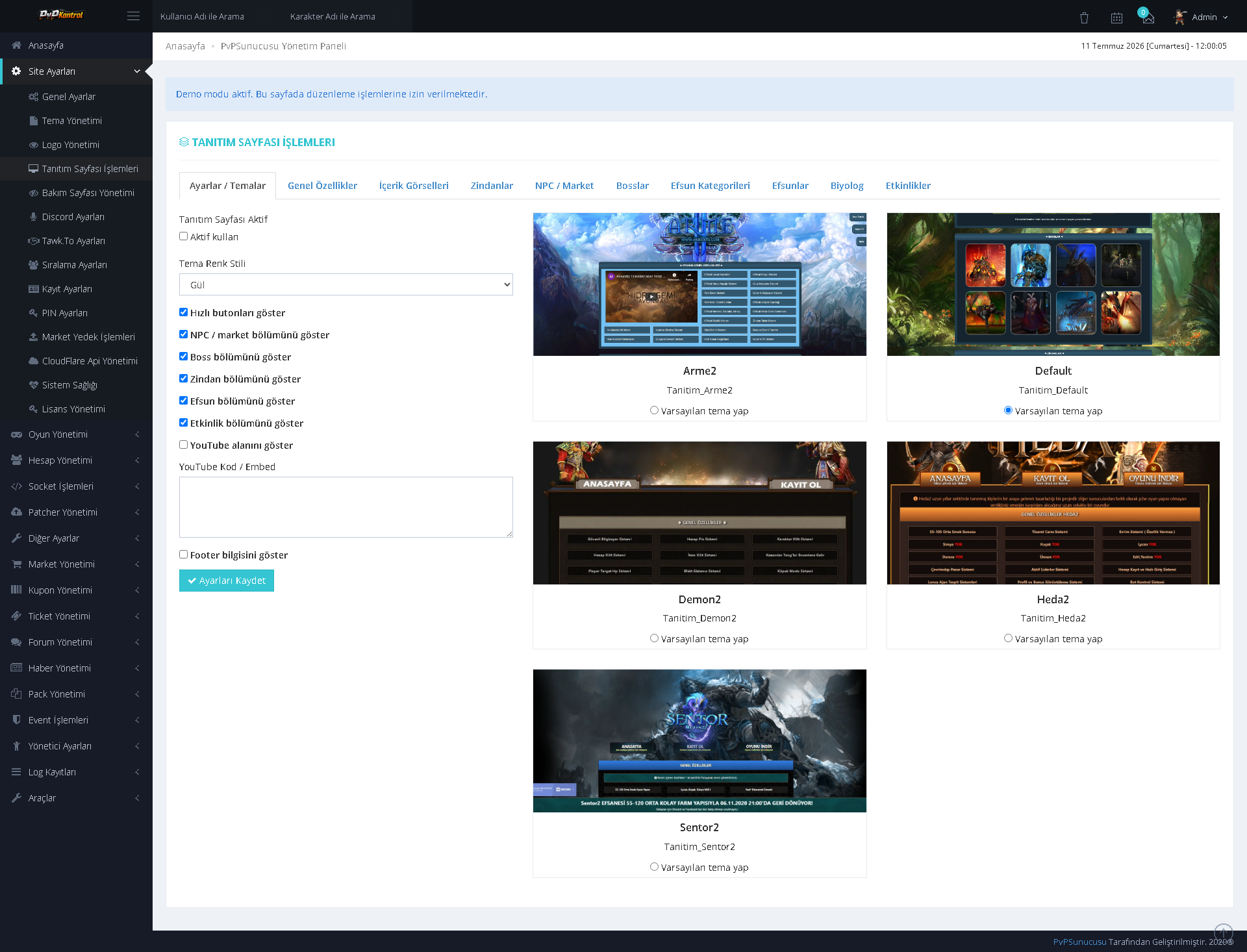
67. Landing Page Theme and Section Settings
The landing page theme can be selected with a preview. Sections displayed on the page can be enabled or disabled individually.
68. Landing Page Content Management
Content blocks, images, titles, descriptions, and ordering on the landing page can be managed through an extensive editing screen.
69. Logo Management
The current logo can be viewed, while new logo uploads, size settings, and position settings can be managed through the panel.
70. PIN Security Settings
The PIN system can be configured with usage area, user count, and MD5 encryption options.
71. Website Ranking Settings
Player and guild ranking availability, along with the maximum number of displayed records, can be configured separately.
72. Registration System Settings
Fields, validations, security options, and other registration rules for membership and account creation can be managed in detail.
73. Extensive Theme Gallery
Numerous ready-made Metin2 web themes can be viewed and selected through a gallery with previews.
74. Special Inventory Management
Special inventory categories, item groups, slot or page settings, and related records can be managed through multiple tables.
TECHNICAL TOOLS AND USER FORUM
75. Backup Operations
It provides a screen for creating backups of the game directory, database, or related server files and monitoring existing backups.
76. Cube TXT Converter
A technical tool that validates Cube TXT content through the panel and helps convert it into the appropriate SQL structure.
77. Drop Group Converter
A tool designed to validate Drop Group TXT structures according to their type and convert them into an SQL-based system.
78. Item Proto Converter
It helps convert Item Proto TXT content into SQL format in a way that is compatible with the system structure.
79. Mob Proto Converter
It is used to convert Mob Proto TXT data into SQL format while taking separators, headers, and the data structure into account.
80. Proto Creation Wizard
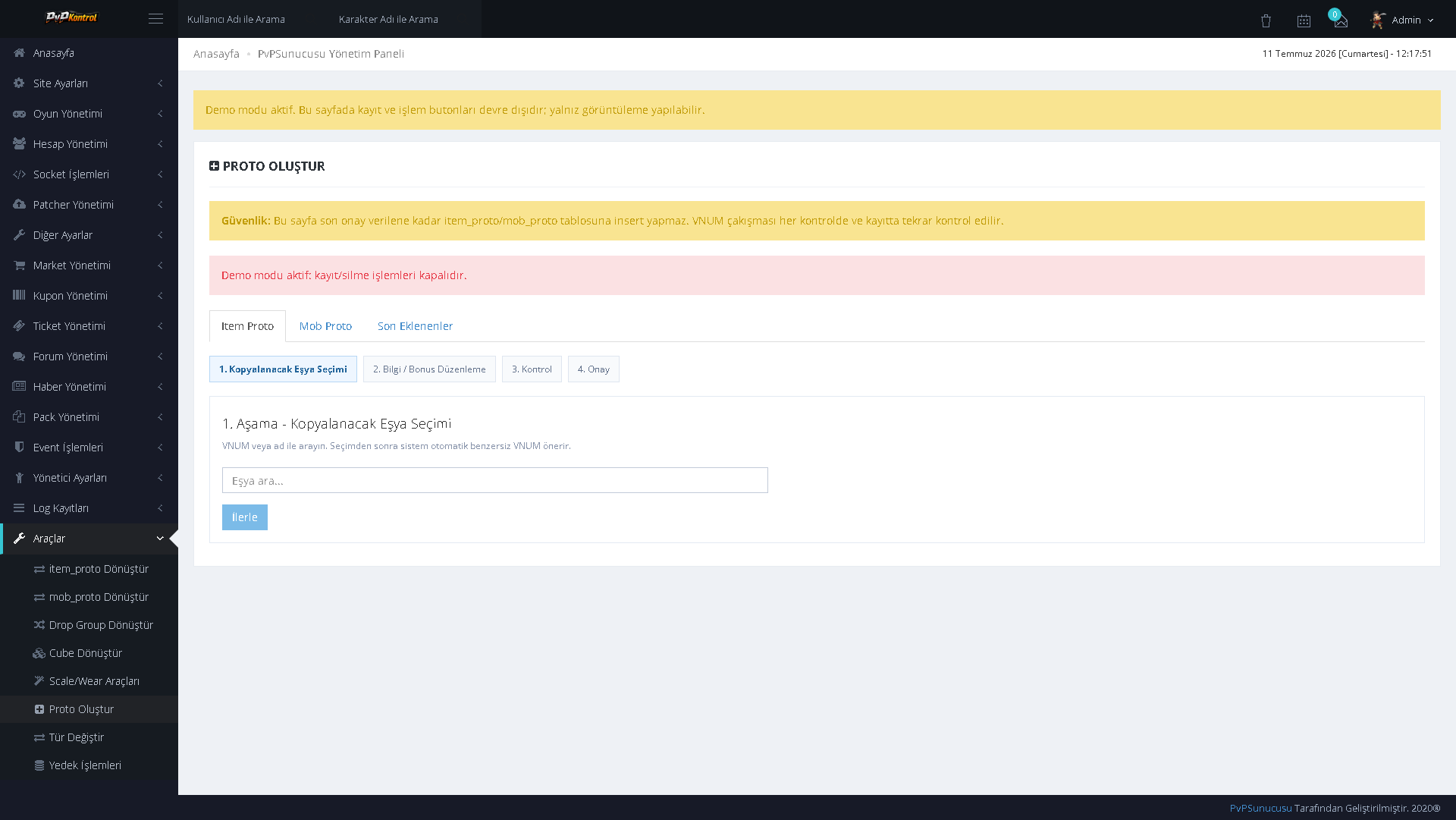
A wizard for creating Item Proto or Mob Proto records, including selection of the item to copy, data entry, final additions, and confirmation steps.
81. Scale and Wear Tools
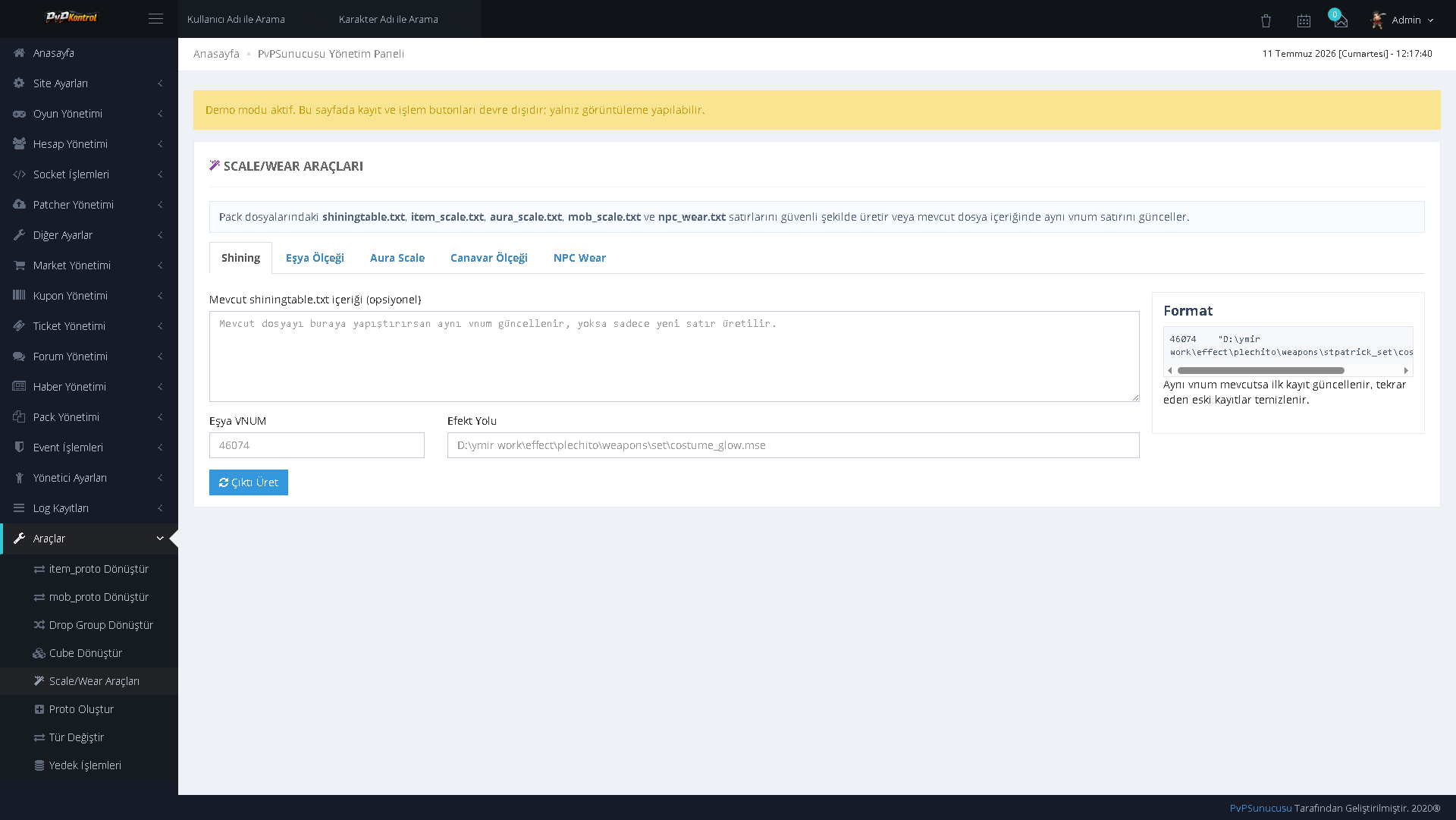
A technical toolset that simplifies creating or updating scale, wear, and related lines for MSM and character resources.
82. Type Conversion Tool
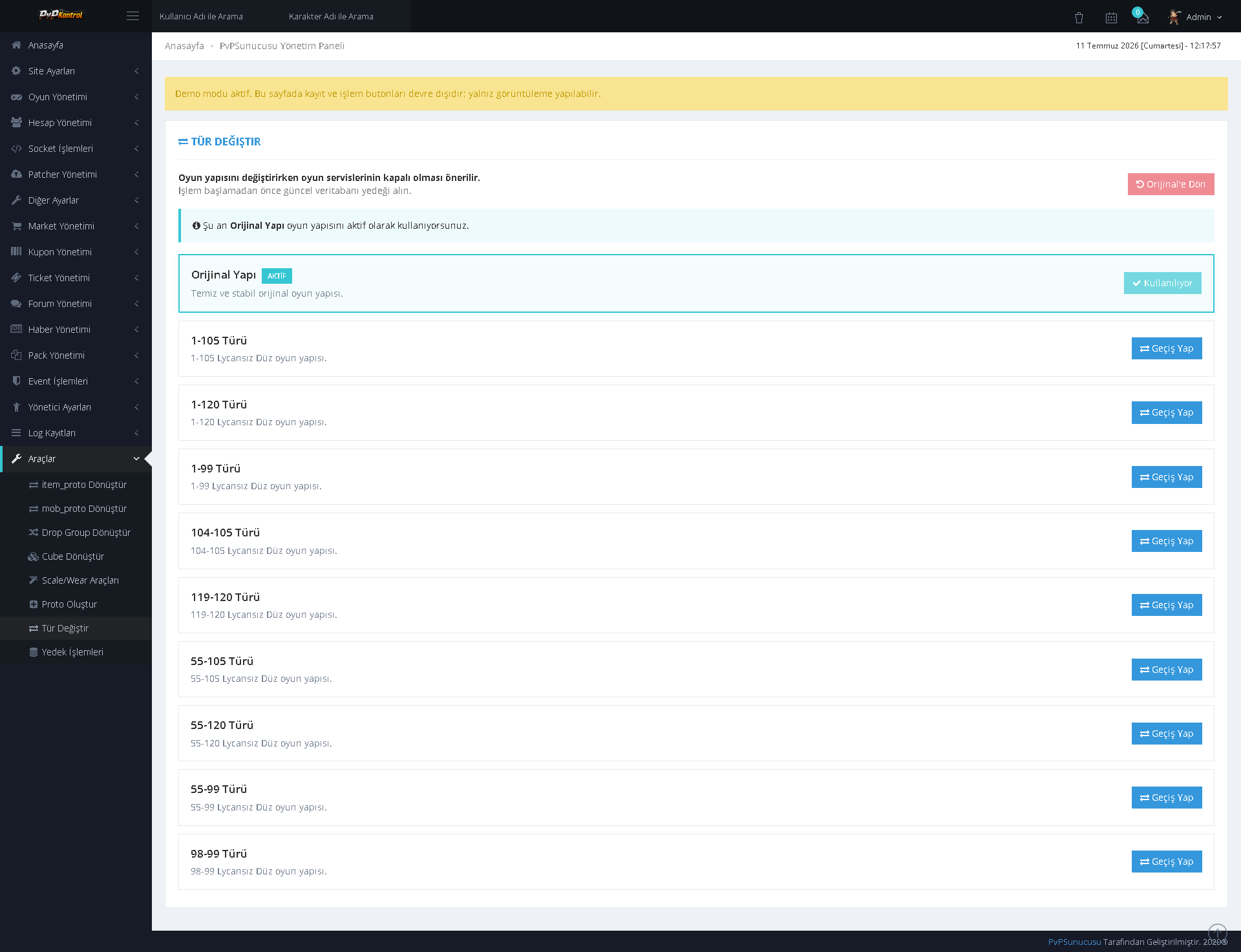
An administration tool that enables bulk conversion between compatible types while preserving the original structure.
83. Warp Restriction Management
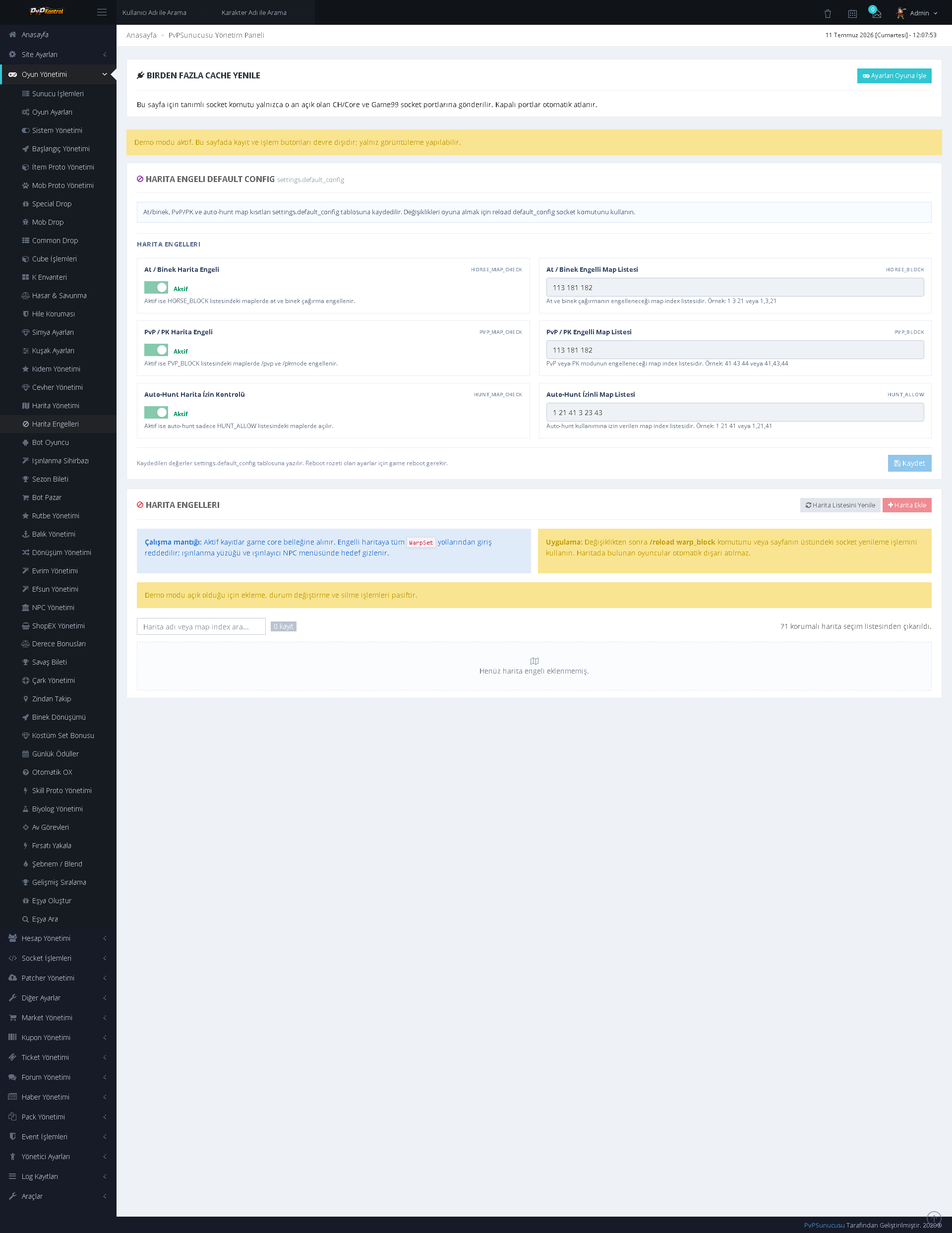
Warp restrictions can be defined according to map, coordinates, level, or similar conditions, and existing rules can be managed.
84. User-Facing Forum Interface
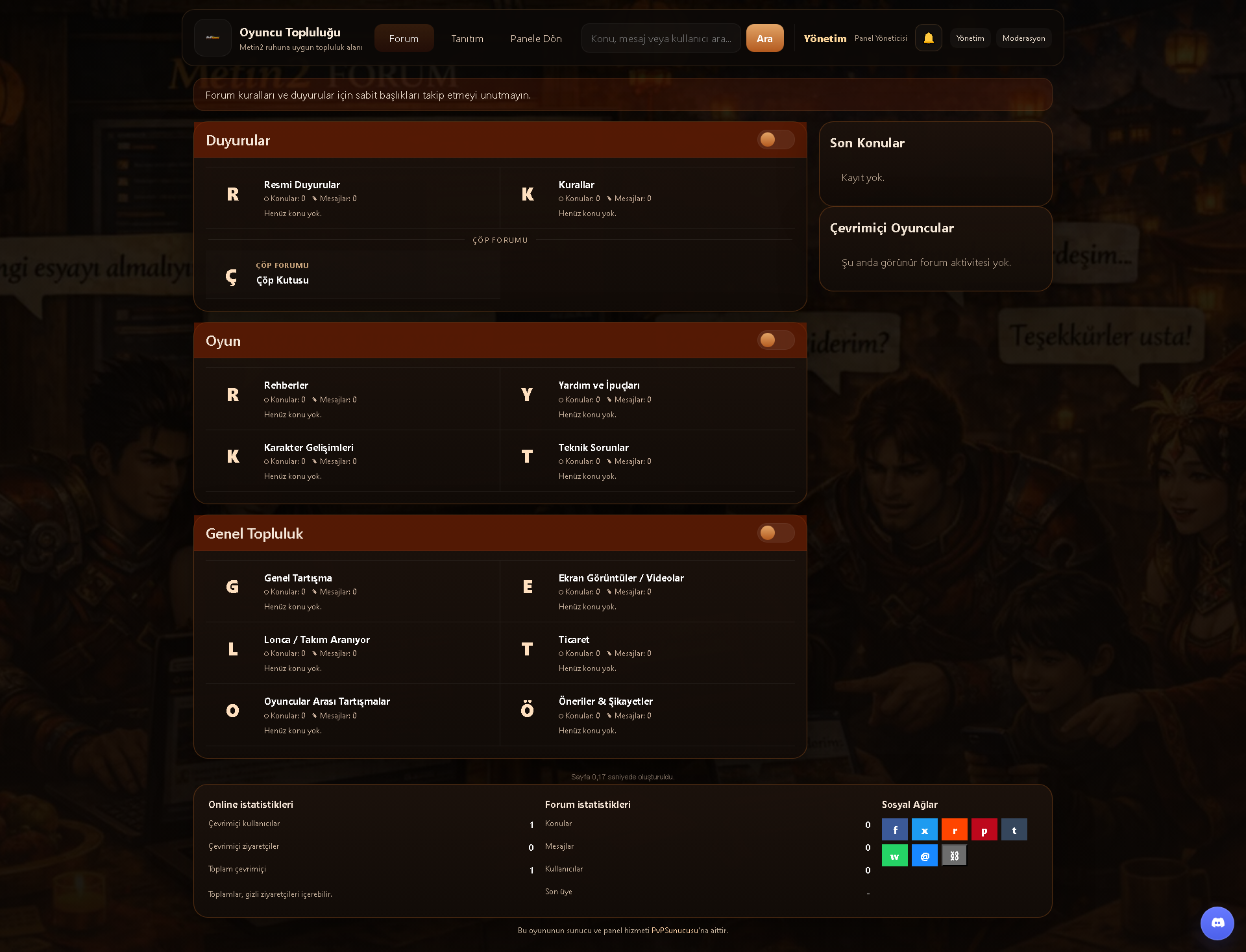
The user-facing side of the forum included with the panel provides a unified interface featuring announcements, game sections, general community categories, online players, and forum statistics.
System Video Guides: Available on My YouTube Channel! (Updated continuously.)
01. Evolution Tier Configuration
Evolution levels can be configured in detail through activation status, weapon type, evolution stone, point ranges, success rate, Yang cost, attack bonus, required materials, and success boosters.
A coordinate-based record creation screen displayed over the map image. Boss, Metin Stone, and similar map data can be viewed and edited with code, X/Y coordinates, area of effect, and duration information.
Accessory ore tiers are managed from a single list. Values such as tier, material, target points, success rate, cost, and bonus can be controlled on a row-by-row basis.
Cube crafting recipes can be searched and managed through an extensive table containing the resulting item, required materials, quantities, costs, and related parameters.
Limits, types, and rates for the damage and defense system can be configured through the panel. The structure supports defining separate values for different character or system groups.
Alchemy types including White, Fire, Wind, Earth, Lightning, Dark, and Amethyst can be managed with order and activation settings.
Base and additional bonuses for each alchemy type can be defined separately with bonus type, value, probability, order, and activation settings.
The comprehensive rate, cost, and weight tables of the alchemy system are managed from a single screen. It provides detailed matrix control for numerous tiers and combinations.
INTEGRATED FORUM MANAGEMENT
09. Forum Badge Management
Forum badges can be added with title, color, user type, order, and appearance settings. Existing badges can be edited and enabled or disabled from the same screen.
A central administration screen displaying the forum’s category, section, topic, post, report, and permission counts. Recent topics and reports can also be monitored in summary form.
Forum ranks such as Member, Senior, Legend, Moderator, and Administrator can be managed with minimum post count, user group, order, and image settings.
The forum title, subtitle, announcement text, pagination, main forum selection, and category display settings can be controlled from a single screen.
Forum staff, user-specific section permissions, penalty lists, and special access rules can be managed from a central screen.
Categories and forum sections can be created and ordered hierarchically. Visibility, status, permissions, and editing actions are controlled from the same page.
Creating topics with an administrator account, monitoring existing topics, and reviewing user reports are combined within a single panel.
GAME SYSTEMS AND CONTENT MANAGEMENT
16. Alignment Rank Bonuses
Bonuses tied to rank or alignment levels can be defined through an extensive structure. It provides separate reward and value control for numerous levels.

Daily login rewards are listed by day with item images, quantities, and status information; each day’s reward can be edited separately.
Item attributes and bonus values can be managed through an extensive table containing type, level, rate, and related parameters.
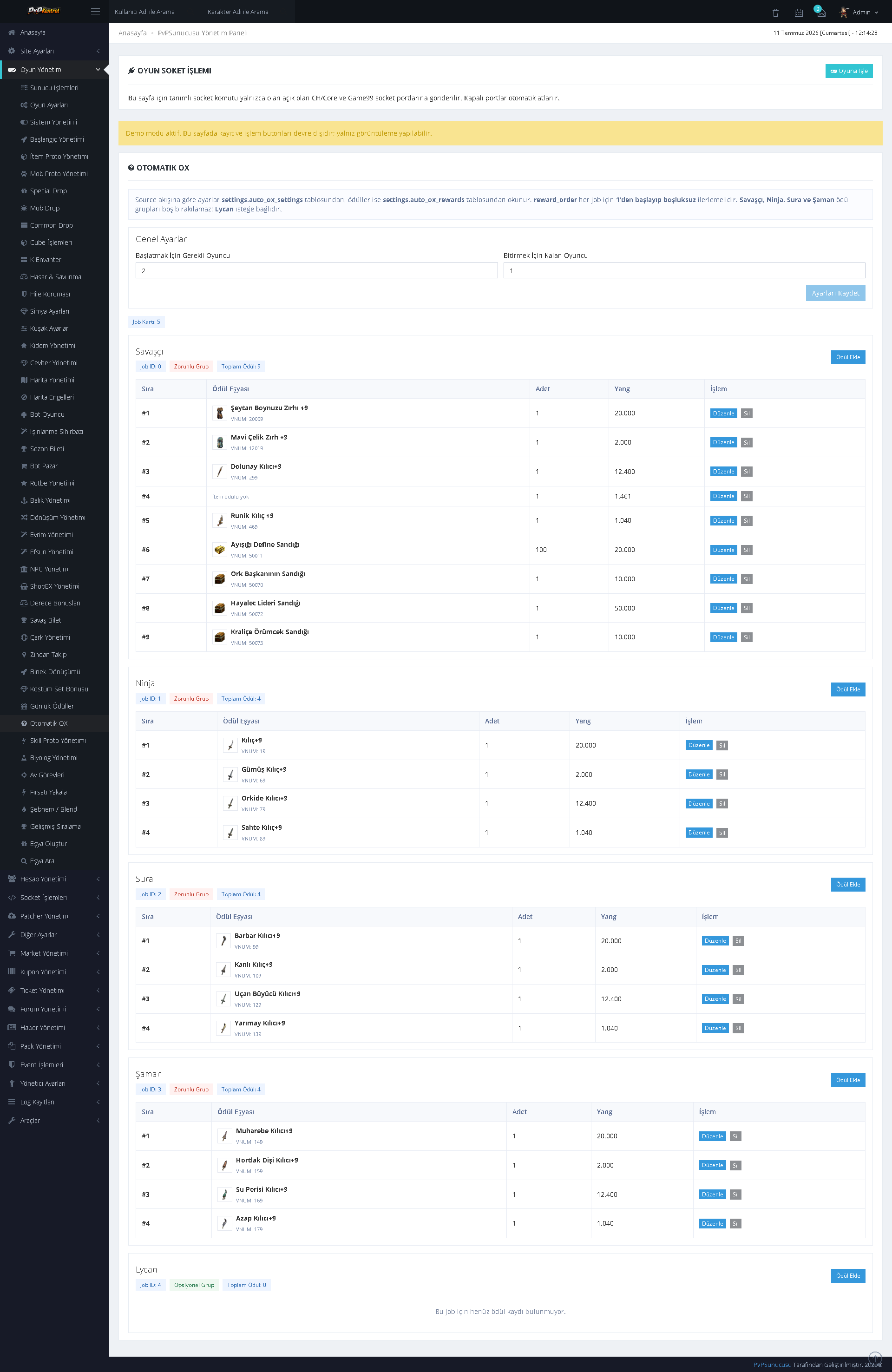
Settings, question groups, questions, rewards, and event stages for the Automatic OX system can be controlled in separate sections.
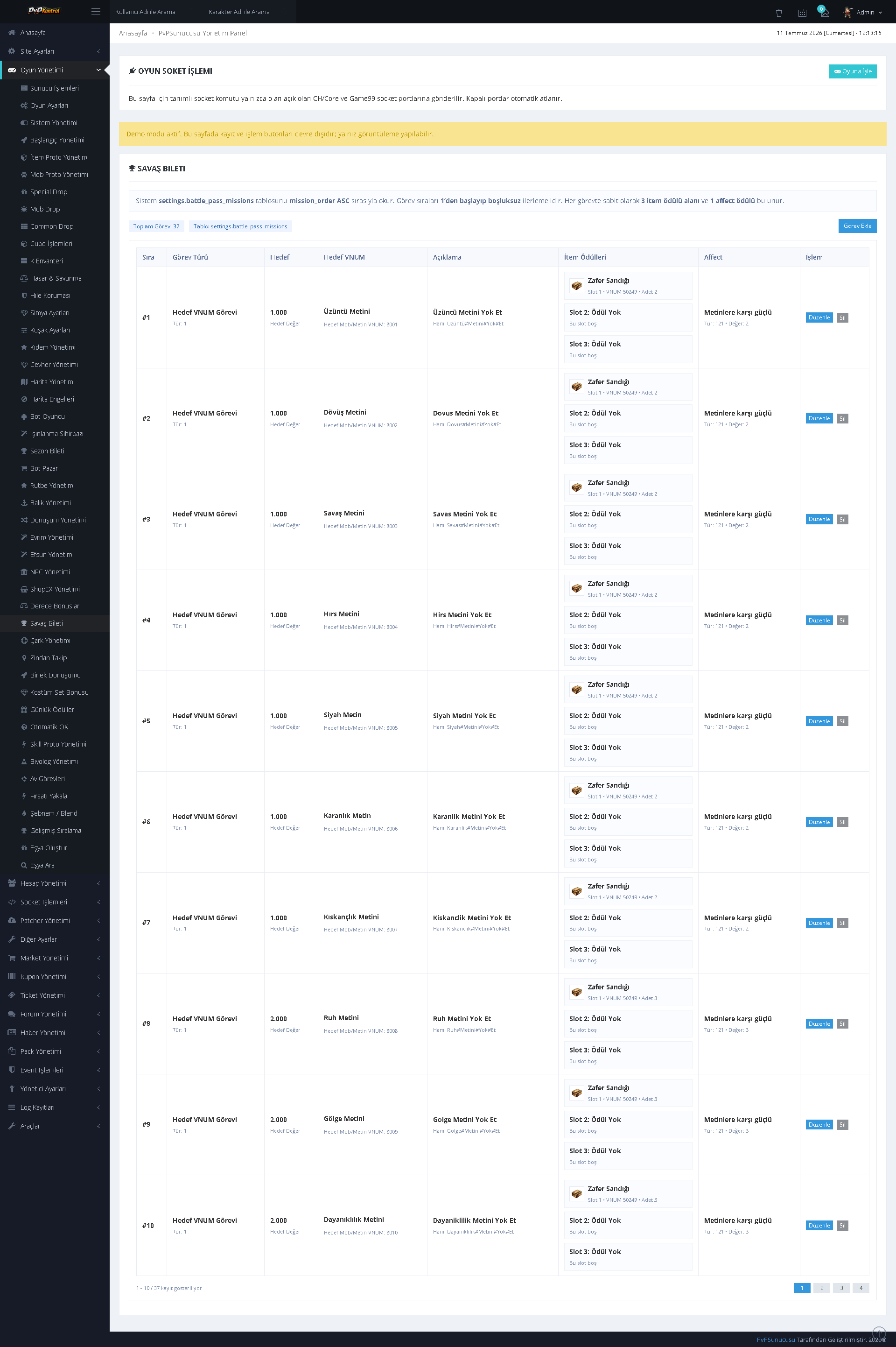
Battle Pass missions, objectives, rewards, progression requirements, and activation states can be configured in detail.
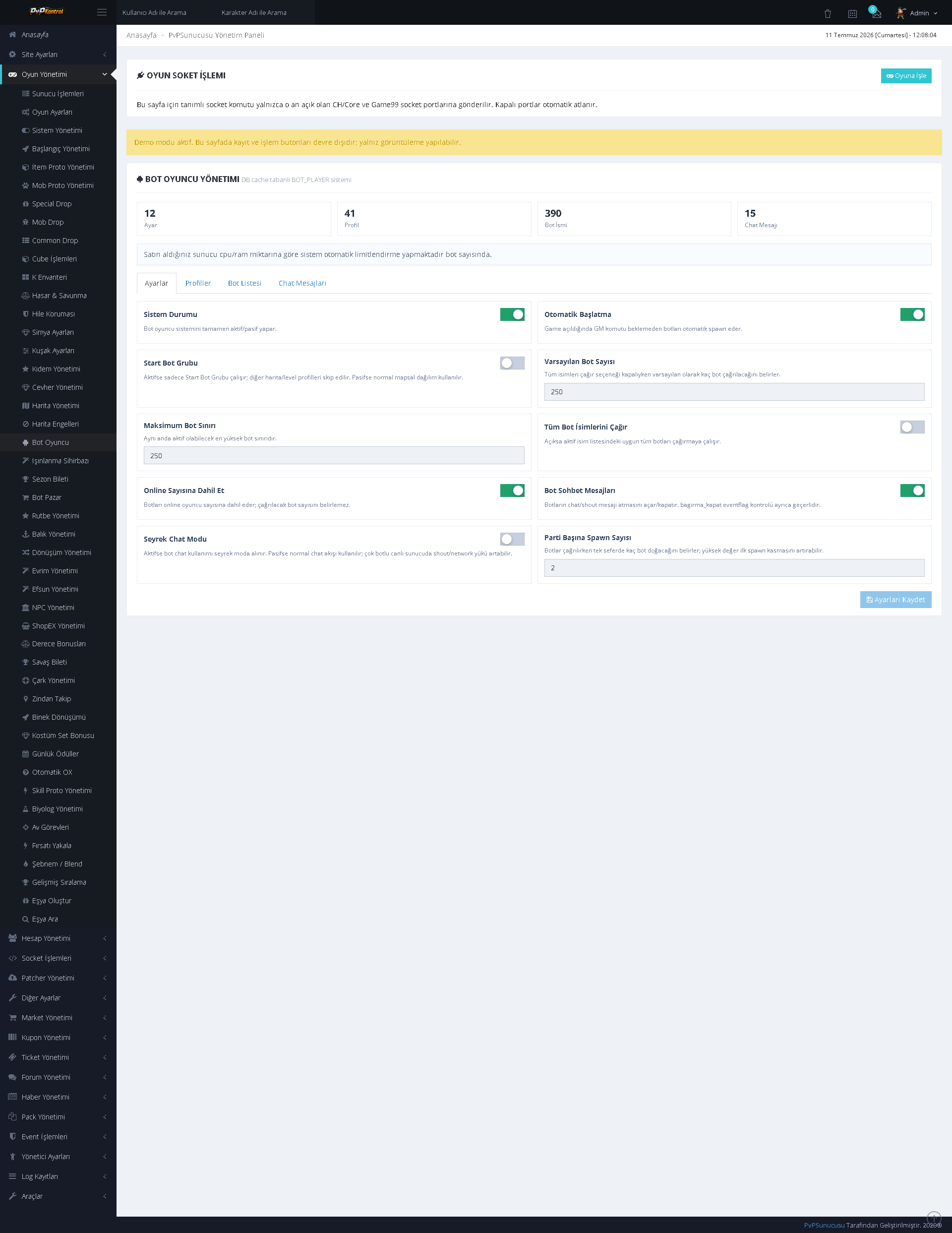
The operating mode, behavior, and core automation options of the bot player system can be managed through switches and fields.
Bot character records can be listed and edited row by row with name, class, level, status, and other character parameters.
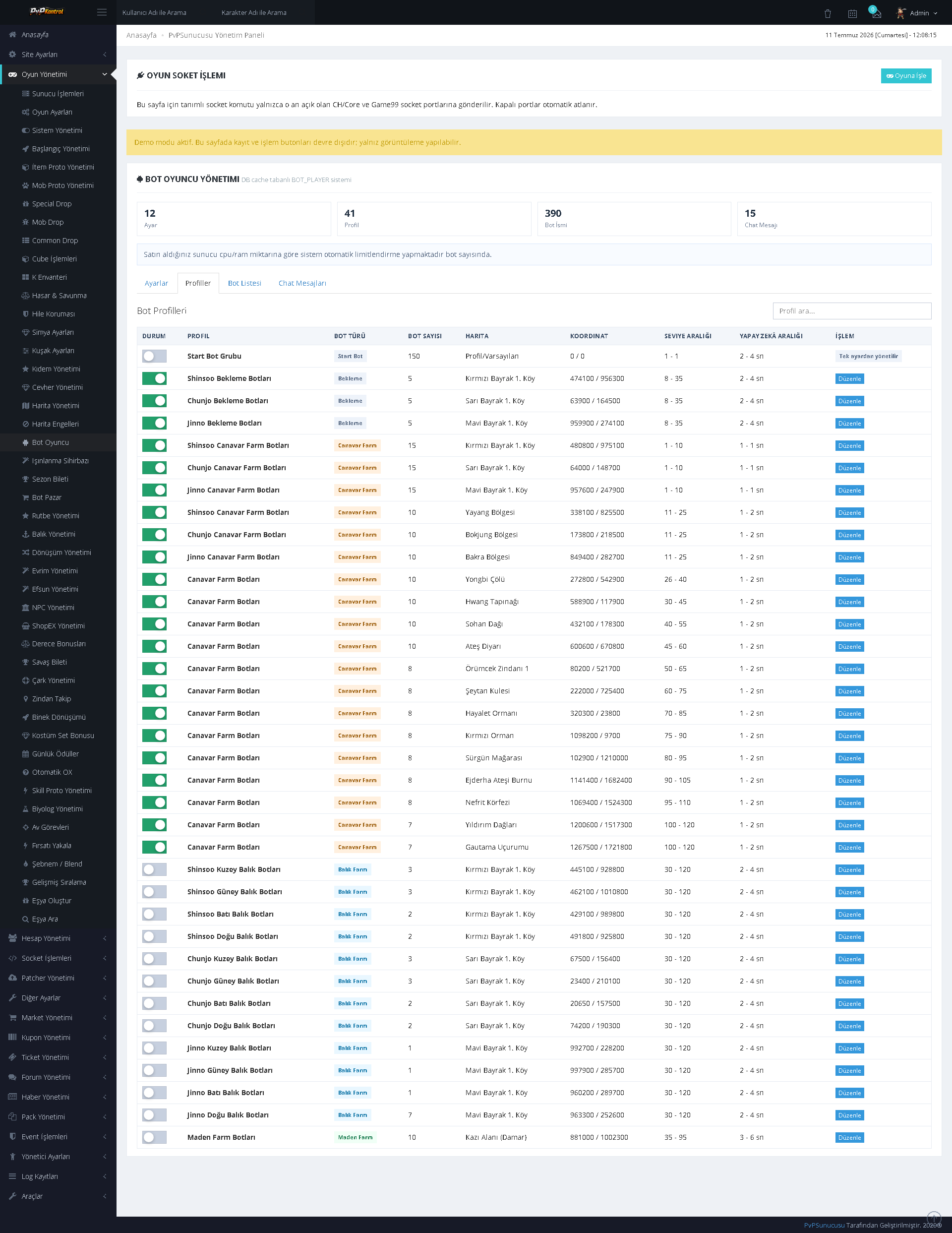
Character, equipment, level, and behavior data for a large number of bot players can be controlled collectively through an extensive list.

Bot players can be grouped, filtered, and edited individually according to their status.
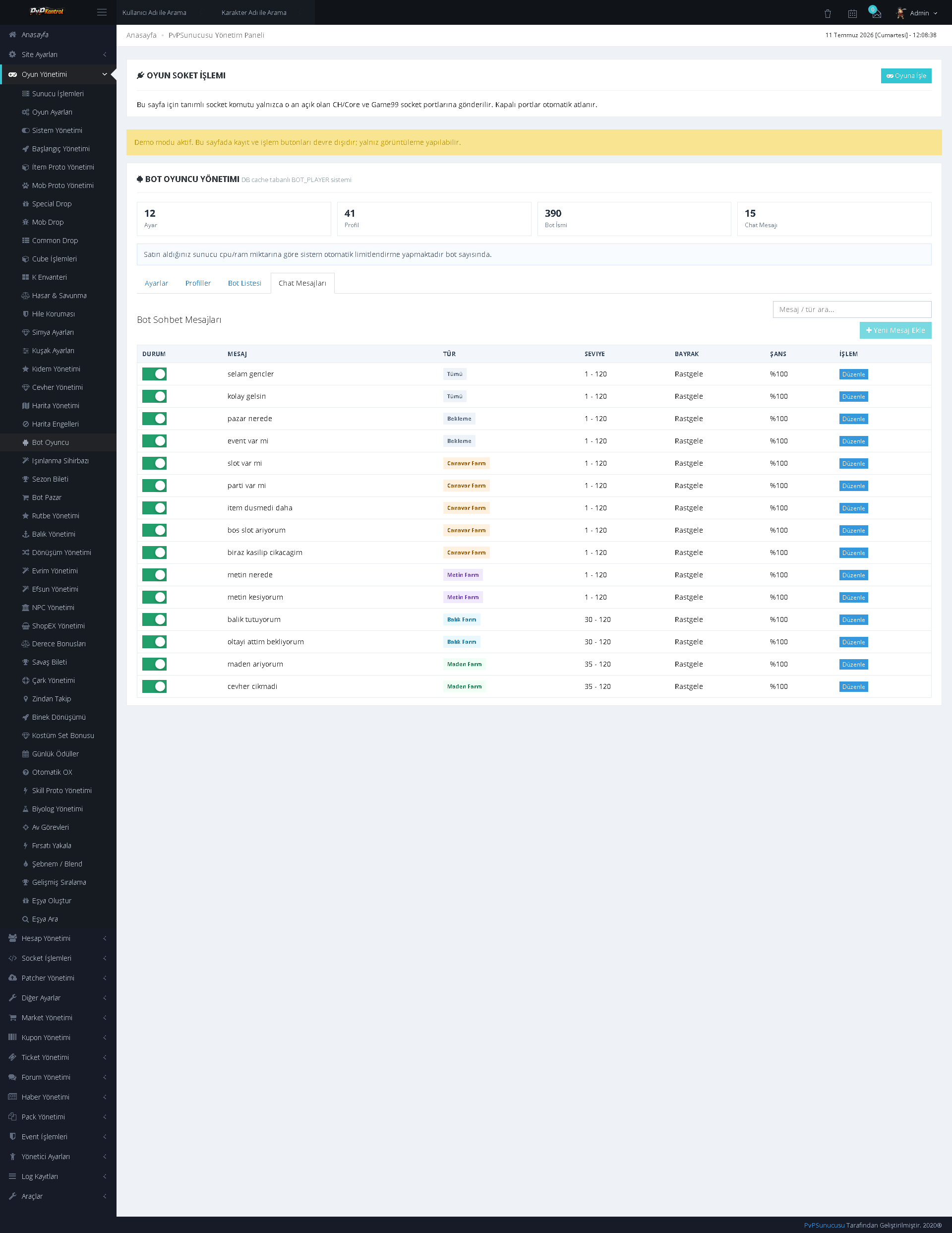
The operating rules, schedules, and general behavior options of the bot shop system can be configured through the panel.
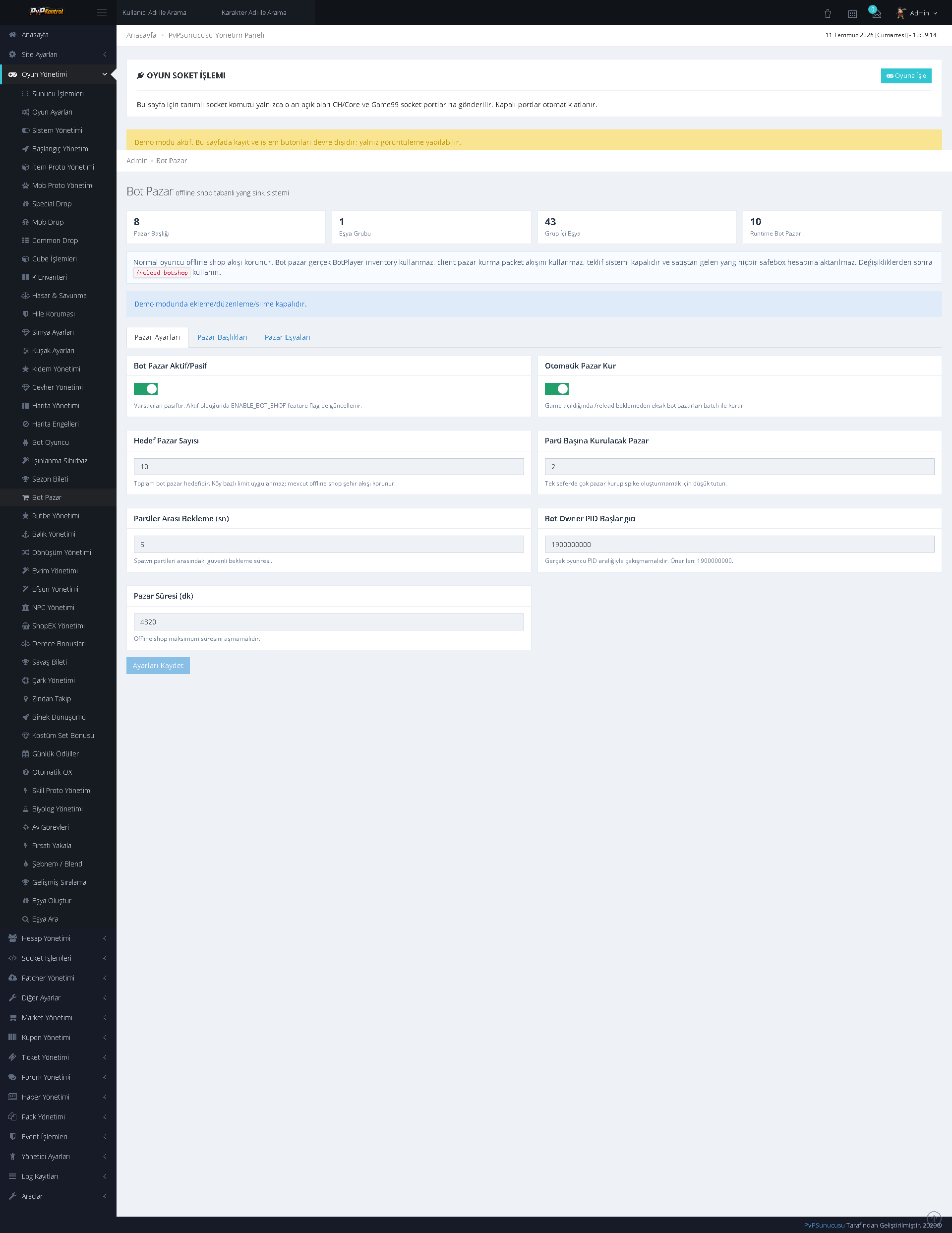
Bot shop groups and records can be listed and managed with activation status, category, and related parameters.
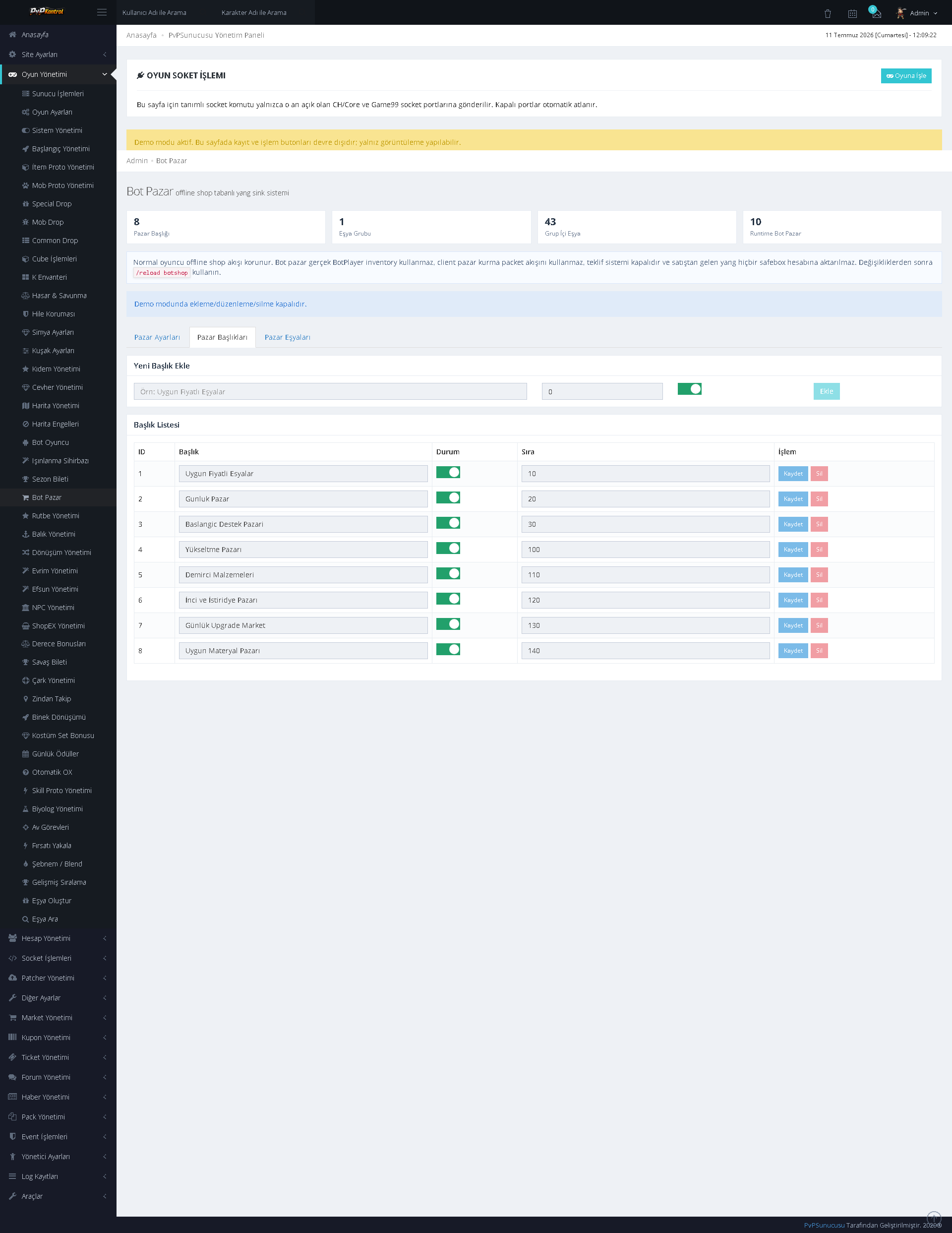
Numerous rows, products, and system parameters belonging to bot shops can be viewed and edited from a single table.
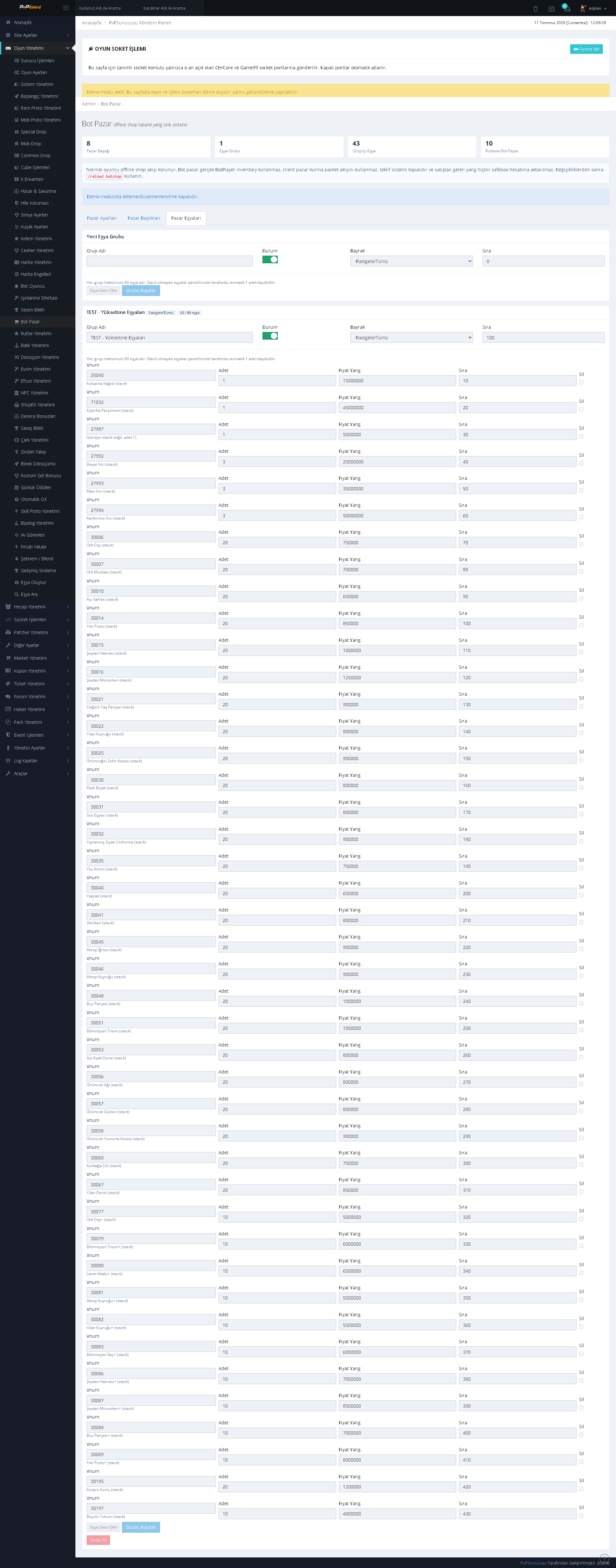
Costume sets and their associated bonuses, required pieces, and activation settings can be managed in separate groups.
DROP, PROTO, NPC, DUNGEON, AND SHOP MANAGEMENT
29. Common Drop Management
General drop records can be listed, added, or edited with item, level range, rate, and related conditions.
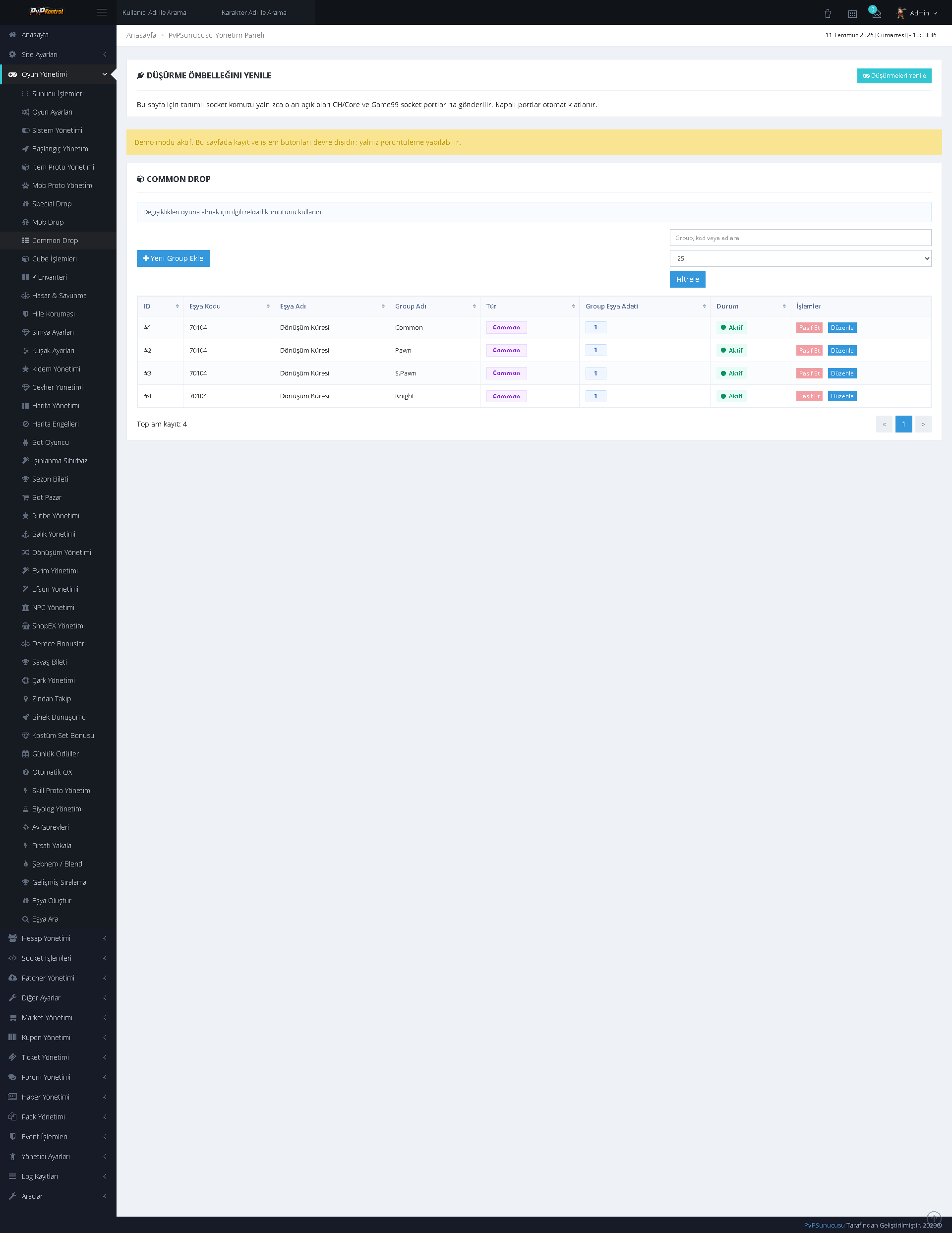
Monster-specific drop records are maintained in an extensive list. Mob, item, rate, and limit information can be managed row by row.
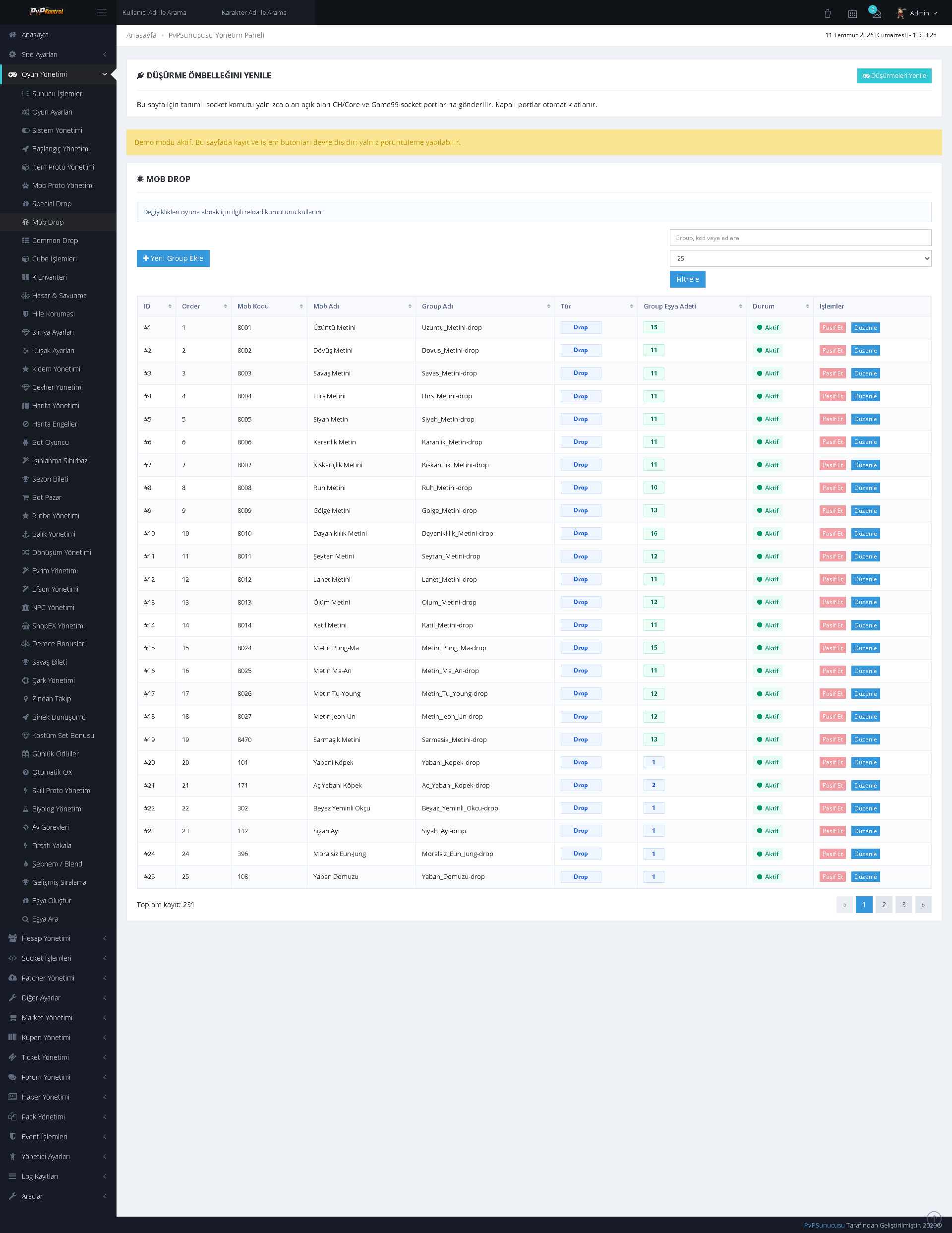
Special drop groups and their associated item records can be controlled in detail with rate, quantity, and condition information.
Dungeons can be listed and edited with entry level, duration, cooldown, ticket, map, and reward information.
Fish and fishing-system rates, durations, rewards, and various parameters can be managed together with item images.
Controlled item creation can be performed through the administration panel by entering character and item information.
Mounts, transformation or summon items, durations, bonuses, and related settings can be managed through separate lists.
NPC and shop records can be controlled through a comprehensive administration screen containing NPC information, shop contents, and item rows.

Prestige levels, requirements, rewards, bonuses, and activation states can be configured through the panel.
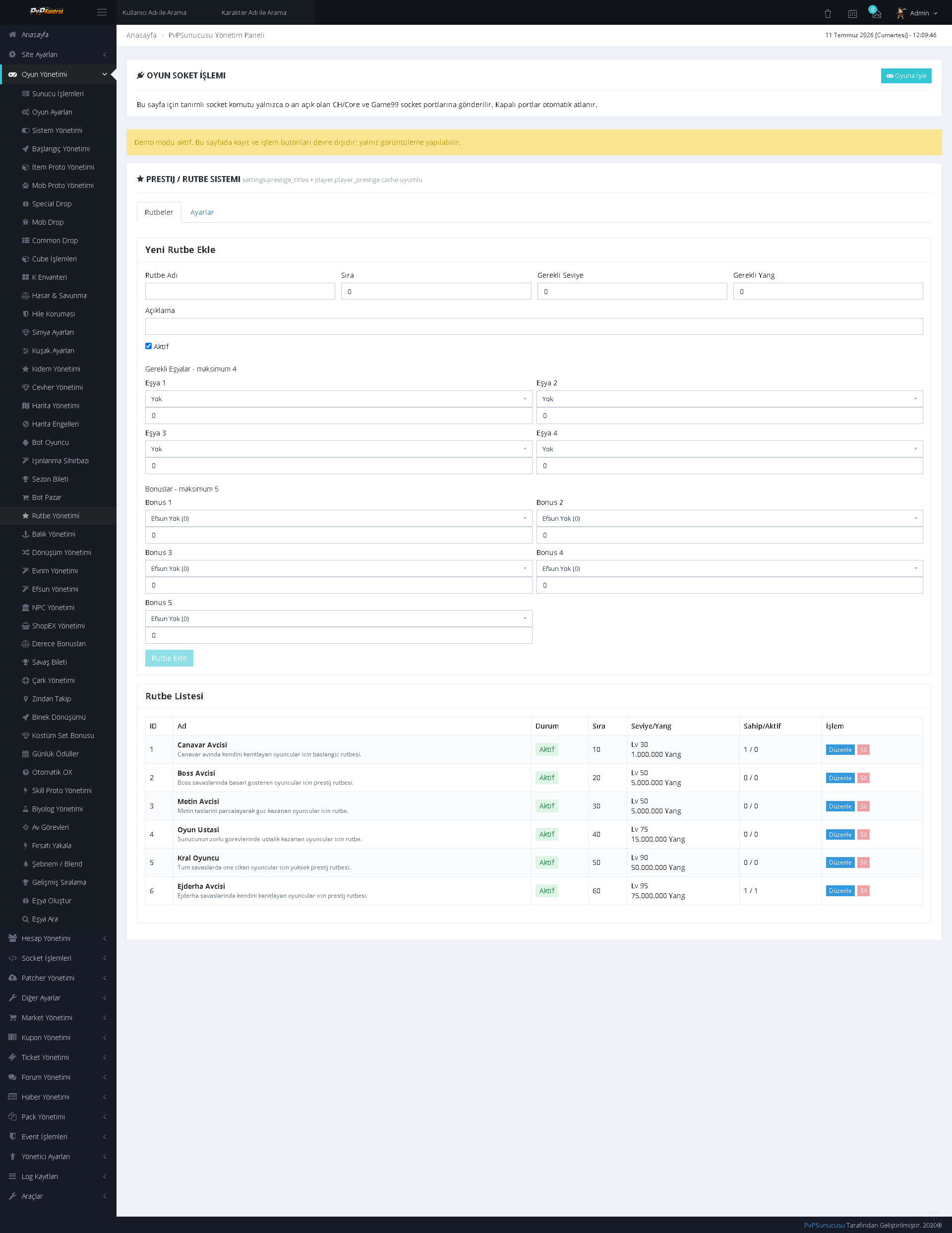
Additional rules, transition or reset options, and core parameters for the Prestige system are maintained on a separate administration screen.
Rarity refinement recipes can be managed with tier, material, rate, cost, and description fields.
Standard upgrade and refinement records can be searched and edited through an extensive table.
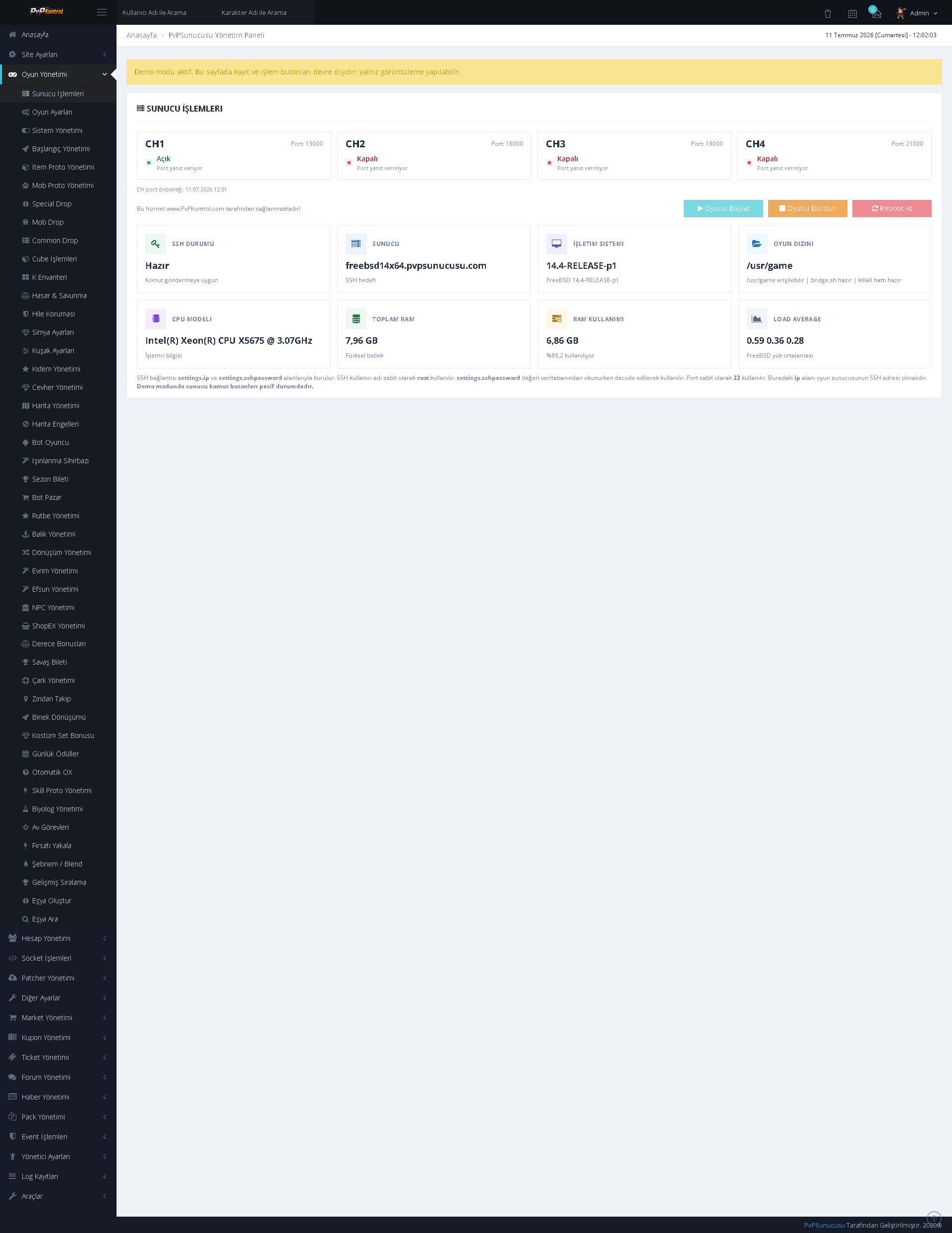
Server statuses and core operations are monitored from a single screen, with control and refresh options available for the relevant services.
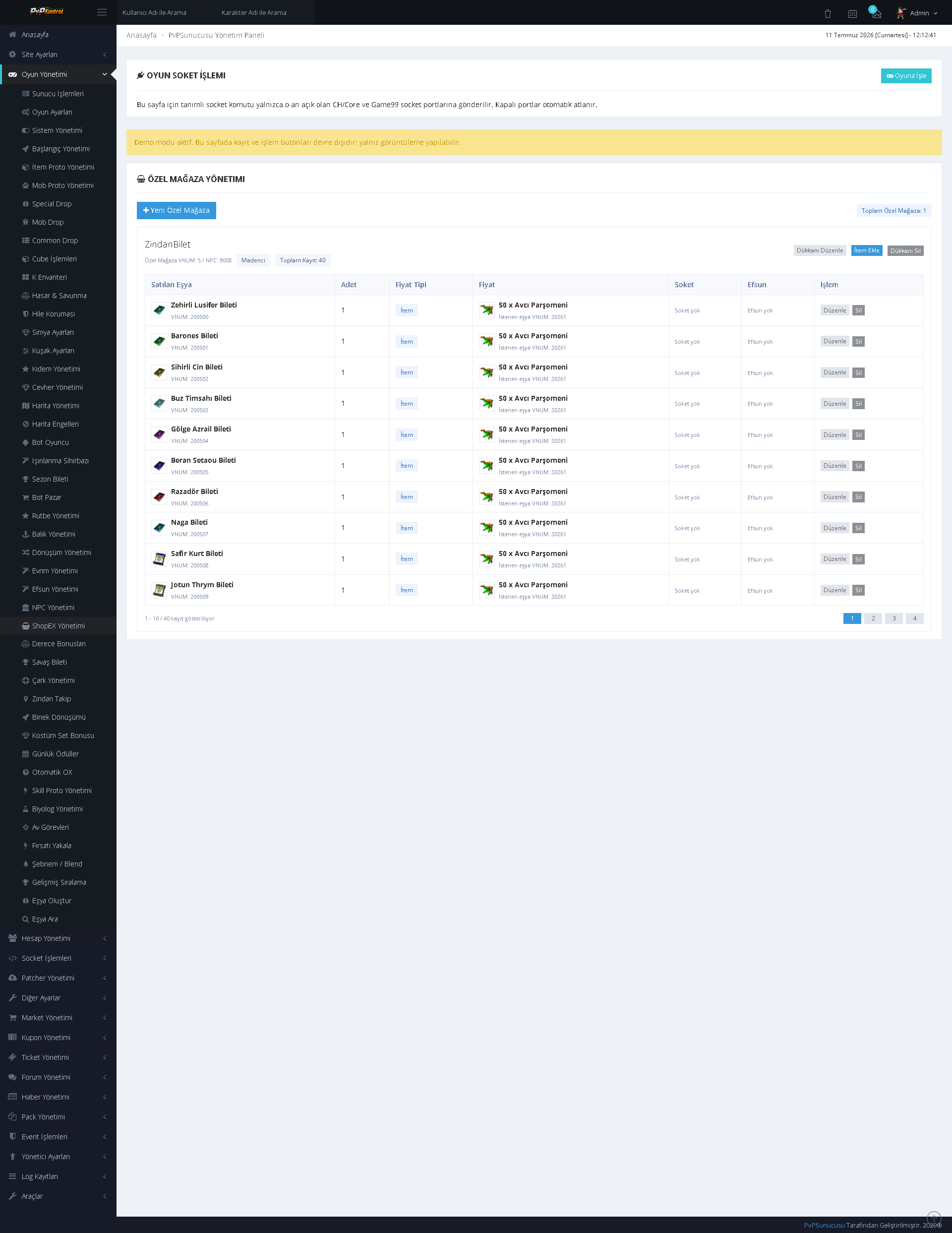
ShopEx tabs, shops, and product lists can be managed together with item images.
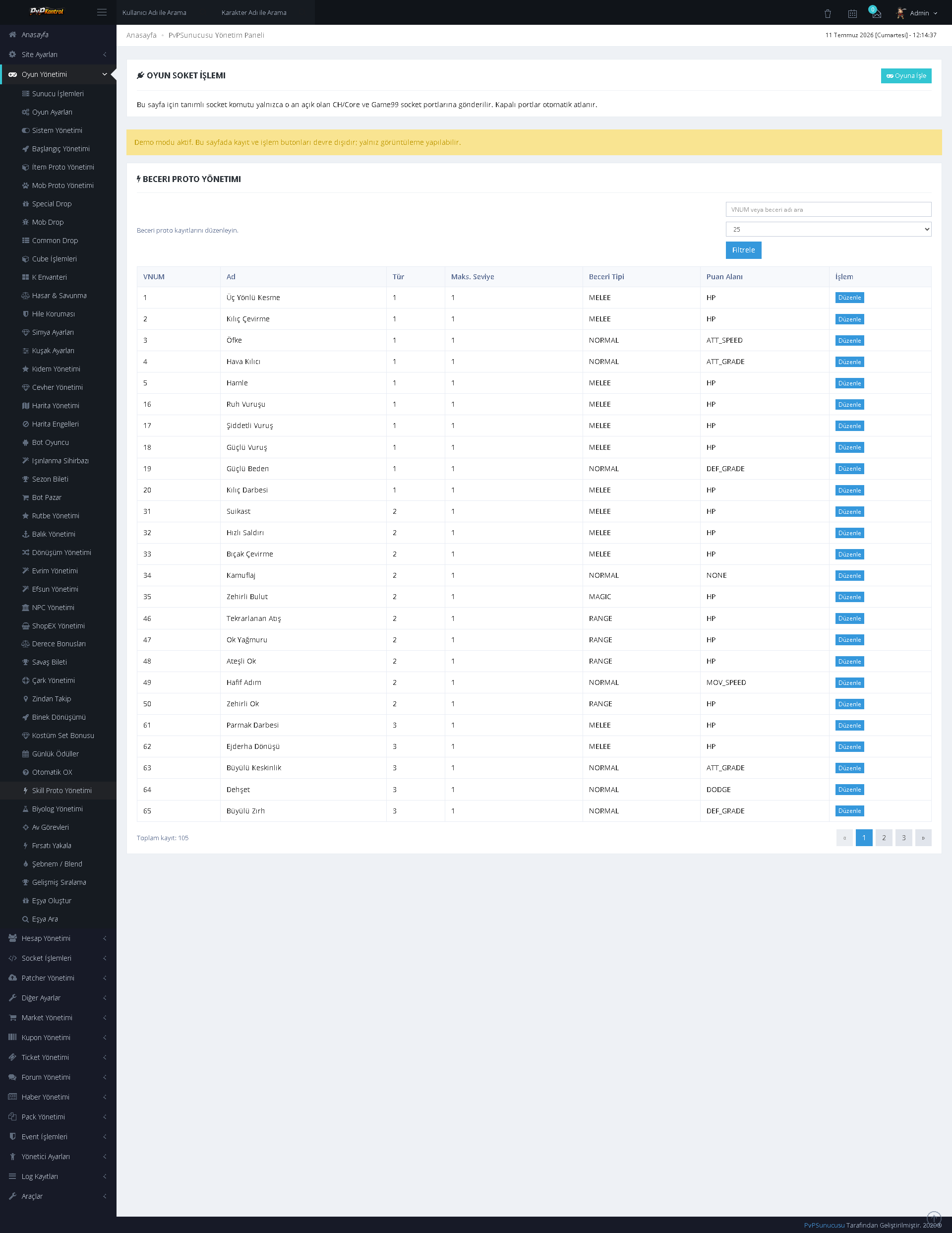
Skill data and skill proto records can be viewed and edited through a table.
Items granted according to character class or starting group, along with quantities, durations, and additional parameters, can be managed in separate sections.
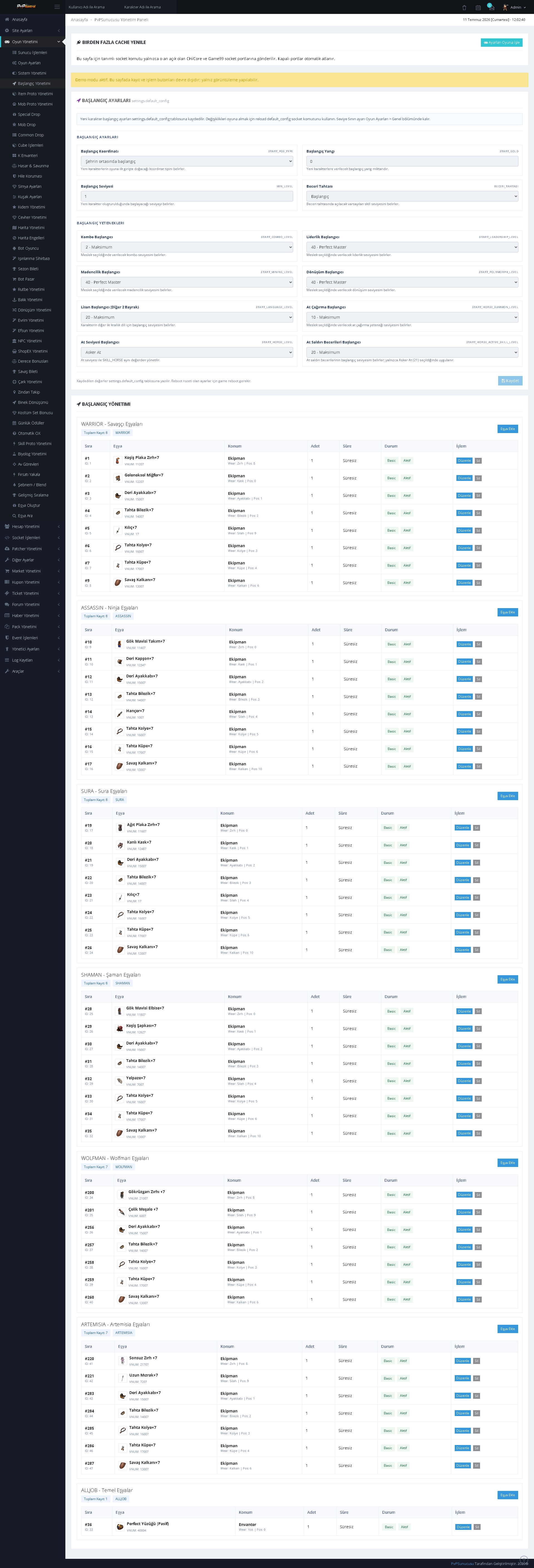
Numerous game systems can be enabled or disabled from a single page. It provides a comprehensive switch-based screen for centrally controlling system features.
Teleportation points, maps, coordinates, level requirements, costs, and access conditions can be managed through an extensive list.
Wheel groups, reward pools, item quantities, rates, and other wheel settings can be controlled through separate lists.
ADDITIONAL GAME SYSTEMS AND SECURITY
48. Biologist Management
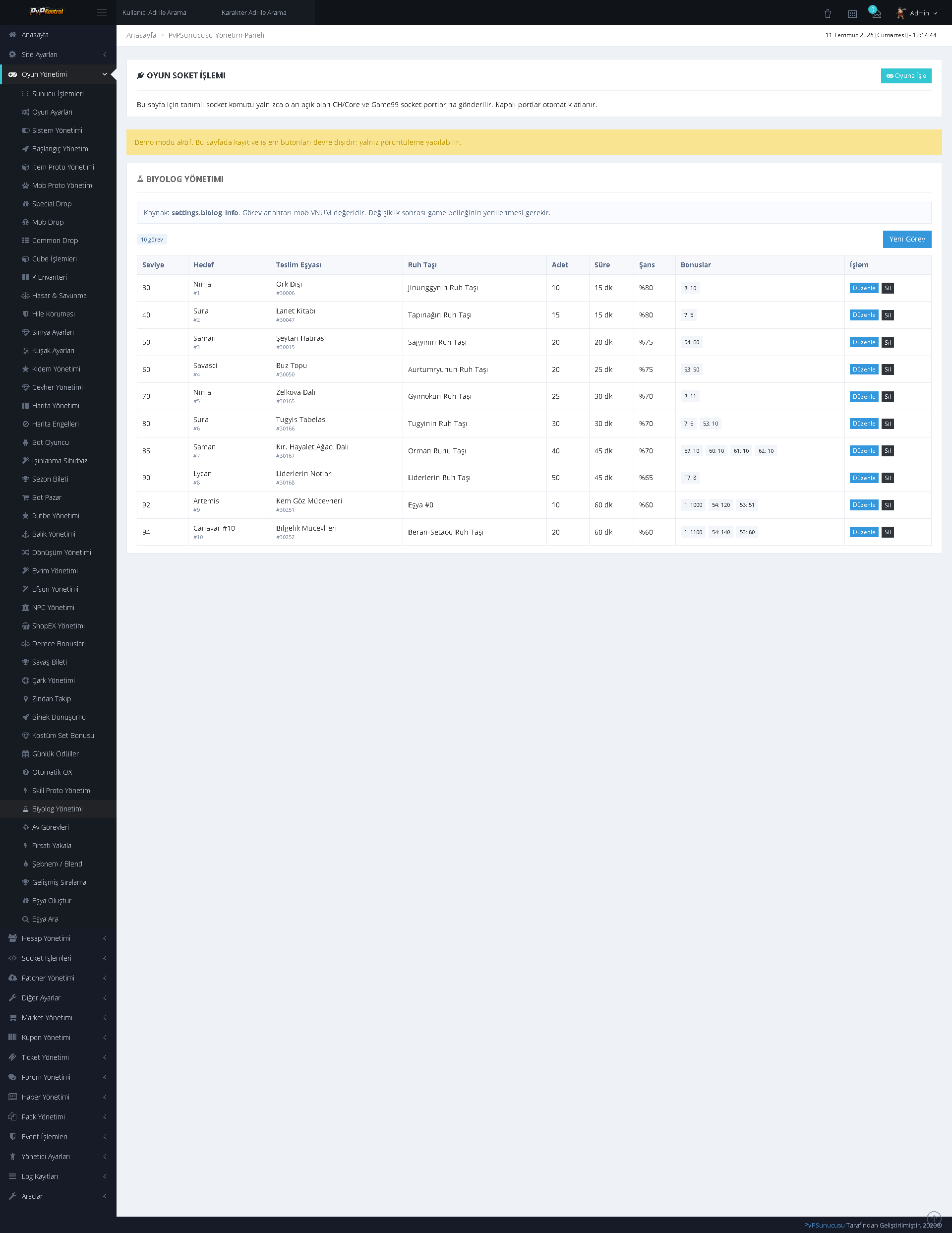
Biologist missions can be listed and edited with level, required item, quantity, duration, and reward values.
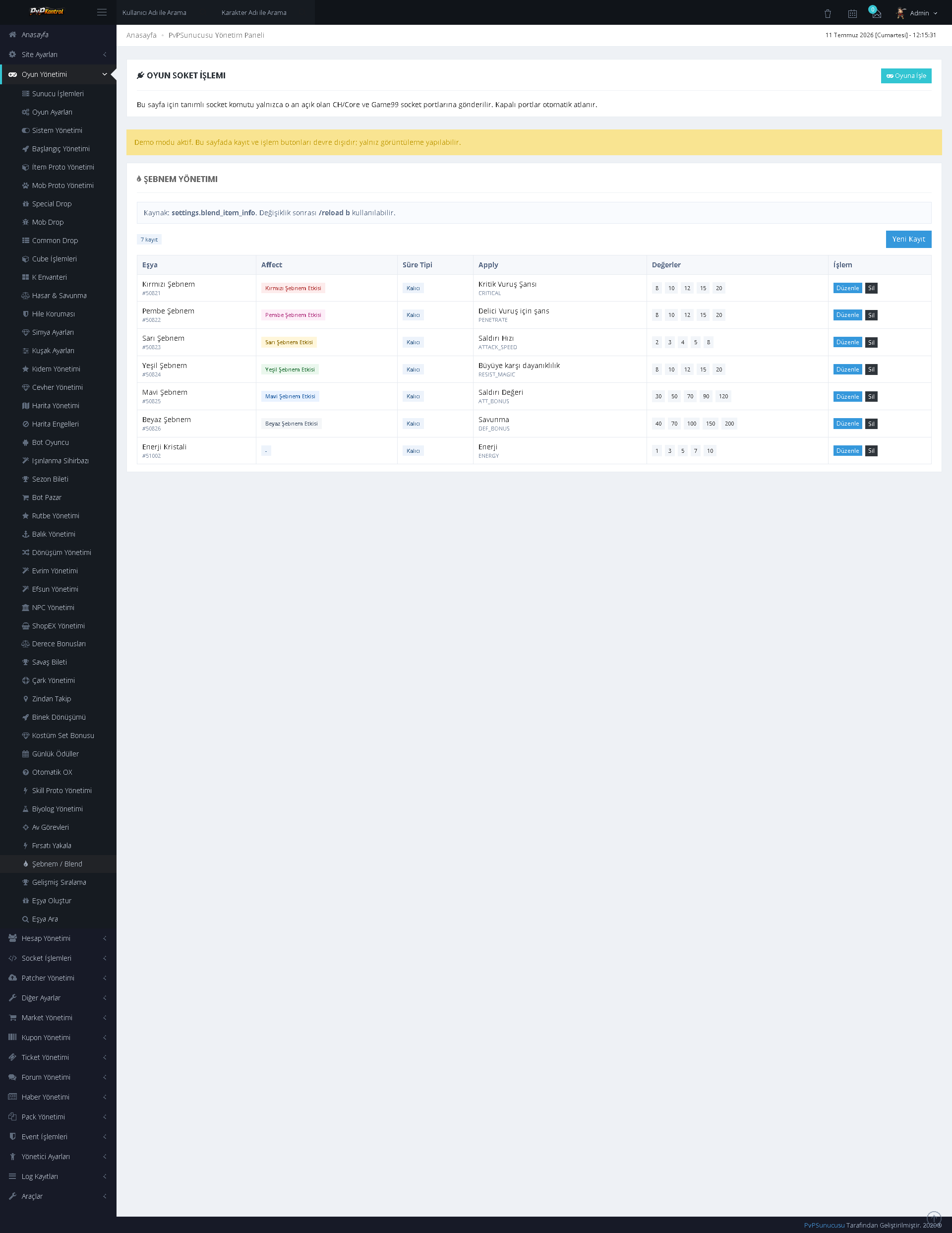
Dew and blend records can be managed through the panel with type, value, duration, color, and related item information.
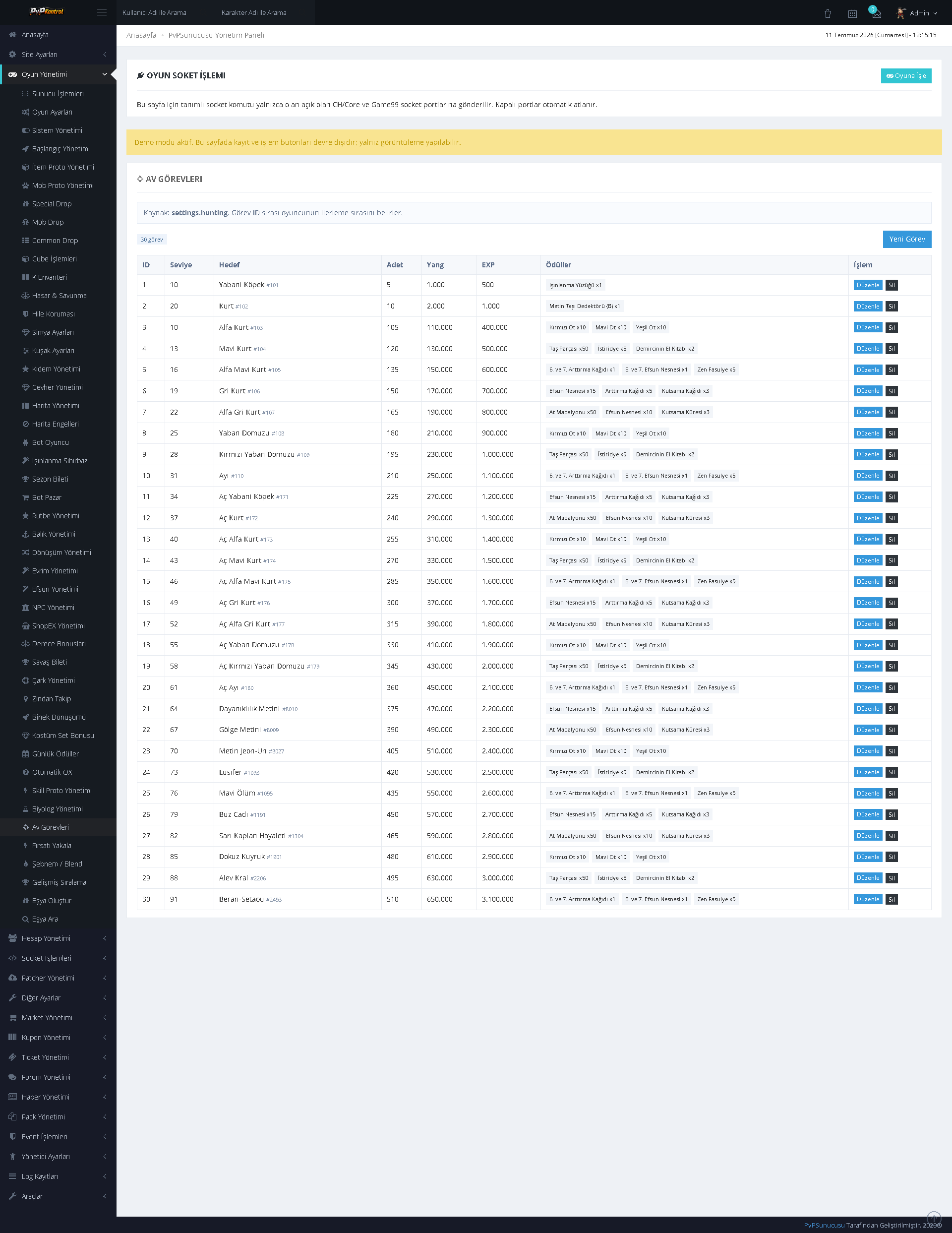
Hunting missions can be controlled through a comprehensive table containing target, level, quantity, description, and reward conditions.
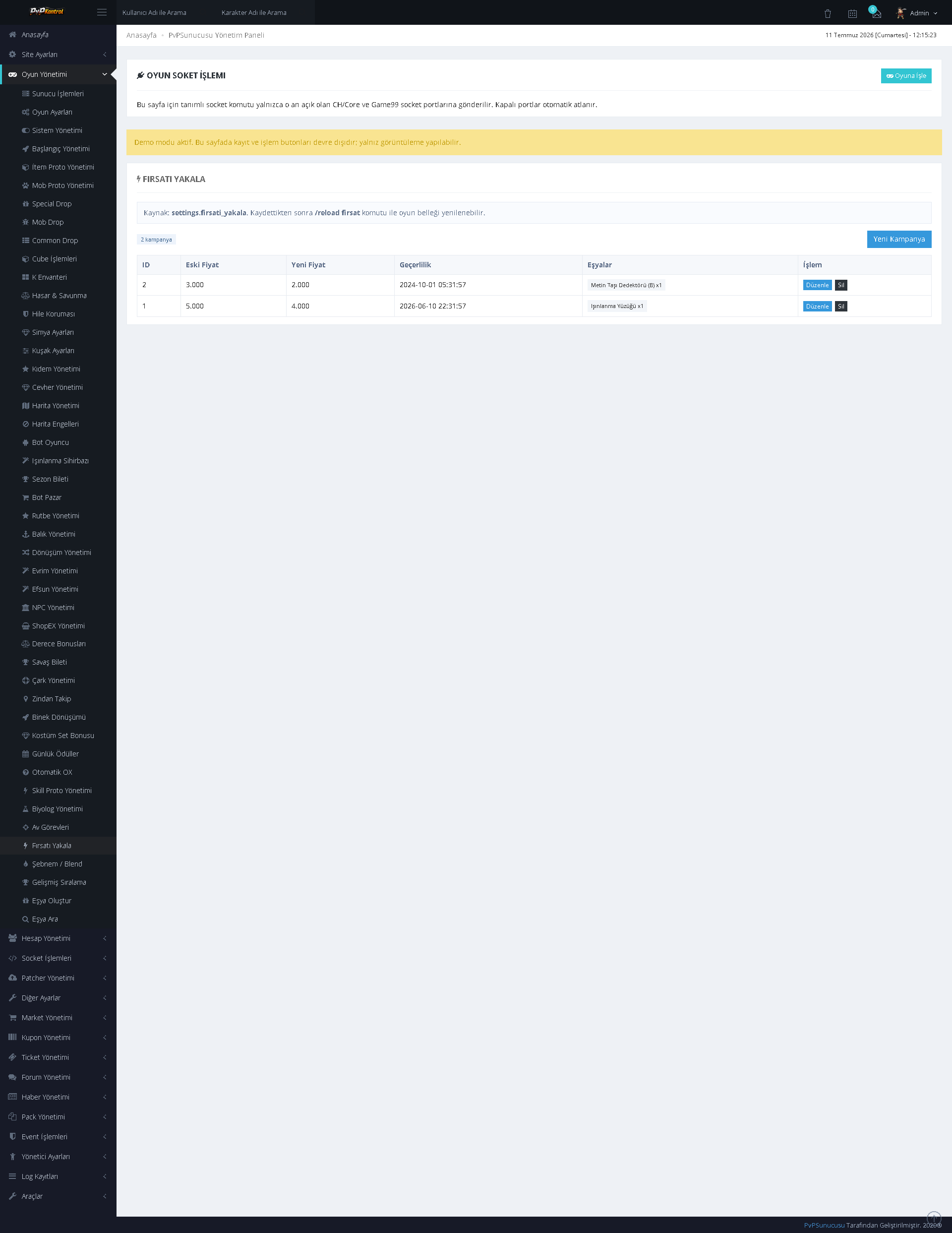
Time-limited opportunity and offer records can be managed with item, price, time, and activation information.
Multiple ranking types, categories, and lists can be managed from a single screen, while ranking scopes can be defined in separate blocks.
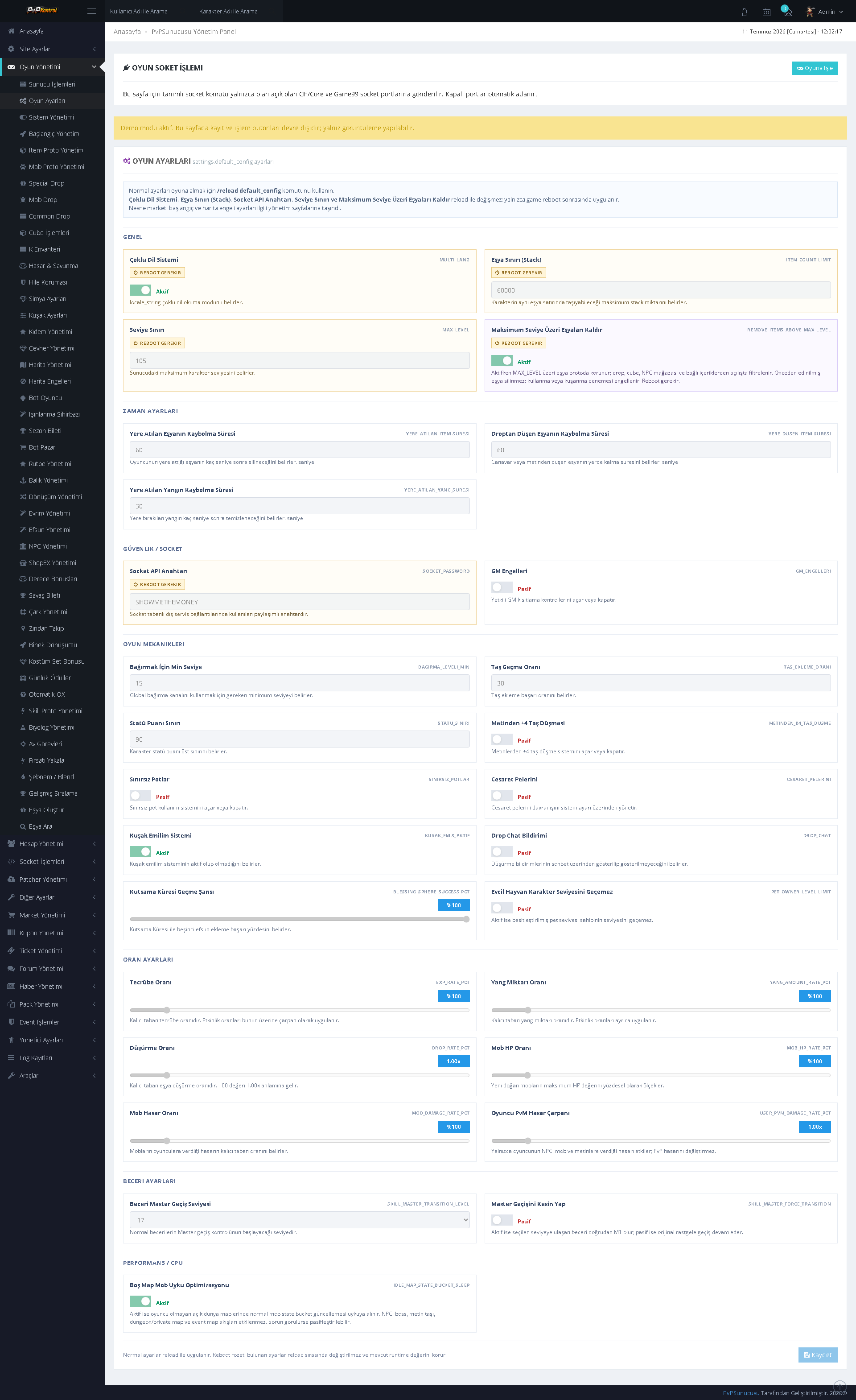
General settings for the server’s various game mechanics are presented by category. Numerical values, switches, and system rules can be configured from a single panel.
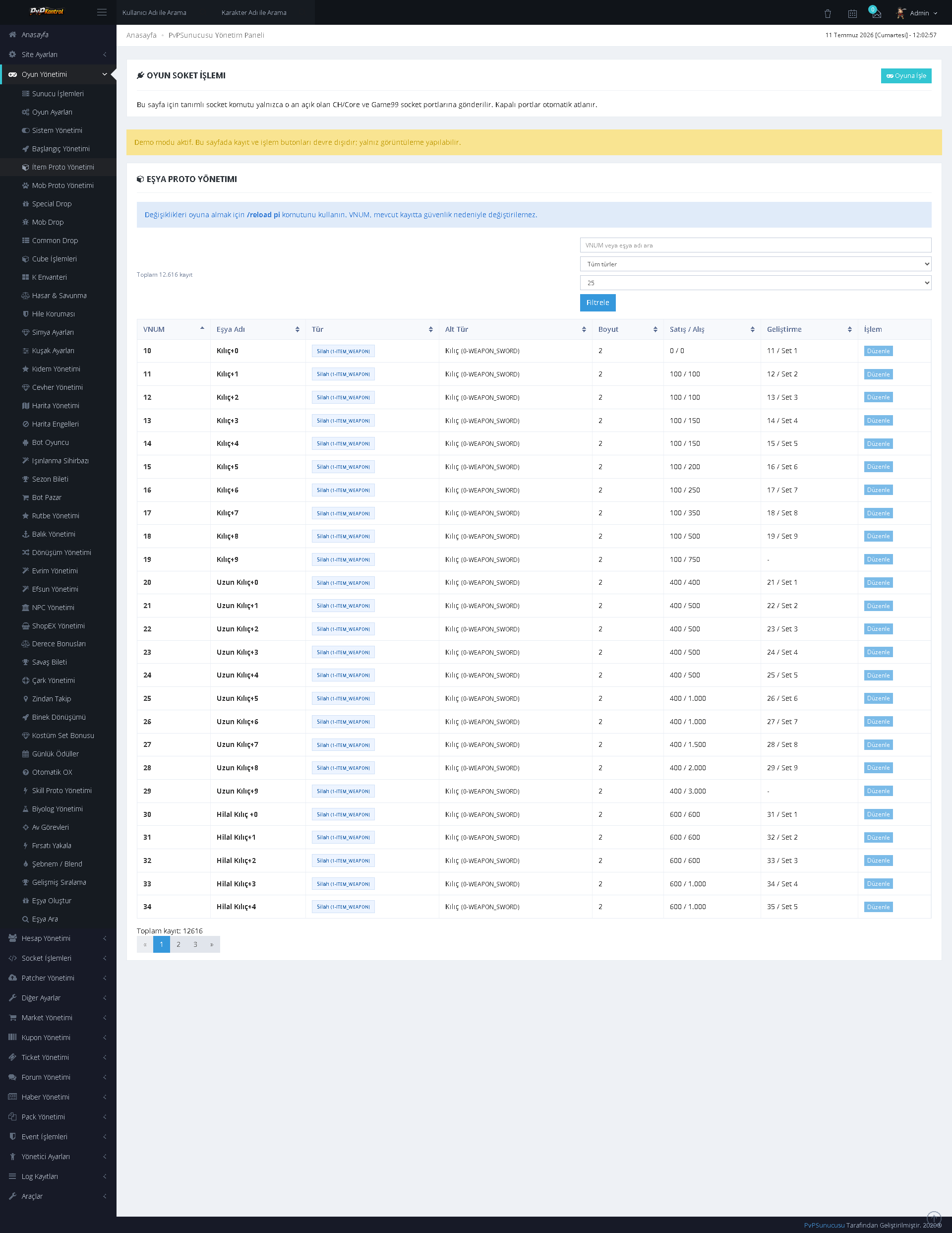
Item proto records can be searched by VNUM, name, type, and other core fields, then edited through a table.
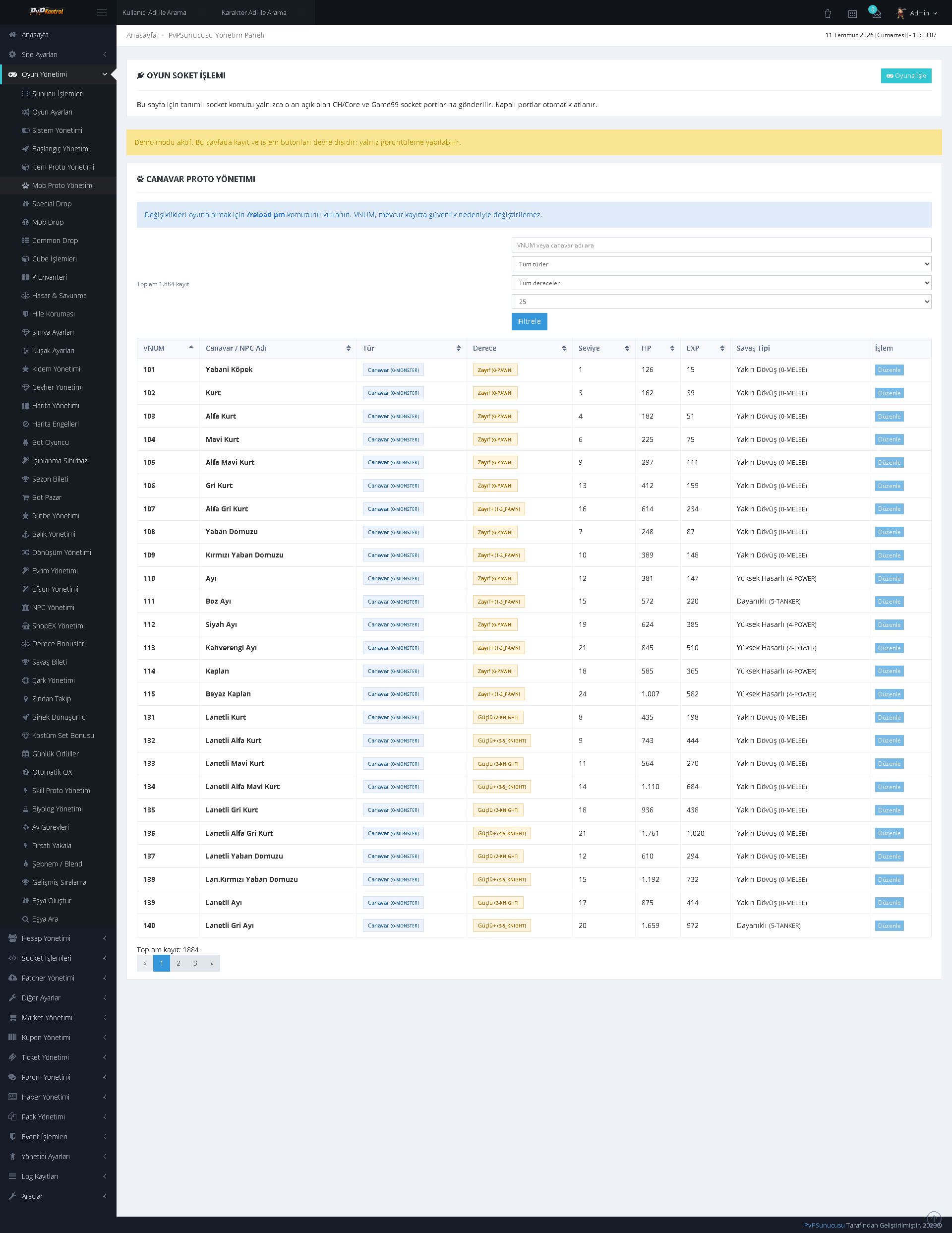
Mob proto records can be listed and managed with VNUM, name, level, type, rank, and other parameters.
Numerous control switches for the protection and security system can be enabled or disabled from a single screen.
The protection system’s numerical limits, thresholds, and monitoring parameters can be managed through detailed fields.
GENERAL PANEL, WEBSITE, PATCHER, AND MARKET MANAGEMENT
58. Administration Panel Dashboard
The administration panel brings together system summaries, statistics cards, charts, and payment integration statuses within a single control screen.
Seniority levels, names, requirements, and reward or bonus values can be managed through a list.
Maps are listed with index, name, access, and status information. Invalid or incomplete records can be identified easily through color-coded warnings.
FTP connection, new patch uploads, package lists, file sizes, and update operations can be managed through the panel.
Royal Pass seasons, missions, rewards, and records can be configured through a comprehensive administration screen.
Sash levels, absorption rates, required materials, and bonus lists can be controlled through separate fields and tables.
Settings for market, payment, commission, and sales systems can be managed in separate blocks.
The website name, core identity information, language options, and footer fields can be configured through the panel.
Maintenance mode can be enabled or disabled, and a maintenance page background can be selected from different map and theme images.
The landing page theme can be selected with a preview. Sections displayed on the page can be enabled or disabled individually.
Content blocks, images, titles, descriptions, and ordering on the landing page can be managed through an extensive editing screen.
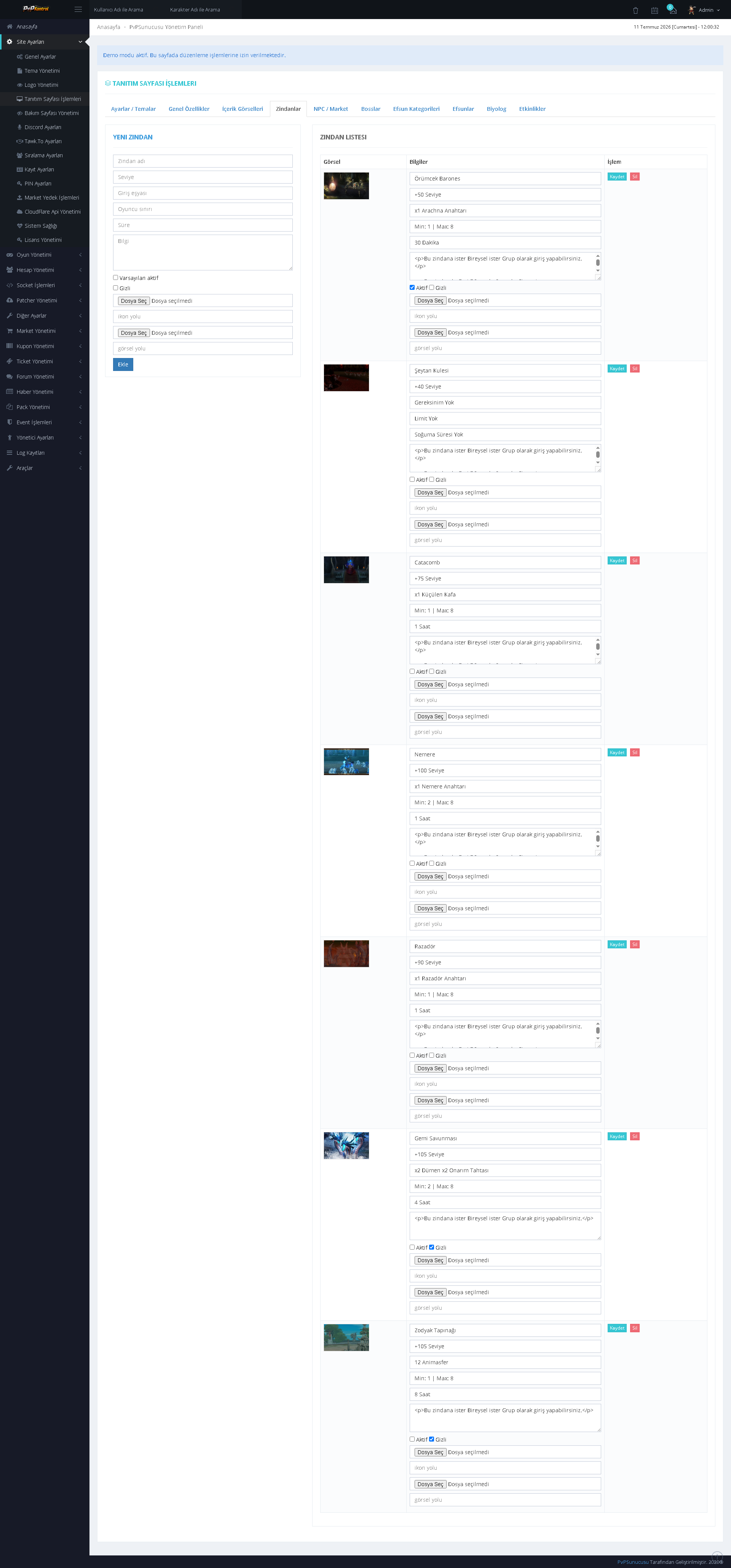
The current logo can be viewed, while new logo uploads, size settings, and position settings can be managed through the panel.
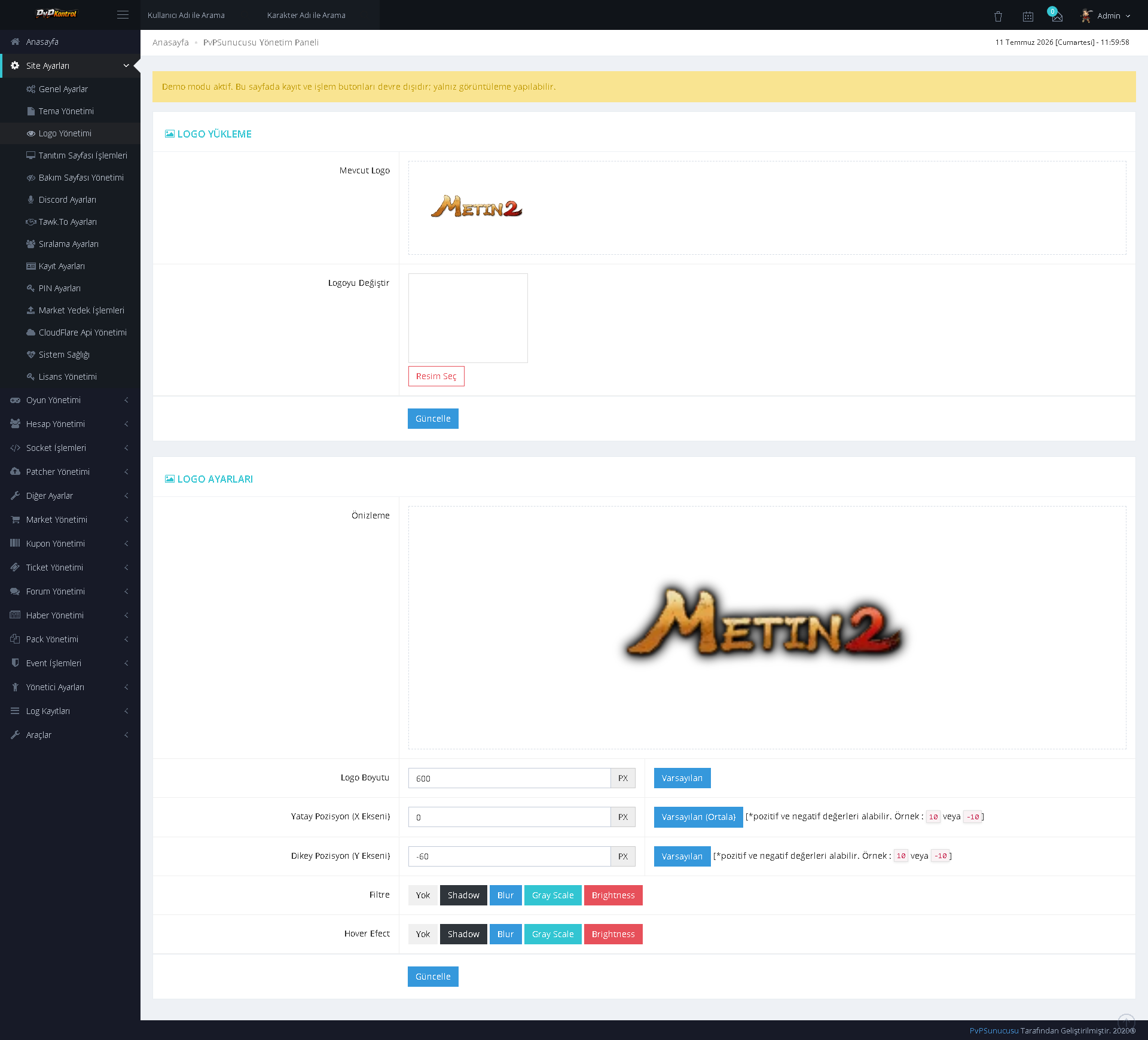
The PIN system can be configured with usage area, user count, and MD5 encryption options.
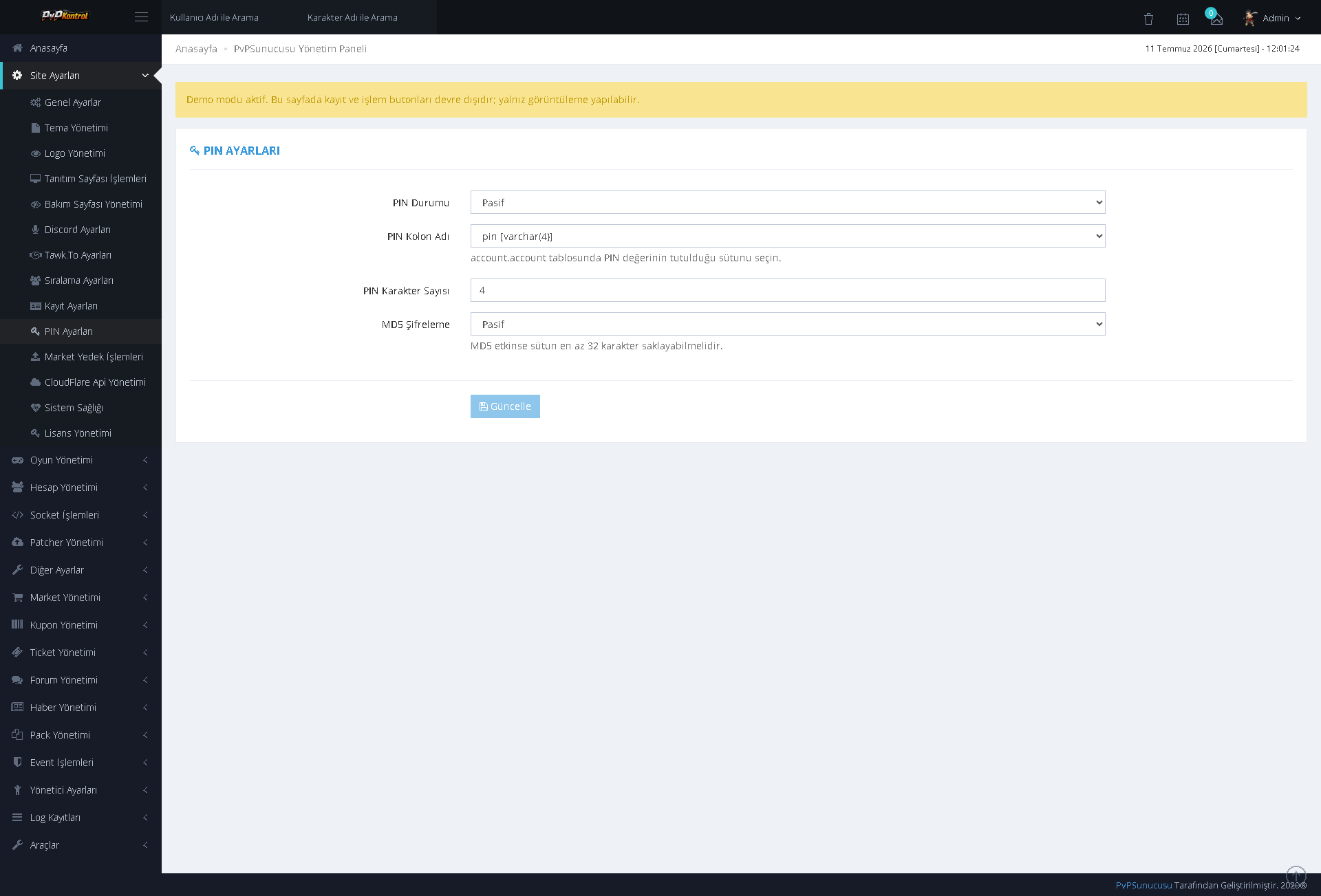
Player and guild ranking availability, along with the maximum number of displayed records, can be configured separately.
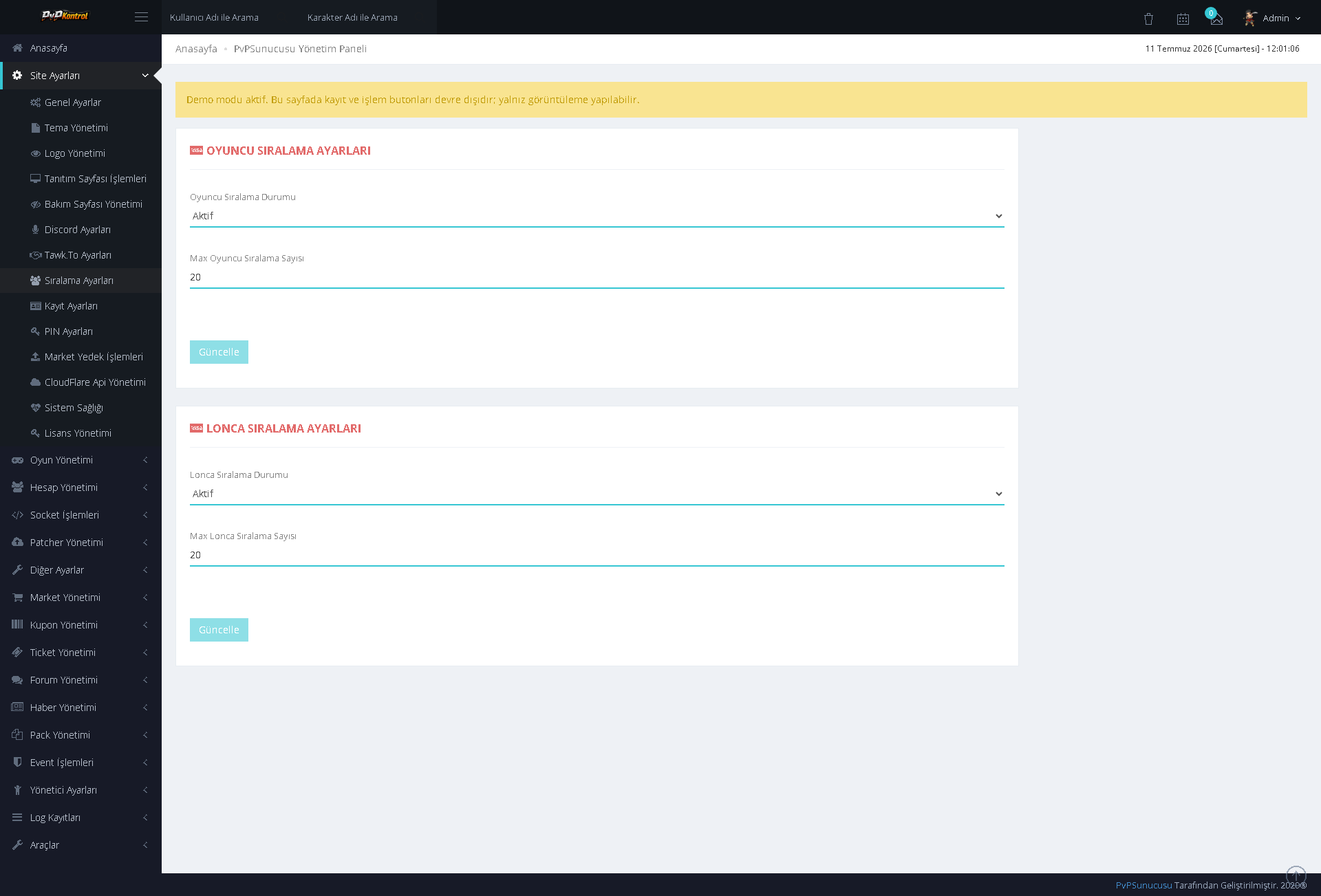
Fields, validations, security options, and other registration rules for membership and account creation can be managed in detail.
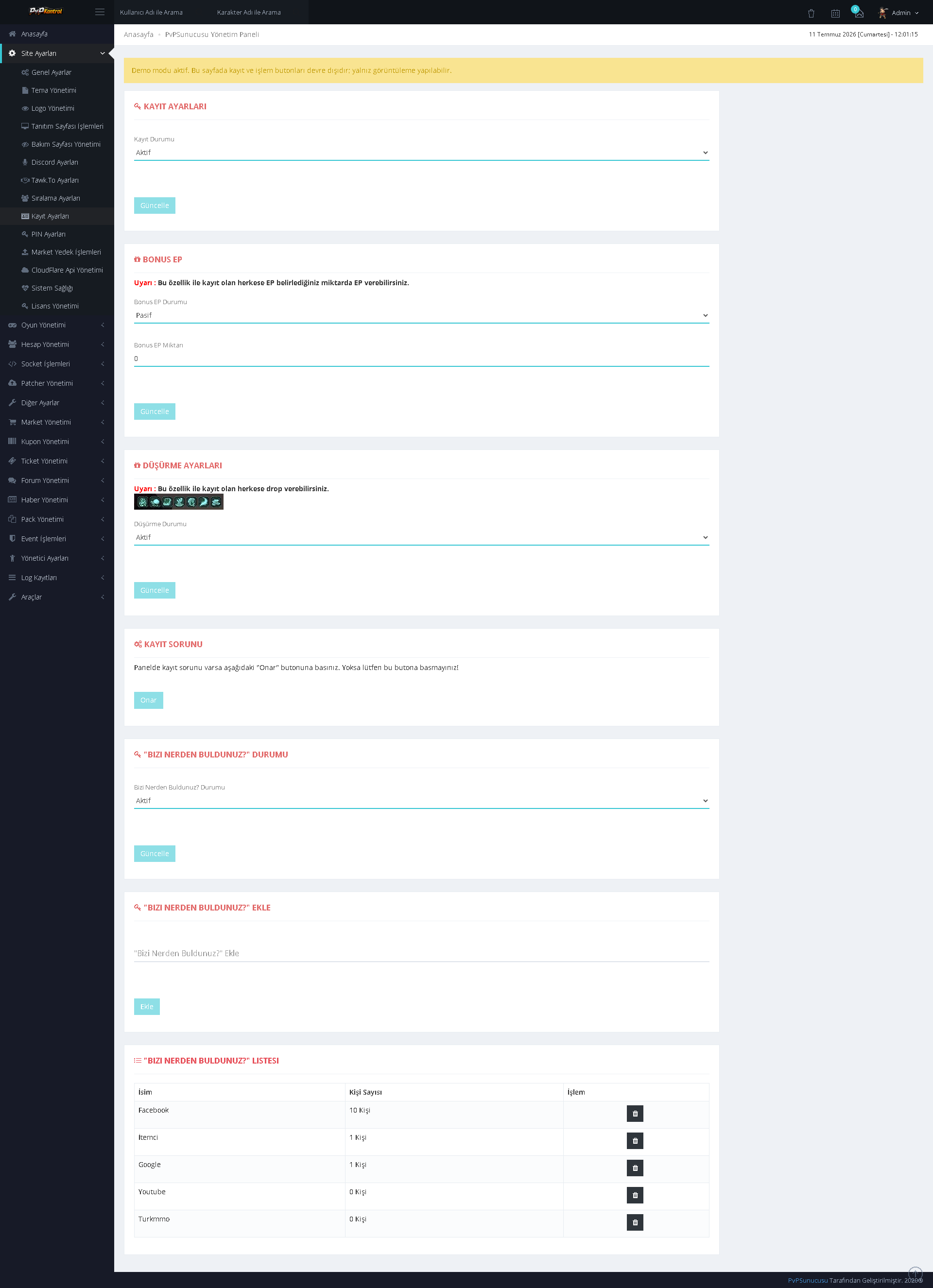
Numerous ready-made Metin2 web themes can be viewed and selected through a gallery with previews.
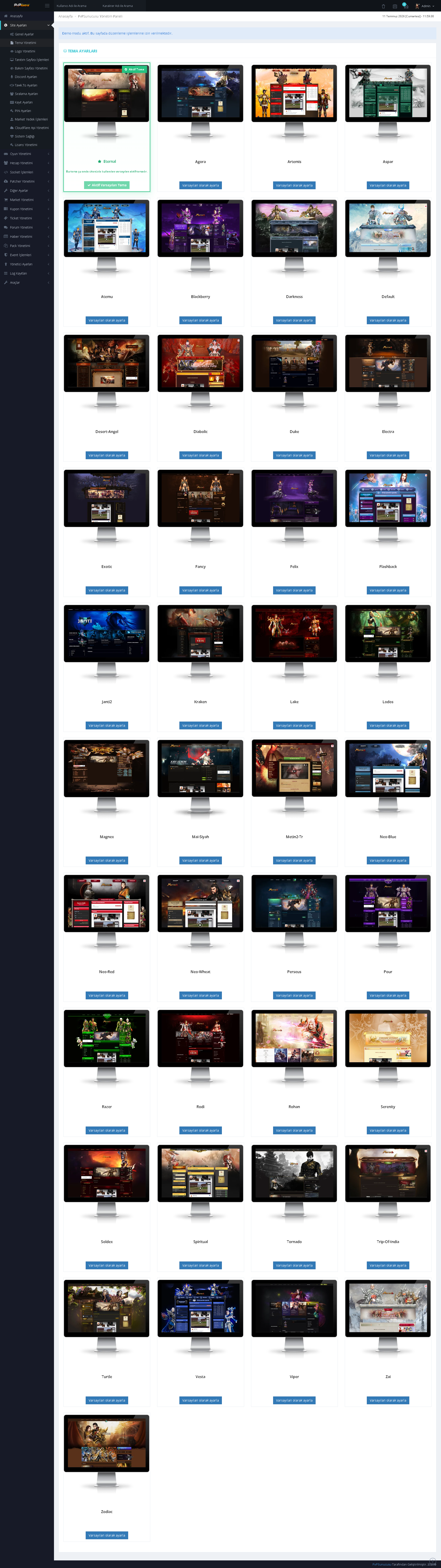
Special inventory categories, item groups, slot or page settings, and related records can be managed through multiple tables.
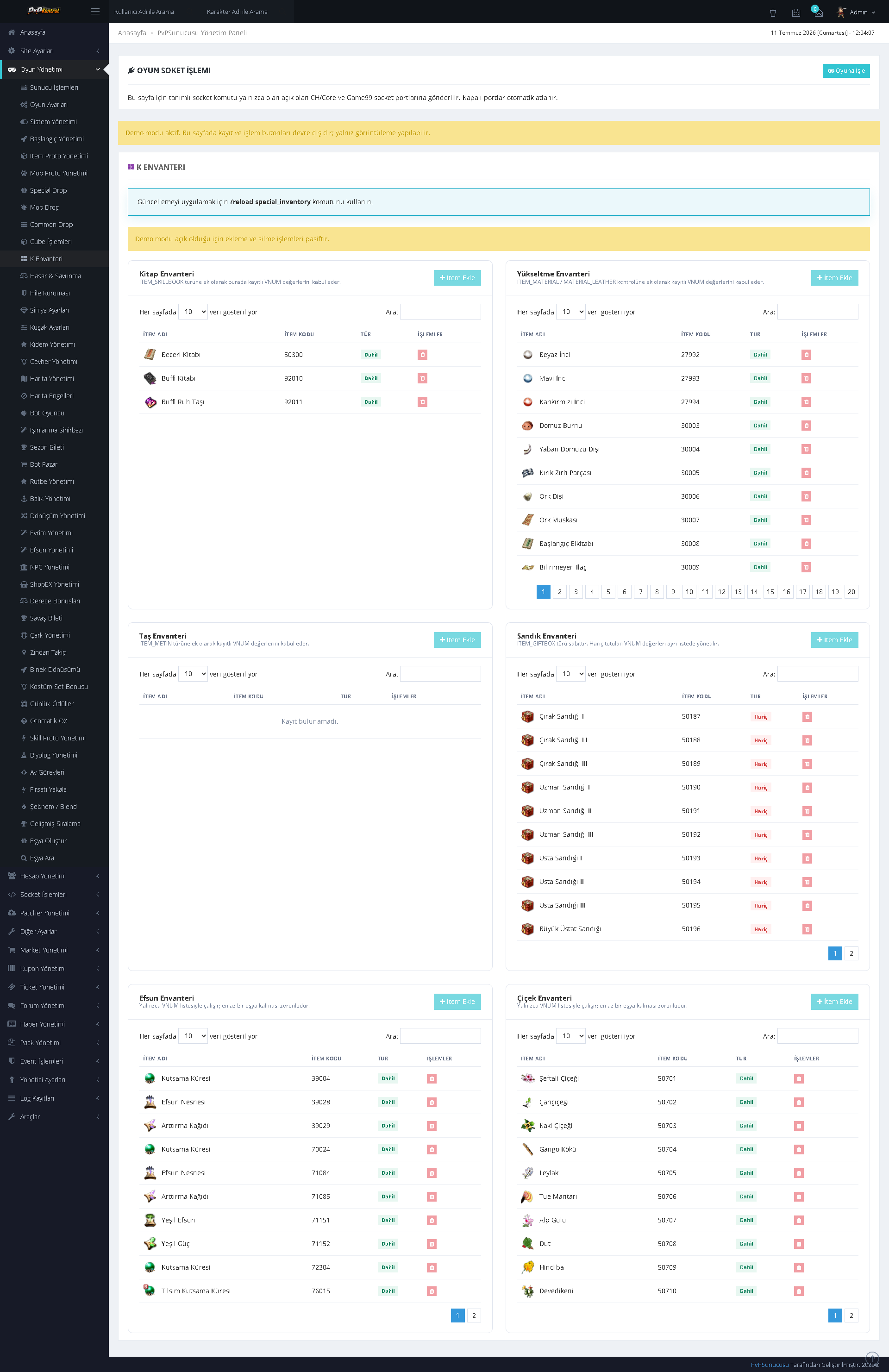
TECHNICAL TOOLS AND USER FORUM
75. Backup Operations
It provides a screen for creating backups of the game directory, database, or related server files and monitoring existing backups.
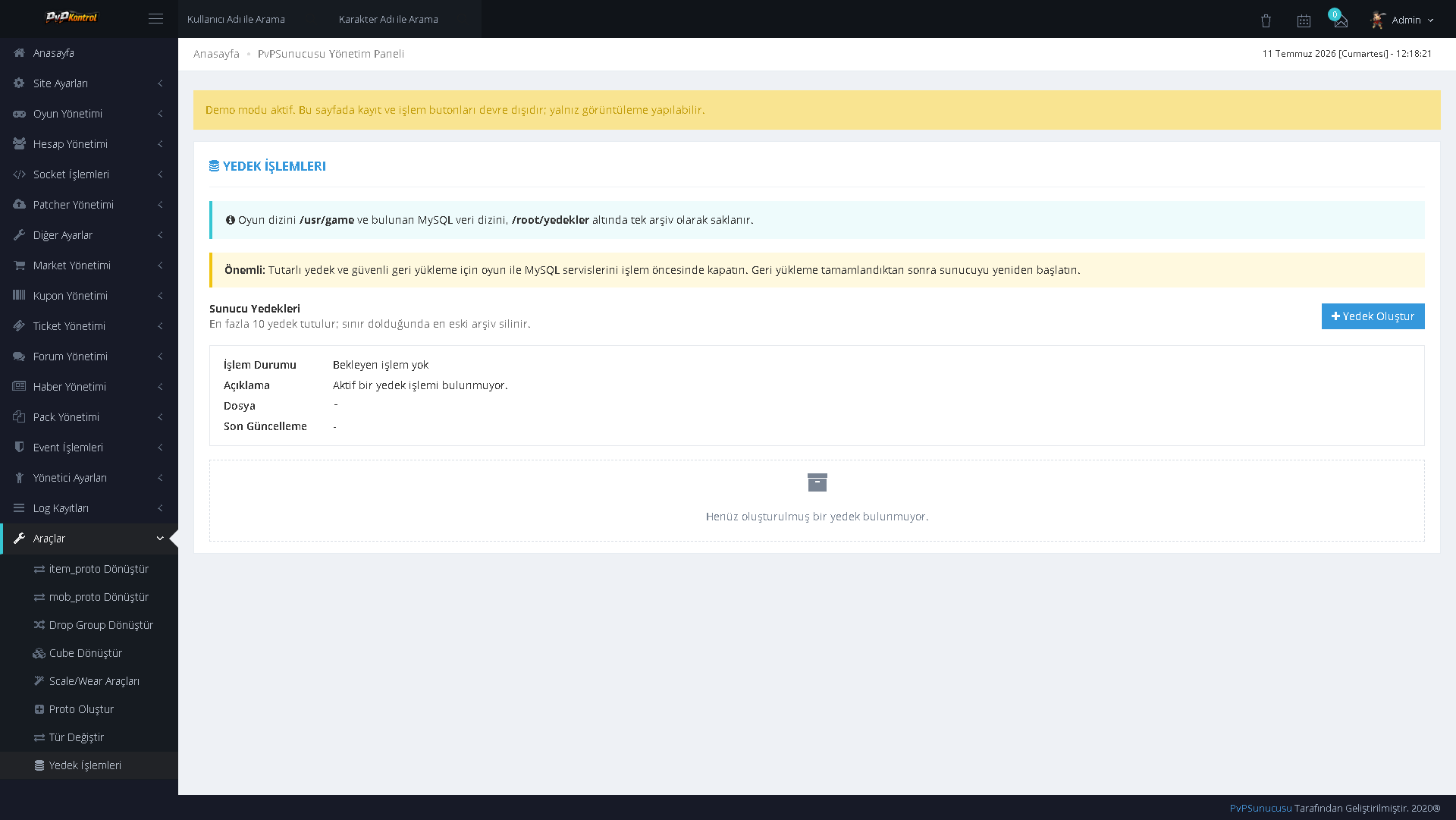
A technical tool that validates Cube TXT content through the panel and helps convert it into the appropriate SQL structure.
A tool designed to validate Drop Group TXT structures according to their type and convert them into an SQL-based system.
It helps convert Item Proto TXT content into SQL format in a way that is compatible with the system structure.
It is used to convert Mob Proto TXT data into SQL format while taking separators, headers, and the data structure into account.
A wizard for creating Item Proto or Mob Proto records, including selection of the item to copy, data entry, final additions, and confirmation steps.
A technical toolset that simplifies creating or updating scale, wear, and related lines for MSM and character resources.
An administration tool that enables bulk conversion between compatible types while preserving the original structure.
Warp restrictions can be defined according to map, coordinates, level, or similar conditions, and existing rules can be managed.
The user-facing side of the forum included with the panel provides a unified interface featuring announcements, game sections, general community categories, online players, and forum statistics.
PRICE: $400 + VAT
CONTACT: PM
CONTACT: WEBSITE
Serious buyers may send a private message through the forum to discuss delivery, compatibility, and other details.
CONTACT: PM
CONTACT: WEBSITE
Serious buyers may send a private message through the forum to discuss delivery, compatibility, and other details.
 de
de  de
de  de
de  de
de